
 Vatsal Shah
 If emails are one of your main channels for conversion, you cannot risk them landing anywhere other than the Inbox.
More emails in the Inbox means more visibility, more opens, and more replies.
And the only way to consistently get there is to maintain a strong sender reputation.
Email warm up tools help you build and maintain that reputation automatically for your new and existing email accounts.
I have tested 14 email warm-up service tools to help you find the right one.
I have ranked them based on:
- Results
- Cost versus value
- Ease of setup
- Scalability
- Reporting
Keep reading to find the tool that fits your needs the best.
Disclaimer: I built and work for TrulyInbox. That said, I have kept this review non-biased. Every tool on this list was evaluated on the same criteria.
I have highlighted the strengths and limitations of each, including TrulyInbox.
Top Email Warm-Up Services – TOC
Quick Summary of The Best Email Warmup Services I Recommend For 2026
Short on time? Here is a quick comparison of all 14 email warmup tools and email warmup services I reviewed.
| Email Warm-Up Service | Best For | Starting Price | Mailboxes | Warm-Up Network |
| TrulyInbox | Advanced warm-up logic, full customization, scalability on a budget | $22/month (annual) | Unlimited | 40,000+ real inboxes |
| Mailivery | Budget multi-inbox warm-up | $21.75/month (annual) | Unlimited | Not disclosed |
| Warmup Inbox | Simple, low-cost per-inbox setup | $15/inbox/month | Per inbox | 30,000+ inboxes |
| MailReach | Deliverability diagnostics | $25/inbox/month | Per inbox | 30,000+ inboxes |
| Warmy.io | Advanced customization | $41/inbox/month (annual) | Per inbox | Not disclosed |
| Warmforge | Budget per-slot warm-up for Google and Microsoft users | $9/slot/month (annual) | Per slot | Not disclosed |
| Lemwarm | Lemlist users | $24/inbox/month (annual) | Per inbox | 20,000+ domains |
| Warmbox | Regional warm-up | $15/month (annual) | 1 inbox | 35,000+ inboxes |
| Mailwarm | Premium deliverability focus | $69/month | 1 account | 50,000+ real inboxes |
| Folderly | Full deliverability audit | $96/inbox/month | Per inbox | Not disclosed |
| InboxAlly | Reputation repair | $149/month | 1 sender profile | Not disclosed |
| Allegrow | List hygiene + warm-up | $99/month | 1 mailbox included | B2B-only inboxes |
| Instantly | Outreach + warm-up combo | $37.60/month (annual) | Unlimited | 1,000,000+ inboxes |
| Smartlead | Outreach + warm-up combo | $32.50/month (annual) | Unlimited (add-on) | Not disclosed |
My top 3 picks:
- TrulyInbox offers distinct AI-powered and manually customizable warm-up strategies, ESP-specific targeting, and AI-powered content.
All of this with unlimited mailbox connections starting at $22/month (annual). Most users see inbox placement rates above 97% within 4 weeks. - Mailivery is the closest competitor on value. It also offers unlimited mailbox connections starting at $21.75/month (annual).
The built-in blacklist monitoring and email verification credits are useful extras. - Warmup Inbox is the most straightforward option. It lets you target specific ESPs like Gmail or Outlook during your warm-up. Pricing starts at $15 per inbox per month.
14 Best Email Warm-Up Service Providers (My In-depth Review)
After personally using all these warm-up services, I have ranked them based on my experience.
To help you pick the best email warm-up service, I have shared:
- The best part about the tool
- Pros and Cons
- Pricing Plan
- User Reviews
With that out of the way, let’s get started!
- TrulyInbox
- Mailivery
- Warmup Inbox
- MailReach
- Warmy.io
- Warmforge
- Lemwarm
- Warmbox
- Mailwarm
- Folderly
- InboxAlly
- Allegrow
- Instantly
- Smartlead
1. TrulyInbox
The first email warm-up service tool on the list for 2026 is TrulyInbox.
Not biased! Hear me out.
TrulyInbox is purpose-built to help warm up and continuously maintain a healthy sender reputation of your email sending accounts.
Your accounts get warmed up by exchanging emails with a network of over 40,000 real, high-reputation inboxes.
With TrulyInbox, you get scalability and premium features without the premium price tag.
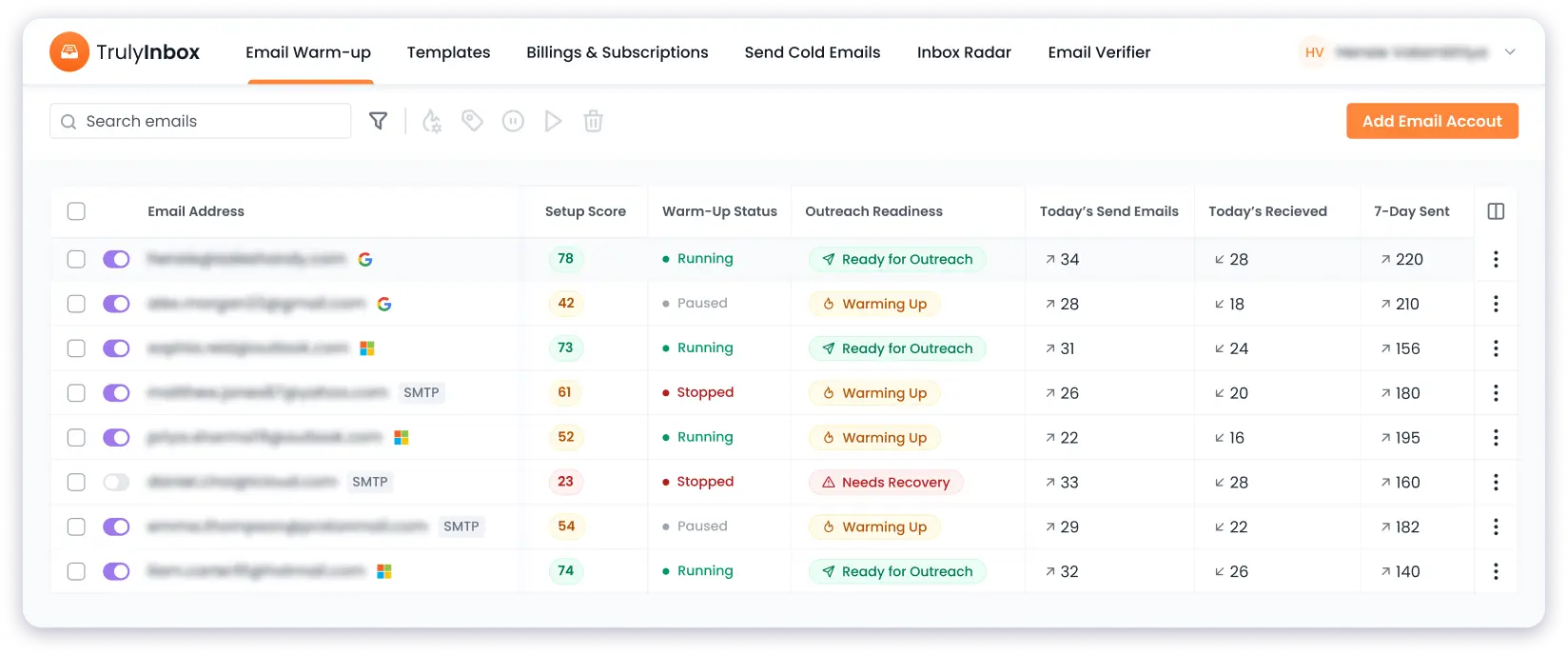
While most other email warm-up tools charge you per email account, with TrulyInbox, you can connect unlimited mailboxes on every paid plan at a flat rate.
This makes it ideal for agencies or businesses handling multiple email accounts across different domains.
Key Email Warm-Up Features
- 4 Warm-Up Strategies: AI Adaptive, Progressive, Randomized, Flat Volume Warm Up
- ESP-specific targeting (Gmail, Outlook, or other providers)
- Full control over volume, reply rate, and ramp-up speed
- Email Sending Schedule
- Warm Up Language, Industry and Topic
Additional Features That TrulyInbox Offers
- TrulyInbox Network: API, webhooks, and white-label infrastructure for agencies
- SPF, DKIM, and DMARC verification on new accounts
- IP and domain blacklist monitoring
- ESP-level deliverability reporting dashboard
- Custom sending schedules by time zone
- Forever-free plan (1 account, 10 emails/day)
Pros and Cons
Pros:
- AI Adaptive Strategy removes manual strategy switching
- Unlimited mailboxes on all paid plans (no per-inbox charges)
- API and webhook access for managing inboxes at scale
- Forever-free plan to test before committing
Cons:
- Free plan limited to 1 account and 10 warm-up emails per day
What Users Have to Say About TrulyInbox
TrulyInbox is rated 4.1/5 on G2 and 4.3/5 on Trustpilot.
Users consistently share that the ease of use and effectiveness of TrulyInbox in improving email deliverability on both review sites.
Here are a few reviews from both sites:
“Genuinely Useful Free Tier with Straightforward Setup and Autopilot Warmup” – 4.5/5 ⭐
The free tier is genuinely useful—I was able to connect and warm up five email accounts without paying anything.
Since most tools charge per inbox, being able to do this for free was a big plus for me.
Setup was straightforward, and the dashboard clearly shows how each account is performing. Once it’s configured, the warmup process runs on autopilot, so there’s no need for hand-holding.
“Trulyinbox help a lot to recovery all…” – 5/5 ⭐
Trulyinbox help a lot to recovery all my 4 email. From all 4 spam landing to all 4 inbox. Check on different platform, before all 4 was delivering to spam folder now all lend in inbox. 90%-95% deliverability! Awesome work in 30 days, will keep work with them!
Pricing:
TrulyInbox has 3 paid plans and 1 free-forever plan.
All paid plans include unlimited email accounts.
Monthly billing:
- Free: $0/month
- Starter: $29/month (Daily 200 warm up emails)
- Growth: $99/month (Daily 1000 warm up emails)
- Scale: $199/month (Daily 3000 warm up emails)
- Scale Custom starting from $479/month (Daily 20k warm up emails)
Annual billing:
- Starter: $22/month
- Growth: $89/month
- Scale: $169/month
- Scale Custom starting from $407/month
2. Mailivery
Mailivery is the next budget-friendly email warm-up service that offers unlimited mailbox connections on all plans.
If you need to warm up multiple inboxes without per-inbox charges, Mailivery is worth a look.

It uses AI to generate human-like warm-up emails with personalized content. The platform also includes email scheduling and balancing features to distribute your warm-up volume naturally across the day.
A useful bonus is the built-in blacklist monitoring. Mailivery checks your domain against blacklists and sends alerts if any issues are detected.
Key Email Warm-Up Features
- Unlimited mailbox connections on all plans
- AI-generated human-like warm-up emails
- Peer-to-peer warm-up interactions
- Custom warm-up email templates
- Automatic email reading, opening, and spam folder rescue
Additional Features That Mailivery Offers
- Blacklist monitoring with daily to 6-hourly checks (based on plan)
- Email verification credits included (100 to 2,000 based on plan)
- Spam word checker for outgoing content
- Email scheduling and volume balancing
- Analytics dashboard for warm-up performance tracking
Pros and Cons
Pros:
- Unlimited mailbox connections on all plans (no per-inbox charges)
- Affordable starting price at $21.75/month (annual)
- Built-in blacklist monitoring and email verification credits
- AI-generated warm-up content that looks natural
Cons:
- Daily warm-up email limits are shared across all mailboxes, not per inbox
- Max response rate capped at 30% on the Starter plan
- Warm-up network size is not publicly disclosed
- Volume thins out past 5-6 connected inboxes on lower plans
What Users Have to Say About Mailivery
“Good option for warming up multiple inboxes on a budget. The AI-generated emails look natural.” – G2 Review
Pricing
Monthly billing:
- Starter: $29/month
- Professional: $79/month
- Business: $199/month
Annual billing (save ~25%):
- Starter: $21.75/month
- Professional: $59.25/month
- Business: $149.25/month
3. Warmup Inbox
Warmup Inbox is one of the most well-known email warm-up services in the cold email space.
It has a network of over 30,000 active email accounts spread across different providers.

What I like about Warmup Inbox is the ESP-specific targeting. If your emails reach Gmail inboxes fine, but get filtered in Outlook, you can set your warm-up to focus specifically on Outlook accounts.
This level of control is useful when you know exactly where the deliverability problem sits.
It also supports language-specific warm-up in English, French, Polish, Spanish, and German.
This is helpful if your outreach targets non-English speaking markets.
Key Email Warm-Up Features
- ESP-specific warm-up targeting (choose Gmail, Outlook, or other providers)Language-specific warm-up in 5 languages
- AI-generated personalized warm-up emails
- Real-time deliverability alerts when your sender reputation drops
- Spam score monitoring for each connected inbox
Additional Features That Warmup Inbox Offers
- Automated DMARC record generation tool (free)
- SPF generator and email spam checker tools
- Email health checker for connected accounts
- Detailed warm-up progress reporting dashboard
- Cold email sequence builder (separate feature)
Pros and Cons
Pros:
- ESP-specific targeting lets you fix deliverability per provider
- Language-specific warm-up for international outreach
- Clean UI with easy setup process
- Free deliverability tools (DMARC generator, spam checker)
Cons:
- Charges per email account, costs scale quickly with multiple inboxes
- No unlimited mailbox option
- Warm-up network is smaller than some competitors
What Users Have to Say About Warmup Inbox
“A great UI compared to the price and how the system works makes it the best warm-up tool I’ve ever used. I’ve been using Warmup Inbox for about 1.5 years.” – G2 Review
Pricing (Billed Annually)
Warmup Inbox charges per email account:
- Basic: $15/email account/month
- Pro: $49/email account/month
- Max: $79/email account/month
4. MailReach
If you want to understand exactly why your emails are landing in spam, MailReach is worth considering.
It combines email warming with inbox placement testing in a single platform.

MailReach operates a network of 30,000+ real email accounts. It sends up to 100 warm-up emails per day per mailbox.
The platform also tracks your reputation across different ESPs and gives you customized scores for each.
Key Email Warm-Up Features
- AI-driven warm-up algorithm with smart sending patterns
- Up to 100 warm-up emails per day per mailbox
- Real-time reputation tracking per ESP
- Automated warm-up content that matches natural email conversations
- Spam folder rescue: automatically pulls warm-up emails out of spam
Additional Features That MailReach Offers
- MailReach Co-Pilot: AI assistant that diagnoses deliverability problems
- Inbox placement testing with 20 free spam test credits per plan
- Slack and webhook alerts for reputation changes
- SMTP integration support for any email provider
- Domain and inbox health monitoring dashboard
Pros and Cons
Pros:
- Best-in-class deliverability diagnostics with AI Co-Pilot
- Inbox placement testing included with warm-up
- Tiered pricing that gets cheaper at volume (as low as $12.80/inbox annually)
- Slack and webhook alerts for real-time reputation monitoring
Cons:
- Charges per inbox, which adds up with multiple accounts
- No unlimited mailbox option on any plan
- Starting price of $25/inbox is higher than some competitors
What Users Have to Say About MailReach
“MailReach gives us visibility into exactly where our emails land. The diagnostics helped us identify a DKIM issue we had missed for months.” – G2 Review
Pricing
The pricing is tiered based on the number of mailboxes you connect.
It starts at $25 per inbox for 1-5 accounts and drops as low as $16 per inbox when you connect 51 or more.
Standalone spam testing plans start at $15/month for 20 credits.
5. Warmy.io
Warmy.io is an AI-driven email warm-up service that offers a lot warm up customization options.
What makes Warmy.io different is that it integrates with Google Postmaster Tools.

This gives you direct access to how Google views your domain reputation, spam rate, and authentication status.
The platform supports warm-up in 12+ languages and lets you select specific ESPs to target.
It also offers white-label solutions for agencies.
Key Email Warm-Up Features
- Warm up using your actual campaign email templates
- AI-powered warm-up strategy via Adeline AI engine
- ESP-specific warm-up targeting
- 12+ language support for international outreach
- Google Postmaster Tools integration for direct reputation insights
Additional Features That Warmy.io Offers
- Inbox placement testing to check where your emails land
- White-label and agency-specific reporting solutions
- Warm-up topic selection to match your industry
- Granular deliverability insights with improvement suggestions
- Template analysis to identify spam-triggering content
Pros and Cons
Pros:
- Template-based warm-up trains ESPs on your actual email patterns
- Google Postmaster integration for direct reputation data
- 12+ language support for global outreach
- White-label option for agencies
Cons:
- One of the more expensive options on this list
- Charges per mailbox with no unlimited plan
- Entry-level plan starts at $41/mailbox/month (annual)
What Users Have to Say About Warmy.io
“The customization options are impressive. Being able to warm up with our actual templates made a noticeable difference in deliverability.” – G2 Review
Pricing (Billed Annually)
Warmy.io charges per mailbox:
- Starter: $41/mailbox/month
- Business: $108/mailbox/month
- Premium: $158/mailbox/month
- Expert: $233/mailbox/month
- Platinum: $358/mailbox/month
6. Warmforge
Warmforge is a per-slot email warm-up tool from the Salesforge ecosystem.
It offers competitive per-inbox pricing, especially at higher volumes.
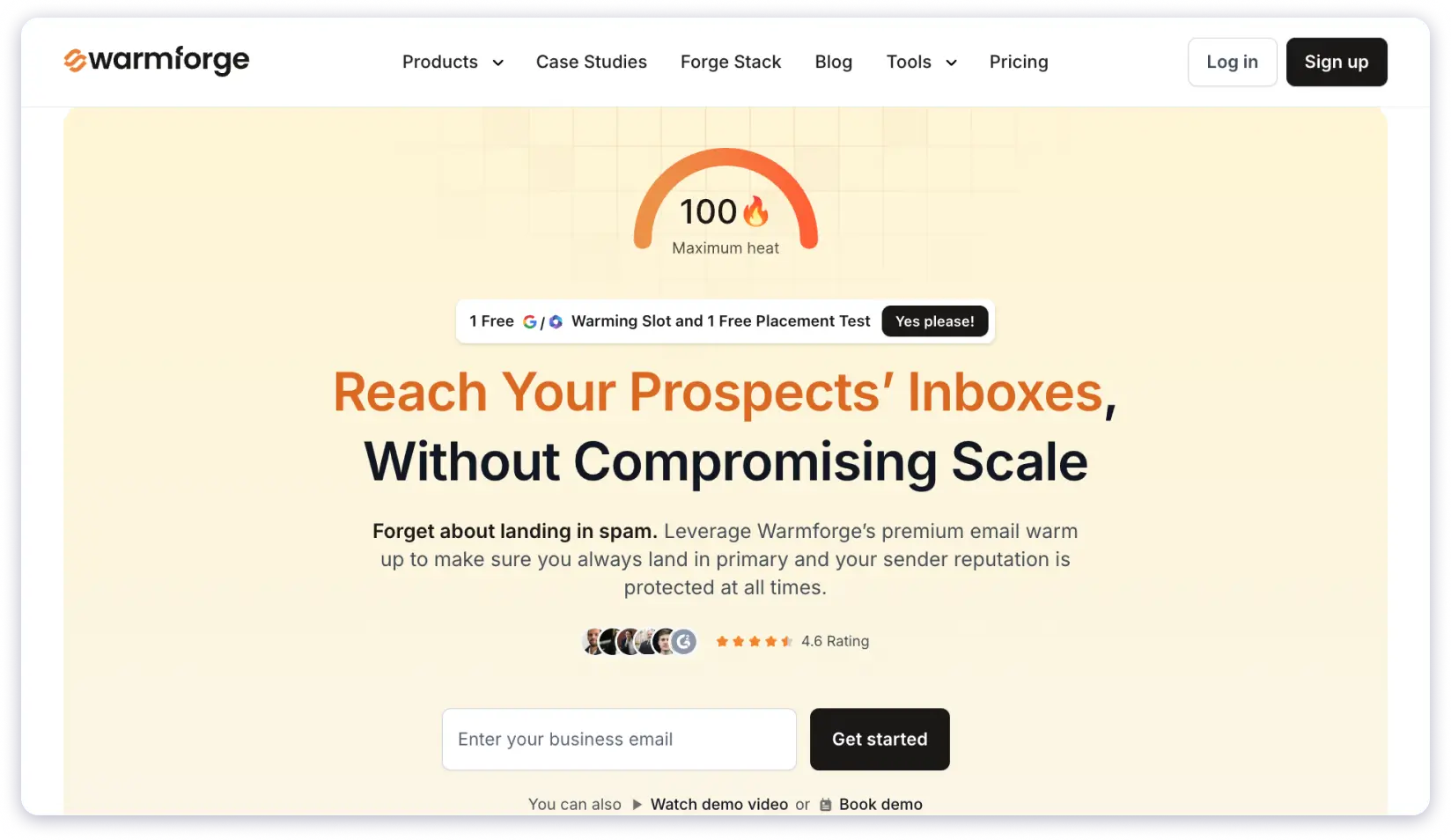
The pricing scales well: 1 slot costs $9/month on annual billing, and 50 slots drop to $6/slot/month.
This makes it affordable for teams running warm-up across many accounts.
The huge catch is – Warmforge only supports warm-up for:
- Google Workspace and Microsoft 365 business email accounts.
- Email accounts purchased through Mailforge or Primeforge, which are part of the Salesforge product suite.
If you use other providers like Yahoo, Zoho, or generic SMTP, Warmforge is not an option.
Key Email Warm-Up Features
- Per-slot warm-up for Google Workspace and Microsoft 365 accounts
- Customizable warm-up volume and reply rate settings
- Warm-up scheduling to match your sending patterns
- Competitive volume pricing at 50+ slots
- Part of the broader Salesforge outreach ecosystem
Additional Features That Warmforge Offers
- Integration with Mailforge and Primeforge accounts
- Warm-up performance dashboard
- Support for business domain email accounts
- Scalable slot-based pricing for agencies and teams
- Simple setup process for supported providers
Pros and Cons
Pros:
- Affordable per-slot pricing ($6/slot/month at 50 slots on annual billing)
- Good value for teams with many Google Workspace or Microsoft 365 accounts
- Simple, focused warm-up tool without unnecessary complexity
- Scales well for agencies managing multiple client accounts
Cons:
- Only works with Google Workspace, Microsoft 365, and Salesforge ecosystem accounts
- No support for Yahoo, Zoho, SMTP, or other email providers
- Limited to the Salesforge ecosystem for non-GWS/M365 accounts
- Warm-up network size is not publicly disclosed
What Users Have to Say About Warmforge
“Warmforge is straightforward and affordable. It works well if all your accounts are on Google Workspace or Microsoft 365.” – G2 Review
Pricing (Billed Annually)
- 1 slot: $9/month
- 10 slots: $9/slot/month
- 50 slots: $6/slot/month
7. Lemwarm
Lemwarm is the email warm-up solution built by the Lemlist team.
If you are already using Lemlist for your cold outreach campaigns, then Lemwarm comes free and integrates directly into your workflow.

The standout feature is Smart Clusters.
This lets you send warm-up emails tailored to your specific industry, audience, and email goals. Instead of generic warm-up conversations, your emails look like they belong in your niche.
This can lead to better engagement signals from ESPs.
Key Email Warm-Up Features
- Smart Clusters for industry-specific warm-up email content
- Personalized warm-up emails based on your actual outreach templates
- Network of 20,000+ healthy domains for warm-up interactions
- Automated technical setup check (SPF, DKIM, DMARC)
- Deliverability reports with actionable recommendations
Additional Features That Lemwarm Offers
- Direct integration with Lemlist outreach campaigns
- Custom deliverability alerts and tips based on your account health
- Four-step setup process for quick onboarding
- Intuitive monitoring dashboard with warm-up progress tracking
- Custom plan option for teams with 10+ users
Pros and Cons
Pros:
- Smart Clusters deliver industry-specific warm-up content
- Included free with an active Lemlist subscription
- Simple four-step onboarding process
- Template-based warm-up using your real email copy
Cons:
- No free trial unless you have a Lemlist subscription
- Charges per email account
- Warm-up network (20K domains) is smaller than competitors like MailReach or Warmup Inbox
What Users Have to Say About Lemwarm
“The Smart Clusters feature is what sets Lemwarm apart. Our warm-up emails match our industry, so they look more natural to ESPs.” – G2 Review
Pricing
Monthly billing:
- Essential: $29/email/month
- Smart: $49/email/month
Annual billing (20% savings):
- Essential: $24/email/month
- Smart: $40/email/month
Custom pricing available for teams with 10+ users. Lemwarm is included free with an active Lemlist subscription.
8. Warmbox
Warmbox operates a network of over 35,000 private email accounts spread across 100+ countries.
This geographic diversity is useful if your outreach targets multiple regions.

Warmbox also offers multiple warm-up strategies and time-zone-specific warm-up.
You can choose different approaches depending on whether you are building reputation from scratch, recovering a damaged domain, or maintaining a healthy sender score.
Key Email Warm-Up Features
- 35,000+ private email accounts across 100+ countries
- Time-zone-specific warm-up scheduling
- Multiple warm-up strategies (build, recover, maintain)
- AI-generated personalized warm-up emails
- Conversational threads with high-reputation accounts
Additional Features That Warmbox Offers
- Support for Gmail, Outlook, Yahoo, iCloud, Zoho, SendGrid, Mailgun, and Amazon SES
- Team collaboration with shared access
- Auto-archive feature to keep your inbox clean from warm-up emails
- Reporting dashboard with progress tracking
- Spam removal for warm-up emails caught in junk folders
Pros and Cons
Pros:
- Time-zone-specific warm-up for regional targeting
- Wide ESP compatibility (Gmail, Outlook, Yahoo, iCloud, Zoho, and more)
- Multiple warm-up strategies for different scenarios
- Affordable Solo plan at $15/month (annual)
Cons:
- Per-inbox pricing with limited mailbox count per plan
- Support can be slow based on user feedback
- Higher plans get expensive quickly ($79-159/month for 3-6 inboxes)
What Users Have to Say About Warmbox
“The regional warm-up feature is a nice touch. We target European markets and being able to warm up in their time zones helped our deliverability there.” – G2 Review
Pricing
Monthly billing:
- Solo: $19/month (1 inbox, 50 emails/day)
- Start-up: $79/month (3 inboxes, 250 emails/day)
- Growth: $159/month (6 inboxes, 500 emails/day)
- Team: Custom pricing
Annual billing:
- Solo: $15/month
- Start-up: $69/month
- Growth: $139/month
9. Mailwarm
Mailwarm is a premium email warm-up and deliverability platform that uses a network of 50,000+ real inboxes across Gmail, Outlook, Yahoo, and SMTP providers.
What sets Mailwarm apart from simpler tools is its built-in spam score monitoring and inbox placement insights.
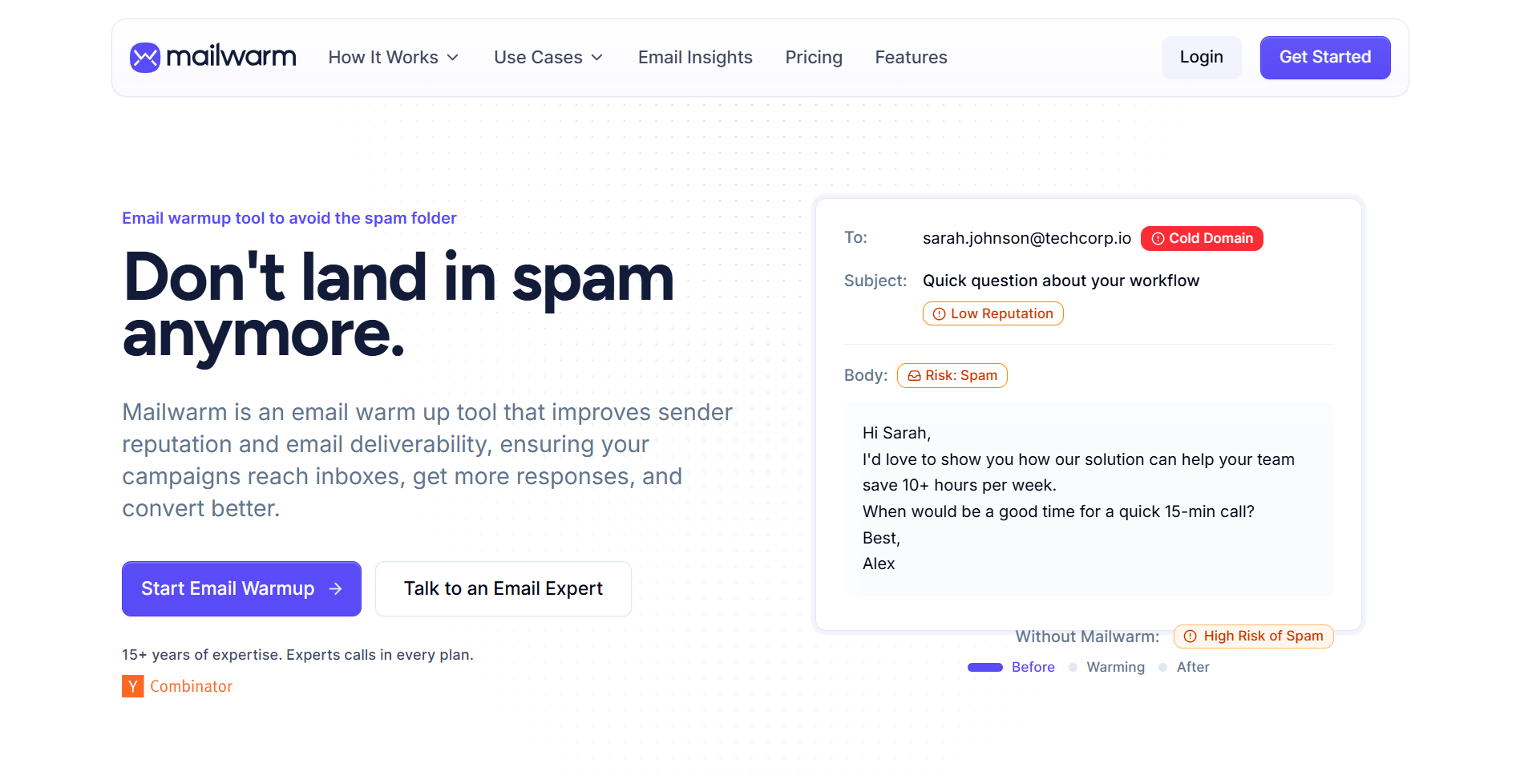
You can track where your emails are actually landing, not just whether the warm-up is running.
This makes it a stronger option for teams that care about actual deliverability metrics, not just warm-up volume.
You can fully customize your warm-up plan, including daily email count, interaction types, and sending schedule.
Key Email Warm-Up Features
- Network of 50,000+ real inboxes across Gmail, Outlook, Yahoo, and SMTP
- Simulates natural interactions (opens, replies, threaded conversations)
- Spam score monitoring for connected accounts
- Inbox placement insights to track actual deliverability
- Fully customizable warm-up plans (volume, interaction type, schedule)
Additional Features That Mailwarm Offers
- Multi-inbox and domain-level warm-up support
- Works across all major email service providers
- Dedicated account monitoring dashboard
- Simple and fast setup process
- Customer support for configuration help
Pros and Cons
Pros:
- Large 50,000+ real inbox network for strong trust signals
- Built-in spam score and inbox placement tracking
- Cross-provider support (Gmail, Outlook, Yahoo, SMTP)
- Multi-inbox and domain-level warm-up capability
Cons:
- Pricing is higher than basic warm-up tools
- Not a sending or outreach tool (warm-up and deliverability only)
- Per-account pricing with a cap of 10 accounts on the Scale plan
- Custom plan available for higher volumes (pricing not disclosed)
What Users Have to Say About Mailwarm
“Simple and gets the job done. The spam score tracking is a nice addition. If you want a tool focused on actual deliverability, Mailwarm works.” – G2 Review
Pricing
- Starter: $69/month (1 account)
- Growth: $159/month (3 accounts)
- Scale: $479/month (10 accounts)
- Custom: Contact Mailwarm for pricing (10+ accounts)
10. Folderly
Folderly is a comprehensive email deliverability service that diagnoses, fixes, and monitors your sender reputation.
What sets Folderly apart is its root cause analysis.

Instead of just warming up your inbox warm up and hoping for the best, Folderly tells you exactly why your emails are hitting spam.
The trade-off is price.
Folderly starts at $96 per mailbox per month on the yearly plan. This makes it the most expensive dedicated warm-up tool on this list.
Key Email Warm-Up Features
- Automated warm-up with real inbox interactions
- Root cause analysis for spam folder placement
- Blacklist recovery strategy and monitoring
- DNS authentication setup and verification
- Content analysis to flag spam-triggering words and patterns
Additional Features That Folderly Offers
- Removes warm-up emails from the Promotions tab
- Detailed domain health, IP address, and placement insights
- Free inbox placement testing tool (Inbox Insights) with 2 tests per month
- Real-time email monitoring via Folderly Pulse (free)
- AI-powered email content generator (Folderly EmailGen)
Pros and Cons
Pros:
- Best root cause analysis for spam placement
- Free tools included (Inbox Insights and Pulse monitoring)
- Blacklist recovery strategy with active monitoring
- Content analysis flags spam-triggering language
Cons:
- Most expensive dedicated warm-up tool on this list ($96/inbox/month)
- Charges per mailbox with no unlimited option
- Overkill if you only need basic warm-up without diagnostics
What Users Have to Say About Folderly
“Folderly helped us figure out that a content-level issue was triggering spam filters. The analysis was specific and actionable.” – G2 Review
Pricing (Billed Annually)
Folderly charges per mailbox:
- 1-9 mailboxes: $96/mailbox/month
- 10-24 mailboxes: $72/mailbox/month
- 25-99 mailboxes: $56/mailbox/month
- 100+ mailboxes: Custom pricing
Standalone tools (Inbox Insights and Pulse) are available for free.
11. InboxAlly
InboxAlly takes a different approach to email warm-up. It focuses on granular engagement signals rather than just sending volume.
The platform uses different IP addresses across the United States to open your emails.
This variety in engagement sources sends stronger trust signals to ESPs.
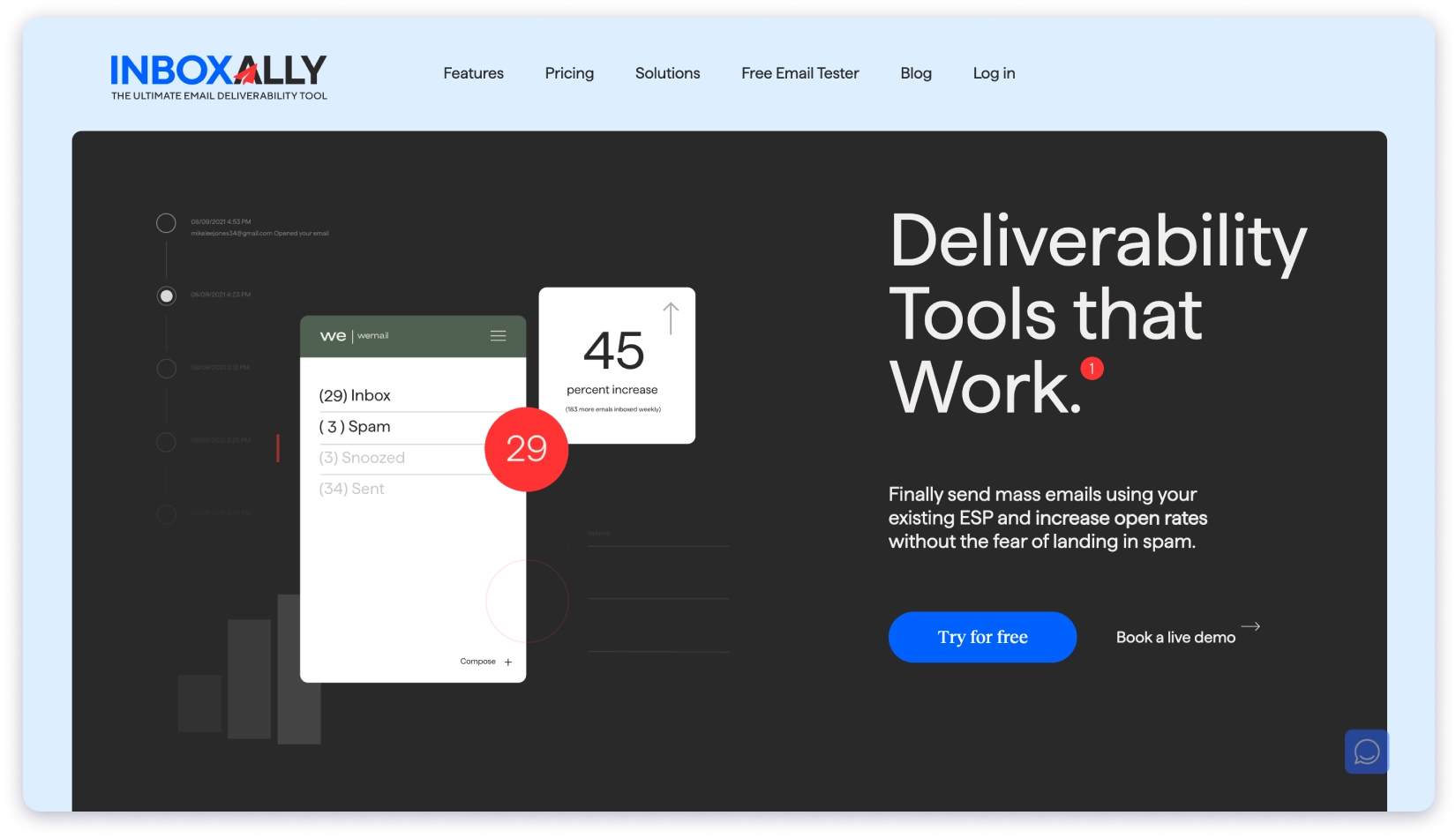
InboxAlly also lets you use custom email templates for warm-up and set specific time windows for recipient replies.
Another feature that stood out is the engagement profiles.
InboxAlly offers proprietary, use-case-specific profiles designed for different sending scenarios like cold outreach, newsletters, and transactional emails.
Key Email Warm-Up Features
- Engagement from multiple IP addresses across the US
- Custom email templates for warm-up campaigns
- Use-case-specific engagement profiles (cold email, newsletter, transactional)
- Configurable reply time windows for warm-up interactions
- Compatible with all major ESPs and email-sending platforms
Additional Features That InboxAlly Offers
- Large email list compatibility for high-volume senders
- Works with any email-sending device or platform
- Detailed warm-up campaign tracking dashboard
- Priority support on higher-tier plans
- Scalable sender profile options for agencies
Pros and Cons
Pros:
- Use-case-specific engagement profiles for targeted warm-up
- Multi-IP engagement creates diverse trust signals
- Custom templates and configurable reply windows
- Works with any ESP or email platform
Cons:
- Expensive starting price at $149/month for 1 sender profile
- Not suitable for startups or small teams on a budget
- Limited sender profiles unless you upgrade to higher plans
What Users Have to Say About InboxAlly
“InboxAlly helped us recover a domain that had been flagged. The engagement profiles are a feature I haven’t seen anywhere else.” – G2 Review
Pricing (Billed Annually)
- Starter: $149/month (1 sender profile)
- Plus: $645/month (3 sender profiles)
- Premium: $1,190/month (10 sender profiles)
- Enterprise: Custom pricing (unlimited sender profiles)
Note: The next three tools are not primarily standalone email warm-up services.
- Allegrow focuses on email verification and list hygiene with warm-up as a secondary feature.
- Instantly and Smartlead are cold email outreach platforms that include warm-up as a built-in feature.
12. Allegrow
If you need a tool that keeps your list clean while building your sender reputation, Allegrow is worth exploring.
It sends warm-up emails to real B2B email accounts.
It also runs hourly DNS and authentication checks to catch SPF, DKIM, or DMARC issues as soon as they appear.

But the real standout feature is the Safety Net.
Allegrow automatically stops outgoing emails to addresses that are likely to mark your messages as spam. This prevents reputation damage before it happens.
Keep in mind that Allegrow positions itself primarily as an email verification and list cleaning tool.
The warm-up functionality is part of the package but not its sole focus.
Key Email Warm-Up Features
- Automated warm-up interactions with real B2B email accounts
- Safety Net to block emails to high-risk addresses
- Hourly SPF, DKIM, and DMARC monitoring
- A/B content testing for warm-up emails
- Domain health tracking for connected mailboxes
Additional Features That Allegrow Offers
- High-accuracy B2B email verification (starting at 5,000 contacts/month)
- Catch-all, spam trap, and disposable address detection
- CSV upload list cleaning
- Native integrations with HubSpot, Outreach, and Salesloft (Scale Plus plan)
- API access for custom workflows
Pros and Cons
Pros:
- Safety Net prevents sending to high-risk addresses
- Hourly DNS and authentication checks catch issues fast
- Combines email verification with warm-up in one platform
- Native CRM integrations (HubSpot, Outreach, Salesloft)
Cons:
- Primarily a verification tool, warm-up is secondary
- Expensive for warm-up alone ($99/month for 1 mailbox)
- No standalone warm-up plan available
What Users Have to Say About Allegrow
“The Safety Net feature alone is worth it. We stopped sending to risky addresses and our bounce rate dropped significantly.” – G2 Review
Pricing
- Starter Unlimited: $99/month (5K verifications + 1 mailbox warm-up)
- Premium Unlimited: $540/month
- Scale Plus Unlimited: $1,340/month (unlimited verifications, native integrations)
- API Plan: Custom pricing
13. Instantly
Instantly is one of the most popular sales engagement and lead intelligence platforms.
I put it on the list as it has its own email warm up feature – free with every paid plan.
The warm-up network is massive.
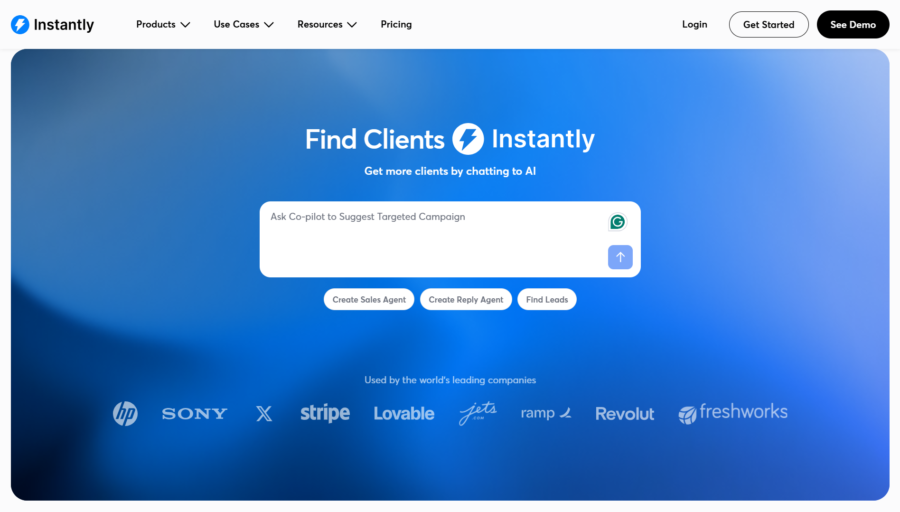
Instantly claims to have over 1,000,000 email accounts in its warm-up pool.
If you are already using or planning to use a cold email platform, Instantly gives you warm-up and outreach in a single subscription.
The warm-up runs automatically in the background.
That said, Instantly is not a standalone warm-up service. You are paying for the full outreach platform.
Key Email Warm-Up Features
- Unlimited email warm-up on all outreach plans
- Network of 1,000,000+ email accounts
- Automatic sending, opening, replying, and spam rescue
- Unlimited email account connections
- Warm-up runs in the background alongside outreach campaigns
Additional Features That Instantly Offers
- Cold email sequence builder with A/B testing
- B2B lead database with 450M+ contacts
- Email account rotation across campaigns
- Campaign analytics and reporting
- Unibox for managing all replies in one place
Pros and Cons
Pros:
- Largest warm-up network at 1,000,000+ accounts
- Warm-up bundled with outreach (no separate tool needed)
- Unlimited email accounts on all plans
- B2B lead database included
Cons:
- Not a standalone warm-up service (you pay for the full outreach platform)
- Overkill and overpriced if you only need warm-up
- Warm-up quality can vary given the network’s massive size
What Users Have to Say About Instantly
“The warm-up is solid and having it bundled with the outreach platform saves us from managing two separate tools.” – G2 Review
Pricing (Outreach Plans, Billed Annually)
All plans include unlimited email warm-up:
- Growth: $37.60/month (5,000 emails/month, 1,000 contacts)
- Hypergrowth: $77.60/month (100,000 emails/month, 25,000 contacts)
- Light Speed: $286.30/month (500,000+ emails/month, 100,000+ contacts)
- Enterprise: Custom pricing
Monthly billing: Growth at $47/month, Hypergrowth at $97/month, Light Speed at $358/month.
14. Smartlead
Smartlead is another cold email outreach platform that includes email warm-up as part of its offering.
Like Instantly, this is not a standalone email warmup service.
All Smartlead plans give you access to their basic warm-up pool.

For more advanced warm-up, the platform offers an “Ultra Premium Warmup” add-on that uses a higher-quality network of accounts to build your sender reputation.
If you are evaluating Smartlead for outreach and want warm-up included, it is a solid option.
Key Email Warm-Up Features
- Basic warm-up pool access on all plans
- Ultra Premium Warmup available as add-on for enhanced reputation building
- Unlimited email account connections
- Automatic sending and engagement interactions
- Warm-up runs alongside active outreach campaigns
Additional Features That Smartlead Offers
- Cold email sequence builder with sub-sequences
- Unified inbox (Unibox) for reply management
- Email account rotation across campaigns
- CRM integration (Pro plan and above)
- SmartServers with OAuth for dedicated sending infrastructure (Prime plan)
Pros and Cons
Pros:
- Warm-up included on all outreach plans
- Ultra Premium add-on for higher-quality warm-up
- Unlimited email account connections
- Affordable base plan at $32.50/month (annual)
Cons:
- Basic warm-up pool may not be sufficient for all use cases
- Ultra Premium warm-up costs an additional $59/month
- Not a standalone warm-up service
What Users Have to Say About Smartlead
“Smartlead handles warm-up and outreach in one place. The Ultra Premium add-on gave us better results than the standard warm-up.” – G2 Review
Pricing (Billed Annually)
All plans include basic warm-up. Ultra Premium Warmup is a $59/month add-on.
- Base: $32.50/month (6,000 emails/month, 2,000 contacts)
- Pro: $78.30/month (90,000 emails/month, 30,000 contacts)
- Unlimited Smart: $144.50/month (150,000 emails/month, 50,000 contacts)
- Unlimited Prime: $314.60/month (500,000 emails/month, dedicated infrastructure)
Monthly billing: Base at $39/month, Pro at $94/month, Unlimited Smart at $174/month.
Choose the Best Email Warm Up Service and Land in Inboxes!
It should be evident to you now that of the 14 tools, only 1 is affordable and cost-effective.
- Plans start at just $29/month (monthly pricing)
- You can connect an unlimited number of email accounts for warm-up.
- You get a forever free plan.
No other email warm-up service in the market offers all these together.
If you want to know about TrulyInbox’s performance, why not take a free trial and experience it yourself?
Top 14 Email Warm-Up Services: FAQs
1. How To Choose The Best Email Warm-Up Service Tool?
In my opinion, you should make a checklist of the features you want in your email warm-up service and then choose a tool that ticks all the boxes.
For instance, if you want a warm-up-only platform, you can go for a platform like TrulyInbox. But if you want specific features like language-specific warm-up, you can explore Warmy.io.
2. Why Are Email Warm-Up Services Important?
Email warm-up services are critical to high email deliverability. They help you gradually build up the sender reputation of new email accounts or boost the sender reputation of existing or dormant accounts.
3. What Are Email Warmup Services?
Email warm-up services are tools or platforms that offer you automated email warm-up capabilities. In my experience, all email warmup services offer the following basic functionalities:
- Sending a fixed number of emails every day
- Removing emails from the recipients’ spam boxes and marking them as important
- Receiving a set number of replies every day
- Gradually ramping up the sender volume for improved sender reputation and sending limits
4. How Much Does Email Warmup Cost?
The cost of email warm-up usually depends on the warm-up service you’re using.
From what I’ve seen, the most affordable and reliable warmup service is TrulyInbox, with plans starting at $29/month. You can also connect unlimited email accounts. This makes it ideal for freelance lead gen. experts to enterprises and agencies.