 Vatsal Shah
 Your offer is strong, and you know you are reaching the right audience.
Still, no replies!
I have been in this situation enough times to know what that usually means.
Your emails are either slipping into spam or not getting delivered at all!
When I first started running outreach, I kept tweaking subject lines and follow ups, thinking the copy was the problem.
Later, I learned that none of it mattered because the messages were never making it to the inbox.
In this guide, I will focus on the real reasons emails get filtered and the exact steps that helped me restore inbox placement across multiple domains and sending setups.
Keep reading to know how you can save your emails from going to spam in 2026
Stop Emails from Going to Spam: TOC
7 Ways to Stop Your Emails From Going to Spam
In this section, I will walk you through the 7 major reasons why emails land in spam.
I will also share the fix for each one.
1. Build a Good Sender Reputation
2. Authenticate Your Email Domain
3. Warm Up Your Email Account
4. Comply with Anti-Spam Laws
5. Test Your Emails for Spammy Content
6. Build a Clean Email List
7. Use a Custom Tracking Domain
Let us get started!
1. Build a Good Sender Reputation
Your sender reputation is one of the most important factors that determine whether your emails land in the inbox or the spam folder.
A strong reputation tells email providers (Gmail, Outlook, Yahoo, etc.) you are a trusted sender.
So they deliver your emails straight to the inbox.
On the other hand, a poor or damaged reputation will cause your emails to be filtered or blocked.
To build and maintain a solid sender reputation:
- Use a reliable ESP known for high inbox placement rates and strict spam controls.
- Only send emails to people who have explicitly opted in to your list.
- Implement double opt-in to ensure compliance with ESP policies and privacy regulations.
These steps send a clear signal to email providers that you’re a legitimate sender and help you stay out of spam.
2. Authenticate Your Email Domain
If you are sending or planning to send more than 5,000 emails a week, authenticate your domain.
It is a must!
Due to privacy law changes, major email providers like Google, Outlook, and Yahoo now require bulk senders to authenticate their domains.
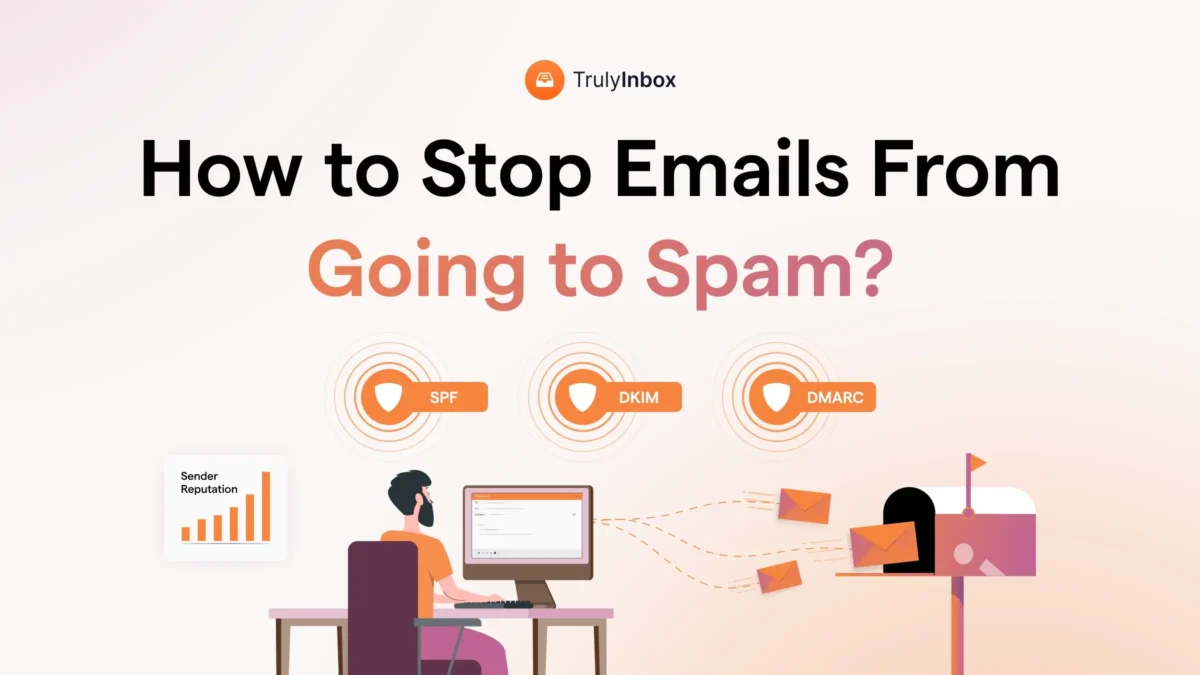
There are three key authentication records you need to set up:
- Sender Policy Framework (SPF): A TXT record that authorizes specific servers to send emails on behalf of your domain.
- DomainKeys Identified Mail (DKIM): Think of it as an email signature that proves your message was not tampered with during delivery.
- Domain-based Message Authentication, Reporting & Conformance (DMARC): A protocol that tells email providers how to handle emails that fail SPF or DKIM checks.
How to Check if Your Domain Is Authenticated
Use free tools like MxToolbox or EasyDMARC to verify your domain’s authentication setup.
Pro Tip: If you are setting up a new domain, follow this complete guide to properly configure SPF, DKIM, and DMARC records.
3. Warm Up Your Email Account
Warming up your email account is one of the most effective ways to improve deliverability.
It is especially important if you are using a new domain or have not sent emails in a while.
The goal of email warmup is to gradually build your sender reputation by simulating real, human-like sending behavior.
Here is how it works:
- You use an automated warmup tool like TrulyInbox to send small volumes of personalized emails to reputable accounts.
- Those emails are opened, marked as important, and even pulled out of spam folders—automatically.
- The tool gradually increases your sending volume over time to avoid triggering spam filters.
- You also get a detailed report showing where your emails are landing (inbox, promotions, or spam).
When done right, warmup tools can boost your inbox placement rate to 97% or more.
Also Read: How to Easily Warm Up Your Domains Before Outreach in 2026
4. Comply with Anti-Spam Laws
One of the biggest reasons emails land in spam is non-compliance with privacy laws like
- CAN-SPAM
- GDPR
- CASL, and more
These regulations protect users from unwanted or deceptive emails.
ESPs make sure to strictly enforce them!
If you are not following the rules, your emails will get flagged.
Here is how to stay compliant:
1. Get Clear Consent
If you are sending promotional or marketing content, make sure to get clear content.
If you are sending cold emails, make sure to reach out only to relevant recipients and follow cold emailing best practices.
2. Always Include an Opt-Out Link
Every email should include a clear unsubscribe option.
If people can not easily opt out, they will mark your emails as spam, and that hurts your sender reputation fast.
3. Be Honest and Transparent
Avoid clickbait subject lines or misleading sender info.
If your message feels shady, people will either ignore it or report it.
Instead, use real sender details, a proper email signature, and a physical address to show you are legit.
Bottom line: Respect the rules, respect your readers, and your emails are far more likely to land in the inbox.
5. Test Your Emails for Spammy Content
Spam filters do not just look at your domain or sender behavior—they also scan every word, link, and pixel in your email content.
If something looks even slightly off, your message could get flagged.
Here is how to make sure your content passes the test:
1. Watch Your Language
Avoid spammy words and phrases like “Deal”, “Act now!”, “You’re a Winner!”, or “Free”.
These are instant red flags for spam filters.
2. Keep Formatting Simple
- Skip the ALL CAPS and excessive punctuation (!!!).
- Avoid too many external links—one or two is fine, but overdoing it looks suspicious.
- Maintain a balanced text-to-image ratio. If your email is mostly images, it is likely to get flagged.
- Do not include attachments in cold emails. Spam filters treat them as risky.
- Use a mobile-friendly format so your email looks good on all devices.
3. Test Before You Send
Run your emails through email spam checkers.
They will show you if your content, formatting, or domain setup is triggering spam filters and tell you how to fix it.
Or, send test emails to personal inboxes across different ESPs (Gmail, Yahoo, Outlook, etc.) and track where they land.
Bottom line: Clean, honest content + pre-send testing = better deliverability and fewer spam headaches.
6. Build a Clean Email List
A high bounce rate is one of the silent killers of email deliverability.
If too many of your emails fail to reach recipients, your sender reputation takes a hit, pushing more of your future emails straight into spam.
The fix? Keep your email list clean and verified.
Here is how to do it:
- Use double opt-in when building your list. This ensures people actually want your emails and gives you valid, verified contacts.
- Run your list through verification tools like Saleshandy Free Verifier or NeverBounce to weed out invalid, inactive, or fake addresses.
- Avoid scraping or guessing addresses. If you are buying lists, only work with trusted B2B data vendors who offer verified data.
Maintaining email list hygiene is not a one-time task.
It is an ongoing process.
Regularly audit your list and remove outdated or inactive contacts to keep your bounce rate low and your emails landing in inboxes.
Also Read: How to Build a Cold Email List That’s Clean, Accurate, & Ready To Send
7. Use a Custom Tracking Domain
If you are using a generic tracking domain to monitor opens and clicks, that might be exactly why your emails are getting flagged as spam.
Here is why:
ESPs tend to distrust generic tracking links because they are widely used by spammers.
So even if your email is legit, it can get lumped in with the rest.
But that does not mean you should ditch tracking altogether.
The fix? Set up a custom tracking domain.
This small change can significantly improve deliverability by helping you:
- Build trust with ESPs and boost your inbox placement rates
- Separate your sender reputation from other users on the same platform
- Maintain full control over your tracking and analytics
If you care about both performance and deliverability, using a custom tracking domain is non-negotiable.
Best Practices to Keep Your Emails Out of Spam
Everything we have covered so far lays the foundation for strong deliverability.
But if you are aiming for inbox placement at scale, you will need to go a step further.
Here are the bonus practices I highly recommend:
- Avoid Risky Attachment Types
- Use a Consistent “From” Name and Email
- Use Spam Checkers
- Avoid Blacklisted Keywords in Subject Lines and Email Copy
- Limit Excessive Links and Images
1. Avoid Risky Attachment Types
Attachments are one of the biggest red flags for ESPs, especially if they are the kind that could carry malware or executable code.
If your email includes file types like:
- .EXE
- .ZIP
- .MSI
- .RAR
…it is almost guaranteed to land in spam.
Even if your intent is harmless, ESPs do not take chances when it comes to user safety.
So, skip risky attachments altogether, especially in cold outreach or bulk sends.
If you really need to share a file, use a trusted cloud-sharing link instead (like Google Drive or Dropbox).
2. Use a Consistent “From” Name and Email
People mark emails as spam when they do not recognize the sender.
To avoid this, always use the same sender name and email address for your outreach.
Consistency helps your recipients instantly recognize your brand.
It also boosts engagement rates and signals to ESPs that you are a trusted sender, not some random spammer.
3. Use Spam Checkers
Spam checkers are your best friends for catching spammy language in subject lines and email copy.
Always run your emails through tools like Inbox Radar by Saleshandy before hitting send, especially for outreach and cold campaigns.
4. Avoid Blacklisted Keywords in Subject Lines and Email Copy
Some words scream “spam” no matter the context. Avoid terms like:
- Cash
- Bargain
- Bonus
- Money
- Extra Income
Spam checkers will catch most of these, but do not rely on automation alone!
Manually review your emails to ensure you are not slipping in blacklisted words.
5. Limit Excessive Links and Images
Too many links or images can kill your deliverability. ESPs distrust emails overloaded with them because:
- Links can lead to malicious sites
- Spammers use images to hide links and bypass filters
Do not overdo it!
Keep your emails simple and focused, especially in cold outreach. A few well-placed links and a balanced text-to-image ratio go a long way.
Key Takeaways
Here are the three most important things to focus on:
- Authenticate your domain and meet ESP requirements
- Keep your email list clean and check your emails for spammy words
- Warm up your email account to build a strong sender reputation
Follow these steps, and you will see your emails landing in the inbox, not the spam folder.
Emails Going to Spam: FAQs
1. Why do emails go to spam?
Emails can end up in spam for several reasons, such as:
- Lack of email domain authentication
- Poor sender reputation
- Missing opt-out or unsubscribe link
- Use of spammy words, suspicious links, or risky attachments
- Exceeding the daily sending limits set by the ESP
2. Why are my emails suddenly going to spam?
If emails that normally go to the inbox start landing in spam, it could be due to:
- A recent switch of ESP has caused the sender’s reputation to reset
- Finishing a cold email campaign that raised the spam rate
- Bounce rate going above 0.3% or spam rate increasing beyond 0.1%
3. How to fix my emails from being marked as spam?
Here’s how you can fix your emails from being marked as spam:
- Switch to a dedicated IP address
- Authenticate your email domain
- Don’t exceed the ESP’s daily sending limit
- Warm up your email domain for 4-6 weeks
- Avoid using spammy language, attachments, or links in your emails
- Use double-opt-in for marketing emails
- Include an unsubscribe link in your emails
- Clean your email lists to remove invalid or outdated email accounts