 Vatsal Shah
 If your emails are bouncing, it’s a signal that something deeper is broken.
There are chances that,
- Your sender reputation suddenly tanked
- Maybe your inbox hasn’t been warmed up
- Or maybe your setup is missing the basics like SPF/DKIM.
And the real problem is that the damage is invisible at first.
Most cold emailers only react when there’s a drop in replies or when their cold email tools start showing red alerts.
I’ve seen this first-hand while helping founders, freelancers, and lead gen teams fix bounce issues that quietly killed their deliverability.
So, in this guide, I’ll break down exactly why emails bounce, how to diagnose the issue, and walk you through step-by-step fixes to reduce bounces — for good.
Let’s get into it.
How to Fix Bounced Emails? — TOC
What Is a Bounced Email?
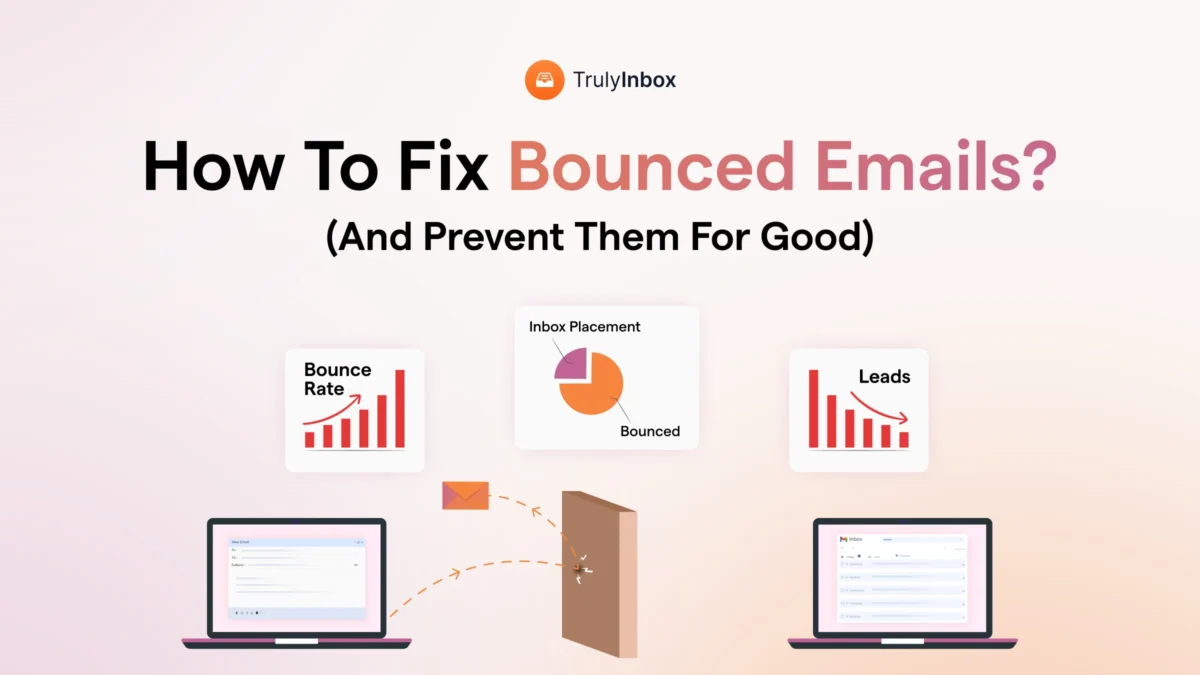
A bounced email is one that couldn’t be delivered to the recipient’s inbox and gets returned to the sender’s server.
It’s more like – You hit send, but instead of your message landing where it should, it gets intercepted mid-air with a digital “return to sender” label slapped on it.
Now, not all bounces are the same. And that distinction matters — especially when you’re running cold outreach.
Hard Bounce vs. Soft Bounce — What’s the Difference?
Not all bounces are created equal. Some are fixable. Some aren’t.
Here’s the difference:
| Type | What It Means | Should You Worry? |
|---|---|---|
| Hard Bounce | Permanent failure — the email address is invalid, blocked, or the domain doesn’t exist | Yes. Remove these contacts immediately. |
| Soft Bounce | Temporary issue — inbox is full, server is down, or you’re sending too fast | Maybe. Retry later, but monitor if it persists. |
Hard bounces tell you the address is bad. Period.
Soft bounces are more fixable. They could clear up on their own, or they could signal deeper issues like a lack of warm-up or a sending reputation problem.
So, why should you care?
Because every bounce — especially if it goes unnoticed — chips away at your sender reputation.
And once that takes a hit, even your valid emails start landing in spam… or don’t get delivered at all.
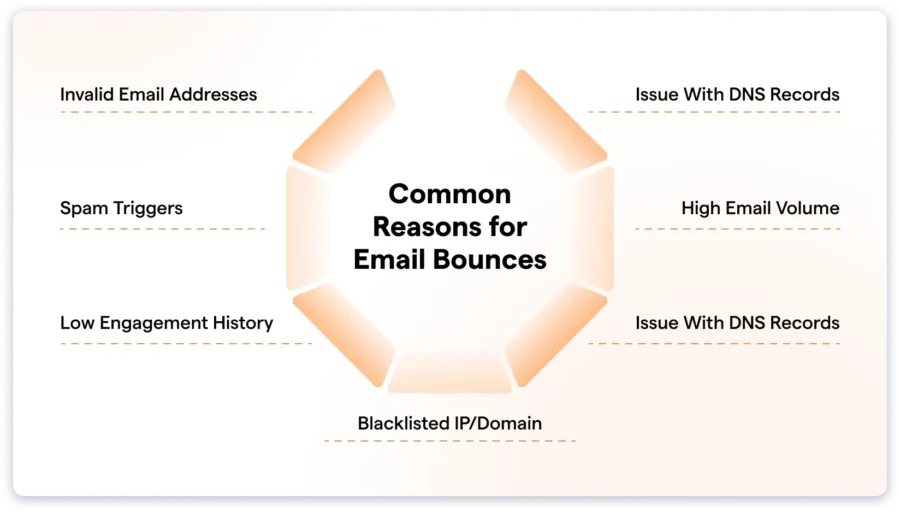
Why Do Emails Bounce? (7 Common Reasons)
Here’s what I’ve learned after troubleshooting bounce issues across dozens of campaigns:
Bounces are rarely random. They’re signals — and once you know what to look for, they point to the exact weak spot in your cold email setup.
Let’s break down the most common causes I’ve seen (and fixed) over the years.
1. You’re Emailing Invalid or Dead Addresses
It sounds obvious, but it’s still the #1 reason I see in bounce reports.
Usually happens when:
- You’re using scraped lists without proper validation
- The lead left the company and the email went stale
- There’s a typo in the domain or username (john.smtih@company.com instead of smith)
Even one or two bad addresses can tip off ESPs that your list hygiene is poor — and they start throttling your emails proactively.
2. You Skipped Warm-Up (Or Did It Too Late)
Sending emails from a cold inbox is like walking into a party and shouting from across the room. Nobody trusts you — and some will kick you out immediately.
I’ve had clients come in panicking about bounce spikes, and 9 times out of 10? They skipped warm-up.
Even if you’re reactivating an old domain, you need to warm it gradually so ESPs don’t see it as spammy behavior.
3. Your Domain Reputation Is Damaged
This one’s trickier because it’s not always obvious.
Sometimes:
- You share an IP with other bad senders (common with cheaper tools)
- You’ve been marked as spam by recipients
- You landed on a blocklist like Spamhaus or Barracuda
This is where warm-up tools are needed. They help you improve your sender reputation. For this, I use TrulyInbox. It automates email warm-up with human-like behavior.
4. DNS Records Are Misconfigured (Or Missing Altogether)
Your emails need to prove they’re legit. That’s what SPF, DKIM, and DMARC do — they authenticate your domain.
But here’s what most people miss: even a single typo in your SPF record can cause subtle bounce issues that take weeks to notice.
Always test your DNS setup before sending at scale. It takes 10 minutes and can save weeks of firefighting.
5. You Jumped to High Volume Too Fast
Warming up isn’t just about sending some emails. It’s also about how fast you scale.
I once had a client jump from 20 to 300/day in a week — on a fresh domain. Everything looked fine on day one. But by day four, they were soft-bouncing at 40% because Gmail throttled them.
Pace matters. Especially on brand new domains or inboxes.
6. Your Engagement History Is Low
Here’s a truth most people overlook:
If ESPs see that people never open, click, or reply to your emails — they stop delivering them.
Low engagement doesn’t just hurt your metrics — it causes future emails to get deprioritized or bounced outright.
It’s like a quiet reputation tax.
7. Your Email Looks Suspicious to Spam Filters
This one hits even experienced senders. You’ve got a clean list, warm inbox, perfect setup — and still, you’re bouncing.
Why? Because the email copy is throwing up red flags.
Common triggers:
- Shouting in ALL CAPS
- Too many links or images
- Words like “guaranteed,” “limited time,” “free access”
- No unsubscribe option
Sometimes it’s not even the content — it’s your signature with 3 logos and 5 links.
Keep it simple. Spam filters like minimalism.
How to Fix Bounced Emails (Step-by-Step)
If your bounce rate’s rising, you don’t need panic — you need a system.
Here’s the exact step-by-step process I use when I’m called in to fix a campaign with high bounces. Doesn’t matter if it’s a fresh domain, a messy list, or a sudden dip in deliverability — this sequence works.
[ jump links ]
1. Identify the Bounce Type
Before anything else, look at the SMTP error codes in your cold email tool’s bounce report.
This will instantly tell you what kind of bounce you’re dealing with — and what to fix next.
- 5.x.x → Hard bounce (bad address, blocked domain, permanent failure)
- 4.x.x → Soft bounce (temporary issue like inbox full or server down)
If the majority are hard bounces, your email list is the issue.
If they’re soft bounces, it’s likely sending speed, domain trust, or setup.
📌 Pro Tip: Tools like TrulyInbox can surface bounce categories visually, so you’re not stuck deciphering error logs.
2. Clean Your Email List
Bad data = bounce magnet.
Here’s what I look for when cleaning lists:
- Typos in domains (e.g., gmaill.com, outlok.com)
- Obvious throwaways or junk entries
- Role-based addresses (info@, support@, etc.)
- Leads without real names or company context
If you’re importing leads from databases, enrichment tools, or scraping platforms — validate them first.
Even if you’re sourcing internally, run them through an email verification tool.
Skipping this step? You’re pretty much telling ESPs you don’t care about quality.
3. Warm Up Your Inbox (Non-Negotiable)
If your inbox is brand new, hasn’t sent emails in weeks, or you’ve just added it to a new domain — don’t send campaigns right away.
Why? Because ESPs track your sending behavior.
And if you go from zero to 200 emails overnight, they assume you’re a spammer.
I use TrulyInbox to warm up my inboxes. It mimics real human behavior — sending, receiving, and replying to emails inside a trusted network.
This builds trust with mailbox providers before my actual campaign begins — and flags any reputation or setup issues early.
I recommend warming for at least 10–14 days before scaling your campaign.
4. Set Up SPF, DKIM, and DMARC (Properly)
These are not just optional best practices — they’re dealbreakers.
SPF, DKIM, and DMARC are DNS records that tell email servers “Hey, this sender is legit.”
Without them, you’re seen as a spoofed or unverified sender — and bounces follow.
I always double-check:
- SPF: Includes all sending platforms (even warm-up tools)
- DKIM: Matches the sending domain exactly
- DMARC: Has a proper p=none policy at minimum for new domains
You can test all of this using MXToolbox or your cold email tool’s DNS checker.
And yes, even one missing comma in your SPF record can cause problems.
5. Avoid Scaling Too Fast
Even with warm-up and proper setup, how fast you ramp matters.
Here’s what I usually follow:
- Week 1: Start with 10–20 emails/day
- Week 2: Increase gradually to 50–80/day
- Week 3+: Scale depending on engagement and deliverability signals
If I’m running multi-inbox setups, I stagger volume and use multiple warmed accounts to distribute the load.
Scaling smart protects your reputation — and helps avoid ESP throttling.
6. Fix Spammy Formatting and Language
Even with a perfect setup, your content can still cause bounces.
What I avoid:
- ALL CAPS in subject lines
- Clickbait phrases like “Act Now,” “Money-Back,” “Limited Time Offer”
- Overuse of images or buttons
- Missing unsubscribe link
- Long, bloated signatures with 5 links and 3 logos
Keep your copy natural. Write like a real human. If it feels like an ad, filters will treat it like one.
7. Monitor Your Sending Health (Beyond Bounce Rate)
Bounce rate is just the visible surface. I also keep a close eye on:
- Spam folder placement
- Open and reply rate trends
- Blacklist monitoring
- Domain-level reputation shifts
If I see even small changes (like open rates dropping below 30% consistently), I treat it as a signal — not noise.
That’s how you fix bounce issues before they spiral out of control.
My Tip To Build a Bounce-Proof Sender Reputation
Too many bounces? Here’s the exact process I follow when I need to bring down bounce rates and protect sender reputation:
- Warm up my inbox at least 2 weeks before the campaign starts
- Double-check content for spamminess — words, links, formatting
- Verify every contact before importing the sending list
- Run a final check on DNS records — SPF, DKIM, and DMARC
That’s it. Four non-negotiables.
If you’re skipping even one of these, bounces will follow.
Start with warming up your remains – TrulyInbox makes that part effortless.
FAQs
What is a good bounce rate?
I aim for anything under 2%. That’s healthy. If it goes above 5%, it’s a sign something’s broken — either your list, your domain reputation, or your setup.
If the bounce rate is above 8–10%, stop the campaign. Fix the issues first.
What causes hard vs. soft bounces?
Hard bounces happen when the email address is invalid, the domain doesn’t exist, or you’ve been blocked entirely.
Soft bounces, on the other hand, are temporary. They usually occur when the recipient’s inbox is full, their server is down, or you’re sending too fast without proper warm-up.
Can warming up my inbox reduce bounces?
Yes — especially soft bounces from new inboxes or domains. When your inbox has no sending history, ESPs treat you like a stranger. Warming up builds trust gradually.
I run every new email account through TrulyInbox for 2–3 weeks before I launch a single campaign. It saves me from bounces later.
Should I remove bounced emails from my list?
Yes. Hard bounces should be removed immediately — no exceptions. Soft bounces can be retried once or twice. If they keep bouncing, I’ll remove them too. No point in sending into a void.
Do I need to warm up all inboxes or just the main one?
Every single inbox you use for cold outreach needs to be warmed up. Even if they’re on the same domain — ESPs track sender behavior at the inbox level.
That’s why I like TrulyInbox — I can warm up multiple inboxes in parallel without juggling logins.