You can send a lot of emails through Gmail, but it is not UNLIMITED!
If you use Gmail and you send a lot of emails, make sure you know Gmail’s sending limits.
Here is why it is important:
- If you hit the limits, your account could be temporarily suspended or restricted.
- If you continuously hit the limits, then your emails will start landing in the spam folder and get you blocked permanently.
But you don’t have to worry.
If you’ve landed here, you’ve already taken the first step toward understanding how to avoid these issues.
In this blog, I will share Gmail’s sending and receiving limits for both personal (@gmail.com) and business (@domain.com) accounts.
Knowing this will help you plan your future communications and outreach efforts, so keep reading!
Avoid Gmail Promotions Tab – TOC
- Quick Summary – Gmail’s Sending Limits Covered in 60 Seconds
- What Are The Email Sending Limits in Gmail?
- Why Does Gmail Have a Daily Sending Limit?
- What Happens If You Exceed Gmail’s Daily Sending Limit?
- How to Increase Gmail’s Daily Sending Limit?
- Scale Your Campaigns Without Getting Suspended
- Gmail Daily Sending Limit FAQs
Quick Summary – Gmail’s Sending Limits Covered in 60 Seconds
Here is what you need to know:
- Gmail Sending Limit For Standard Gmail Accounts
- Gmail Sending Limit For Google Workspace Accounts
- Sending Limit if You Are Doing Cold Email Outreach
Gmail Sending Limit For Standard Gmail Accounts (@gmail.com)
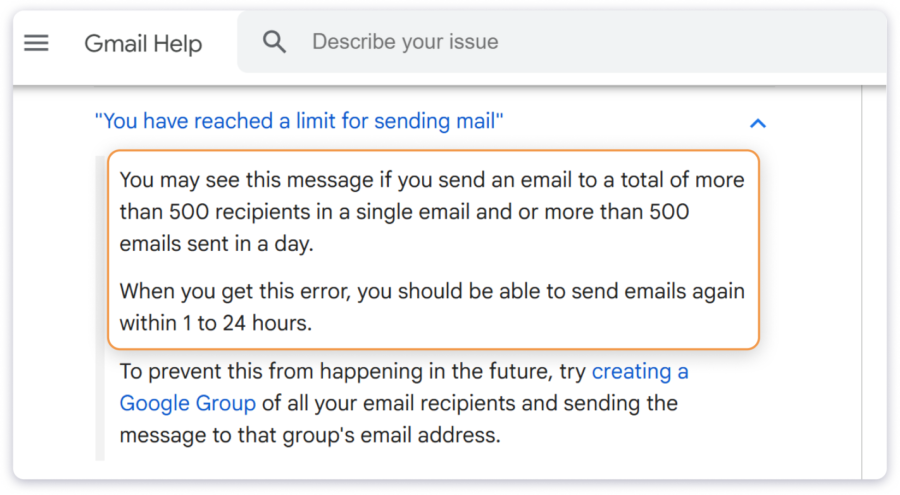
You can send up to 500 emails per day, or 1 email to 500 recipients.
- Emails per day – 500
- Maximum number of recipients you can send an email to – 500
Gmail Sending Limit For Google Workspace Accounts (@domain.com)
If you’re using a trial Google Workspace account, you can send a maximum of 500 emails per day and reach out to 500 external recipients (unique) per day.
- Emails per day: 500
- External recipients per day: 500 unique recipients
If you have a paid account, then the limit is significantly higher.
Here is a table:
| Maximum emails per day (per user account) | 2,000 1,500 using the Mail Merge feature (Google Workspace Standard Plan) |
| Recipients per message (To, Cc, and Bcc fields) | 2,000 per email (for external recipients, the maximum limit is 500) |
| Total recipients per day | 10,000 1,500 using the Mail Merge feature |
| External recipients per day | 3,000 |
| Unique recipients per day | 3,000 (total) 2,000 external |
| Recipients per email (For SMTP by POP or IMAP users (To, Cc, and Bcc fields) | 100 |
| Recipients per message sent with the Gmail API (To, Cc, and Bcc fields) | 500 |
Sending Limit if You Are Doing Cold Email Outreach
If you use your Google Workspace account for cold outreach emails, you cannot follow these limits.
It is recommended (industry standard) that you do not send more than 50 emails per day from an email account.
Personally, I prefer to stay even more conservative.
No more than 30 to 40 emails/day from a single account.
If you want to know more, keep reading!
What Are The Email Sending Limits in Gmail?
Gmail limits the number of emails you can send based on the type of account you are using:
- Standard Personal Email Accounts like abc@gmail.com
- Professional Google Workspace Email Accounts like abc@businessdomain.com
Limits for Standard Accounts
The limit for your standard Gmail account is 500 emails in a 24-hour rolling period.
Here’s how the rolling window works:
- If you send 500 emails at 10 AM on Wednesday, you won’t be able to send any more emails until 10 AM on Thursday.
- If you send 250 emails at 10 AM on Wednesday and another 250 at 2 PM, you’ll be able to send another 250 emails at 10 AM on Thursday, as the 24-hour window resets.
The 500 daily email limit includes new emails, replies, forwards, and even emails sent by your vacation responder (Out-of-Office emails).
Limits for Professional Accounts
In the case of a Google Workspace account, you get a massive 2,000 daily send limit, making it ideal for marketing and outreach emails.
But if you are on a trial Workspace plan, your daily limit will be just 500 emails.
Additionally, there are other limits you should be aware of as well, like:
- Recipients per message
- Total recipients per day
- External recipients per day, etc.
Here’s a table with all the key limits for Gmail and Google Workspace:
| Limit Type | Google Workspace Accounts |
|---|---|
| Maximum messages per day | 2,000 emails |
| Recipients per message | 2,000 total per message (maximum of 500 external recipients) |
| Total recipients per day | 10,000 |
| External recipients per day | 3,000 |
| Unique recipients per day | 3,000 (total) 2,000 external recipients 500 external recipients for trial accounts |
Note: A recipient is an individual email address you send an email to, and external recipients are those outside your domain.
Why Does Gmail Have a Daily Sending Limit?
The main reason why Gmail has these limits is to protect its users (you and your recipients) from spammers.
Moreover, these limits also make sure that Gmail can provide you with a smooth experience without outages and performance issues.
Without these restrictions, spammers and other malicious senders would overload the system, affecting deliverability and user experience for everyone.
Most email hosting providers enforce similar daily limits for exactly this reason.
What Happens If You Exceed Gmail’s Daily Sending Limit?
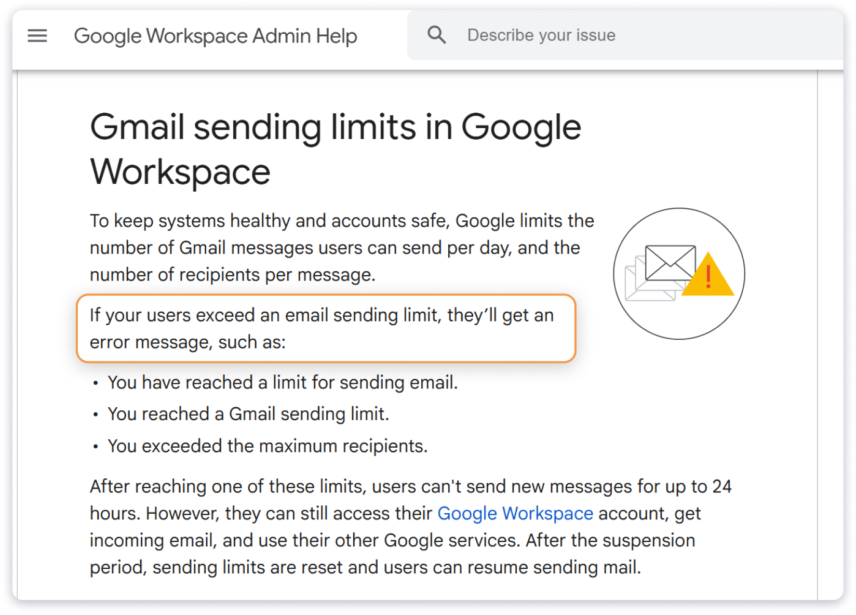
As soon as you hit the sending limit, Gmail will temporarily suspend your account for a 24-hour period.
After that, you will be able to send emails again.
However, you should know that once this happens, Gmail’s algorithm will monitor your activity more closely.
If you do this repeatedly, there is a high chance of getting your account blocked permanently.
In the next section, I will show you how to send more emails without getting on Gmail’s bad side.
How to Increase Gmail’s Daily Sending Limit?
There are actually two ways you can bypass Gmail’s daily sending limit:
If you are sending cold emails, then the first method is more suitable, whereas for marketing emails and newsletters, the second method is preferred.
Note: These methods are only for Google Workspace accounts.
1. Using Multiple Accounts and Rotating Them
Although you are not technically bypassing Gmail’s daily sending limit, you will be able to send more emails with this method.
An important point to note is that the number of emails you can actually send is much less than 2,000.
You can send 50 emails per day per email account.
That’s the recommended, industry-wide accepted sending limit, if you want to keep your account safe and make sure your emails don’t end up in the spam folder.
However, the real challenge lies in managing multiple email accounts and switching between them.
It’s too much of a hassle and not scalable at all!
This is where cold email software comes in.
You can connect multiple email accounts, automate the rotation process, and safely scale your outreach without worrying about hitting Gmail’s limits or dealing with manual management.
2. Using SMTP Relay Services
For newsletters and other marketing emails, SMTP relay services are the best.
With these relays, you can send emails without relying on Gmail’s daily sending limits.
Services like SendGrid, Mailgun, or Amazon SES are specifically designed to provide higher email sending capacity.
The best part of using relay services is that you don’t have to purchase multiple email accounts and rotate them!
You can also purchase dedicated IP addresses to improve your deliverability and sending capability.
There are other methods, such as creating and using Google Groups, among others, but they are less effective and outdated.
Scale Your Campaigns Without Getting Suspended
I’ve covered the various sending limits that Gmail has imposed for different accounts.
You now also know how to safely send more emails without running into restrictions or getting suspended.
- For Cold Emailing – Use a cold email software to connect multiple email accounts and rotate them.
- For Email Marketing – Use an SMTP Relay services like SendGrid, Mailgun, or Amazon SES.
By following these strategies, you can scale your email outreach and marketing campaigns effectively while staying within Gmail’s limits.
Gmail Daily Sending Limit FAQs
1. What is the Gmail email sending limit per hour?
Gmail does not have any hourly limits. You are only limited by the daily sending limit (500 for personal accounts, 2,000 for Google Workspace accounts).
2. What are the common error messages I might see if I exceed Gmail’s daily sending limit?
Some of the common messages are:
- You have reached the limit for sending mail
- Messages you sent couldn’t be delivered
- 550 5.4.5 Daily user sending quota exceeded
3. How can I safely send bulk emails without exceeding Gmail’s limits?
Depending on your needs:
- Cold emailing: Purchase multiple Gmail accounts and rotate them.
- Email marketing: Use SMTP relays (like SendGrid, Mailgun)
To safely send bulk emails.
4. Is there a way to monitor how close I am to reaching Gmail’s daily sending limit?
Unless you’re using a third-party tool or plugin, there is no built-in way to track how many emails you’ve sent and how close you are to hitting Gmail’s sending limit.
5. Can Gmail suspend my account for exceeding the sending limit?
Gmail will temporarily suspend your account if you exceed the daily sending limit. However, if you continue to exceed the limit repeatedly, your account could be flagged for suspicious activity.
6. What are the best practices and tips that bulk emailers should follow?
Starting in 2024, Gmail has updated its requirements for bulk emailers, focusing on ensuring high deliverability and better engagement.
Here are some best practices for bulk emailers to follow:
- Set up SPF, DKIM, and DMARC properly.
- Warm up your email accounts gradually to establish trust with Gmail’s algorithm.
- Segment your audience to send relevant emails that reduce the risk of high bounce rates and spam complaints.
- Avoid using spammy language and keep the email content natural and relevant.
- Send emails consistently rather than blasting large volumes at once.
- Use reliable software to send large volumes without hitting Gmail’s limits.
 Yash Jain