 Vatsal Shah
 Email warm up tools are everywhere.
Most promise better inbox placement. Only a few actually help without hurting deliverability.
In this Warmforge review, I break down what Warmforge does, how it works in real use, and where it fits inside a cold email workflow.
The goal is simple.
Understand what works, what does not, and who Warmforge is best suited for.
Warmforge Review TOC
TL;DR: Warmforge Review
Warmforge works well if you:
- Are warming up a small number of inboxes
- Use Google Workspace or Microsoft O365
- Plan to use the full Salesforge ecosystem for outreach and infrastructure
It is not ideal if you:
- Run agency level outreach or need to warm up many inboxes at once
- Use inbox providers outside Google Workspace or Microsoft O365
- Want to avoid paying per inbox
If you want the flexibility to:
- warm up multiple inboxes without per-inbox pricing
- connect inboxes from any provider
TrulyInbox is a stronger alternative for scaling outreach.
What Is Warmforge?
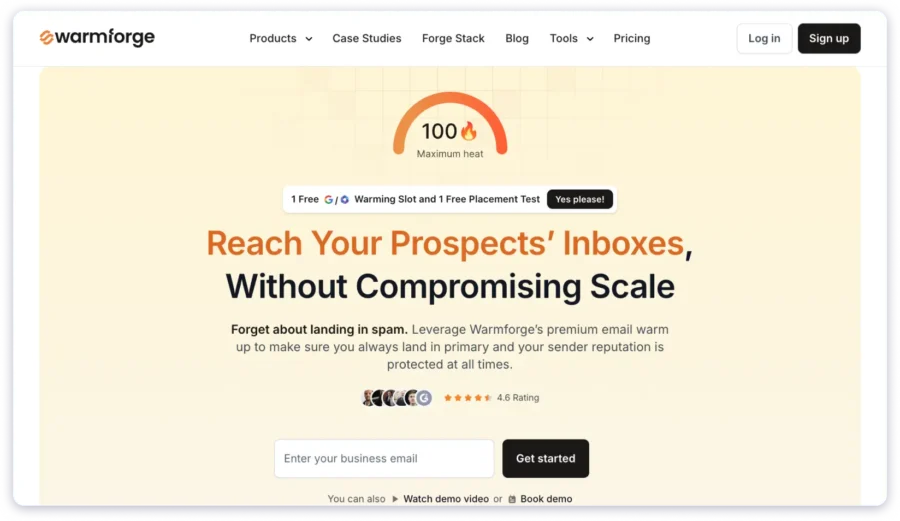
Warmforge is an email deliverability tool built to increase the chances of your outreach emails landing in the Primary inbox of your recipients.
It focuses on two core areas.
- Email warm up to build sender reputation for new or inactive inboxes
- Inbox placement testing to understand where your emails land before outreach
With warm up, Warmforge gradually increases sending activity.
Emails are opened, replied to, and marked as important to create positive engagement signals.
Inbox placement testing helps you check whether emails land in the inbox, promotions, or spam.
This allows you to fix issues before starting cold email campaigns.
In simple terms, it helps inboxes build trust before real sending begins.
But there is a catch.
- Warmforge only supports inboxes from Google Workspace and Microsoft O365.
- IMAP and SMTP accounts are supported only when purchased through Mailforge or Primeforge.
If you use or buy inboxes from another provider, this limitation matters.
Note: Warmforge, Mailforge, and Primeforge are part of the Salesforge ecosystem.
They are designed to work smoothly with Salesforge outreach products.
What Are Warmforge Users Saying?
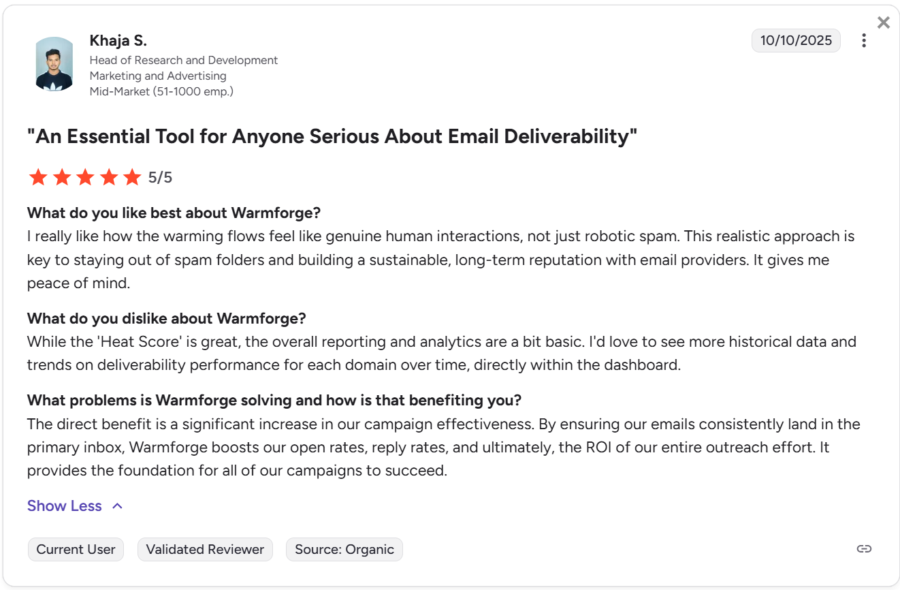
User feedback around Warmforge is largely positive, with a few consistent caveats.
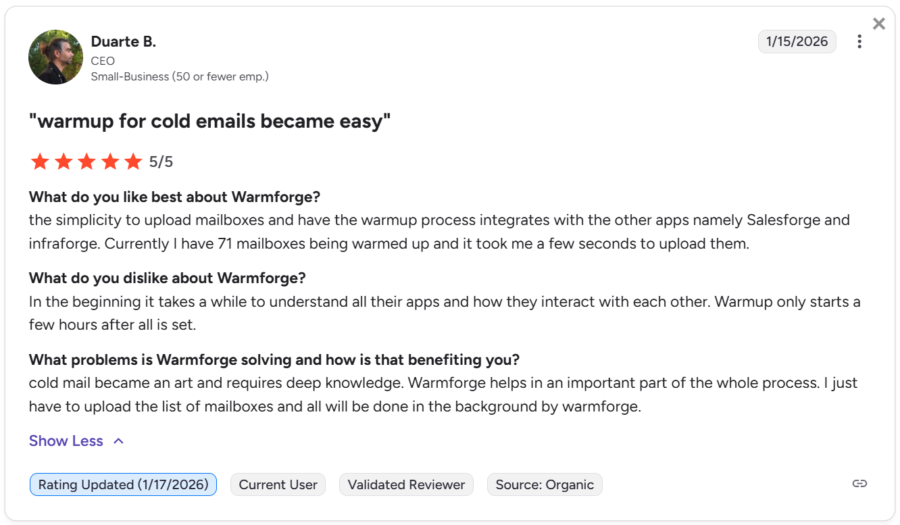
Most users highlight how natural the warm up activity feels.
The users also mention how quickly they can upload mailboxes and let warm up run in the background, especially when using other Salesforge tools.
That said, some users note limitations.
Reporting and analytics are described as basic, with requests for deeper historical trends and insights inside the dashboard.
Overall, users see Warmforge as reliable and low effort, but not analytics-heavy.
Warmforge Features That Matter
Warmforge keeps its feature set focused on deliverability fundamentals.
These are the features that actually affect outcomes.
Warm up and engagement
- Automated email warm up that gradually increases sending volume using human like activity
- AI generated engagement through opens replies and positive signals to build sender trust
Monitoring and safety
- Mailbox health monitoring to flag issues related to DNS blacklist status and setup
- Inbox placement testing to see whether emails land in Primary Promotions or Spam
Readiness and scaling
- Heat score tracking to show when an inbox is ready for real outreach
Everything here is designed to prepare inboxes before you start sending cold emails.
Warmforge Pricing Explained
Warmforge uses a per inbox pricing model.
You pay $12/month for each email account you warm up.
What this means in practice:
- Cost increases as you add more inboxes
- Solo users can manage expenses easily
- Teams and agencies see costs rise quickly
Inbox placement testing is priced separately.
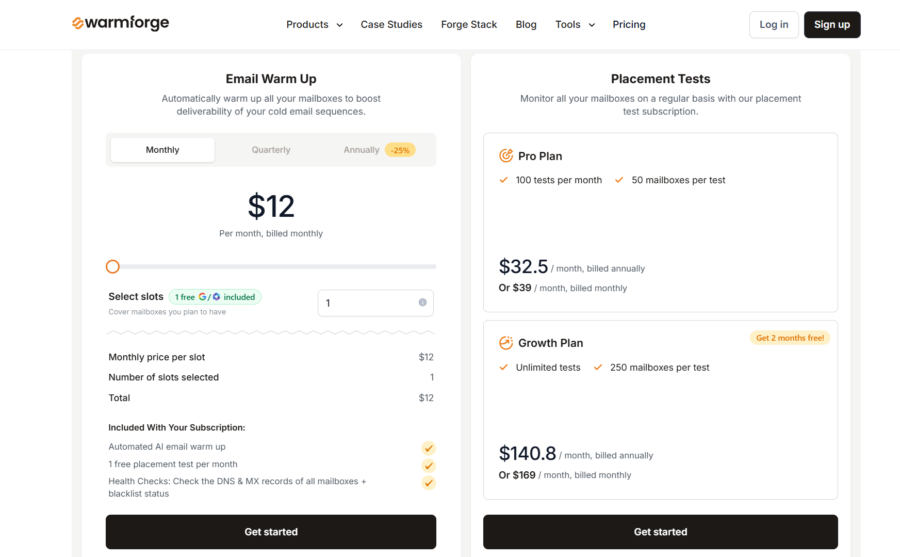
The warm-up plan includes one free inbox placement test per month.
What Are The Pros and Cons of Warmforge?
Pros of Warmforge
- Easy setup with minimal configuration
- Automated warm up that runs quietly in the background
- Inbox placement testing included for basic checks
- Clear heat score to judge inbox readiness
- Works well inside the Salesforge tool ecosystem
Cons of Warmforge
- Pricing scales per inbox and adds up quickly
- Limited inbox provider support outside Google and Microsoft
- IMAP and SMTP inboxes require Mailforge or Primeforge
- Less flexibility for agencies managing many inboxes
- Basic reporting dashboard
When and Who Is Warmforge a Good Choice For?
Warmforge is a good fit in clearly defined scenarios.
It works well when:
- You are warming up a small number of inboxes
- Your inboxes are on Google Workspace or Microsoft O365
- You want a hands off warm up process
- You need light inbox placement checks before outreach
- You already use or plan to use the Salesforge ecosystem
Warmforge suits solo users and small teams best.
If your setup is simple and volume is limited, it performs reliably.
Final Verdict
Warmforge does what it promises.
- It helps inboxes build reputation before outreach begins.
- Warm up runs automatically.
- Inbox placement checks catch issues early.
However, it is not built for scale.
Per inbox pricing and provider limitations make it less suitable for agencies or high-volume setups.
If you are looking for a more cost-efficient alternative that does not charge per inbox and lets you warm up multiple email accounts, TrulyInbox is worth considering.
Also Read: TrulyInbox vs Warmforge for a deeper evaluation.
FAQs
1. How long should I run Warmforge before starting cold email outreach?
Most inboxes need at least two to four weeks of warm up before sending outreach emails.
New domains may need more time.
A good indicator is the heat score and inbox placement results. Once emails consistently land in the Primary inbox, you can start outreach gradually.
2. Can I use Warmforge alongside another cold email sending tool?
Yes.
Warmforge is designed only for warm up and inbox placement testing.
You can use it alongside any outreach tool that supports Google Workspace or Microsoft O365.
Warmforge prepares the inbox. Your sending tool handles the campaigns.
3. Does Warmforge help recover inboxes that are already landing in spam?
Warmforge can help stabilize inboxes with mild deliverability issues. It rebuilds engagement signals through gradual warm up.
However, if an inbox is heavily spam flagged or blacklisted, warm up alone may not be enough.
In such cases, fixing domain and authentication issues is required before warming up again.