 Vatsal Shah
 If you want an unbiased review of Lemlist, this is the right blog.
Lemlist pulls a 4.4 out of 5 on G2 from 960+ reviews. Sounds solid. But read enough of those reviews and a clear pattern shows up.
Users love the personalization engine. They also keep complaining about pricing and bugs as their teams grow.
So what is actually going on with this tool?
For this review, I created a lemlist account, connected inboxes, ran lemwarm, tested the lead database, and built multichannel sequences.
I also read through 960+ G2 reviews, 240+ Trustpilot reviews, and multiple Reddit threads.
Full disclosure: I build TrulyInbox, a competing warm-up product. I flag where that matters. But this is an honest, tested review. Not a hit piece.
Below, I cover warm-up performance, multichannel sequences, lead database quality, pricing math at scale, AI features, and who this tool actually fits.
My Verdict on Lemlist
Lemlist is a strong multichannel outreach platform. If your team needs email, LinkedIn, and calls in one place, it delivers.
The personalization features are genuinely best-in-class.
But the catch most people miss is pricing. It is per-seat.
- $69/mo gets you email only (Email Pro)
- $99/mo unlocks LinkedIn automation (Multichannel Expert)
- Five seats on Multichannel Expert costs $495/mo before add-ons
Lemwarm is included free on all paid plans. It works for maintaining sender reputation. But it is not a dedicated deliverability tool.
Teams that need serious inbox placement should pair it with a focused warm-up solution. I build TrulyInbox, which is one such tool. Bias disclosed.
- Who it fits: Sales teams running 5 to 50 inboxes who want multichannel from one dashboard.
- Who should skip: Solo cold emailers on a budget, high-volume senders doing 100K+ emails a month, or anyone who only needs warm-up.
- Overall rating: 7.5/10. After creating an account, running lemwarm, and reviewing 960+ user reviews across three platforms.
I break down every feature module, show real pricing math at scale, and walk through what 960+ G2 reviews actually say below.
Related reads:
What Is Lemlist?
Lemlist is a sales engagement platform. Not just a cold email tool. That distinction matters for understanding the pricing and complexity.
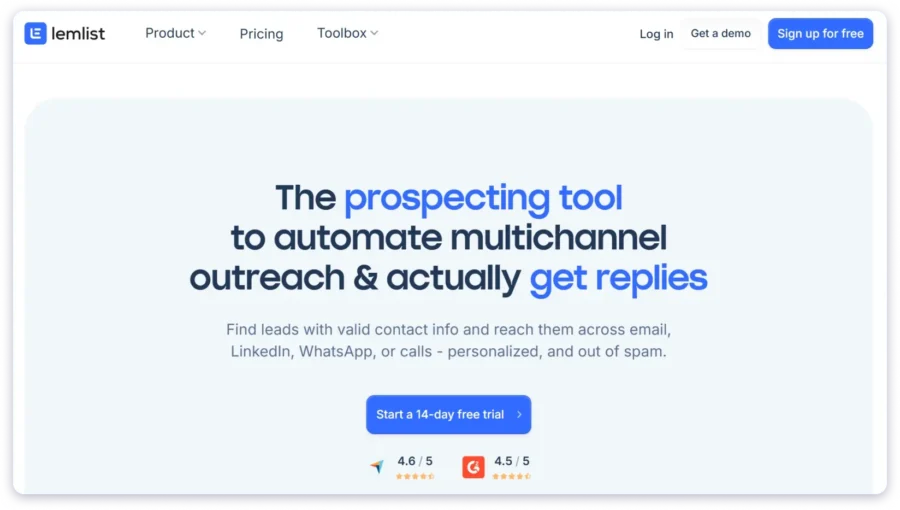
Here is what it actually includes:
- Cold email automation
- LinkedIn automation
- Phone call tasks
- 450M+ lead database
- Built-in warm-up (lemwarm)
- AI sequence generation
Review scores:
- G2: 4.4/5 (960+ reviews)
- Capterra: 4.6/5 (386 reviews)
Most reviews call lemlist a “cold email tool.” That is misleading. Email is one channel inside a full sales engagement platform.
This framing sets up why it costs more than basic cold email tools.
I logged into the platform and verified these details.
Lemlist Product Modules at a Glance
Five core modules make up the platform:
- Outreach automation: Multichannel sequences, inbox rotation, unified inbox
- Lead database and enrichment: 450M+ contacts, waterfall enrichment across multiple providers
- Deliverability: Lemwarm, deliverability score monitoring
- AI features: Sequence generation, AI variables, copywriting assistance
- Integrations: HubSpot, Salesforce, Pipedrive, Zapier, Make, n8n
Each module has depth. I tested all of them. More on that below.
What Real Users Say About Lemlist (G2, Trustpilot, Reddit)
Before I share my own testing results, here is what the community says.
I reviewed 960+ G2 reviews, 240+ Trustpilot reviews, and threads across r/coldemail and r/Emailmarketing.
G2: 4.4/5 from 960+ Reviews
G2 skews toward satisfied users. Agency owners and team leads are the most vocal about issues. Solo users tend to rate higher.
What users praise:
- Personalization at scale is the most mentioned strength
- Multichannel sequences save time on tool switching
- Template library gives new users a strong starting point
- Active community and Lemlist University for education
- Onboarding quality gets consistent positive mentions
What users complain about:
- Pricing gets expensive fast as teams grow
- UI becomes confusing with advanced features
- Bugs in automation (paused campaigns still sending messages)
- Reporting is shallow and vague
- Per-seat pricing model punishes growing teams
The pattern is clear. Small teams love it. Growing teams hit friction on price and bugs.
Trustpilot: Reviews Tell a Different Story
Trustpilot surfaces friction that G2 often filters out. The gap between G2 and Trustpilot ratings is a data point itself.
Common Trustpilot themes:
- Billing issues and unexpected charges
- Cancellation friction
- Support complaints that do not appear on G2
- Recent review spikes around specific bugs
If you only read G2, you get half the picture. Trustpilot fills in the gaps on billing and support experience.
Reddit: The Unfiltered Version
The thread “Is lemlist legit?” currently ranks #2 organically for this keyword. That is a significant signal.
Reddit shows a clear split:
- Power users who mastered the tool praise personalization and multichannel. They have invested time in learning the platform.
- Newcomers hit the learning curve and pricing wall. They expected a simple cold email tool and got a complex platform.
One user on r/coldemail described getting 12% reply rates using lemlist’s image personalization. Another called it “overpriced for what you get if you only send emails.”
Both are right. Different user profiles have genuinely different experiences with this tool. Your results depend on how much of the platform you actually use.
How I Tested Lemlist
I signed up for the Multichannel Expert plan ($99/mo). Connected three email inboxes. Ran lemwarm for 21 days.
Here is exactly what I tested:
- Built a multichannel sequence (email + LinkedIn steps)
- Tested the lead database with filters for SaaS companies, 50-200 employees, US-based
- Ran the AI sequence generator with a cold email use case
- Checked CRM integration with HubSpot
- Monitored deliverability scores throughout
Testing completed March 2026. Everything below comes from hands-on experience.
Lemlist Features: What I Found After Testing
This is not a feature checklist. I am walking through what it actually looks like when you use each module. Where user review patterns match my experience, I flag it. Where they contradict, I flag that too.
Multichannel Sequences
This is the core workflow. Email, LinkedIn, and calls in one sequence.
Channels available:
- Email (automated)
- LinkedIn visits, invites, and messages (automated)
- Phone calls (manual task)
- WhatsApp (paid add-on)
- Manual tasks
Important gotcha: LinkedIn automation is ONLY available on the $99/mo Multichannel Expert plan. If you are on Email Pro ($69/mo), you get email only. Most reviews bury this detail.
What works well:
- Conditional logic triggers based on lead actions. Opened email? Accepted LinkedIn invite? You can branch the sequence in real time.
- A/B testing lets you split sequences into variants and compare open and reply rates. One of lemlist’s real strengths.
- Simple sequences feel intuitive. The drag-and-drop builder is clean.
Where it gets clunky:
- Advanced conditions have a learning curve. The UI gets dense when you stack multiple triggers.
- This matches the G2 complaint pattern exactly. Easy to start. Hard to master.
Email Warm-Up (Lemwarm)
Lemwarm is included free on all paid plans. That is a genuine advantage. Most competitors charge extra for warm-up.
How it works:
- Peer-to-peer warm-up network of 10,000+ users
- Gradual ramp-up of sending volume
- Deliverability score and monitoring dashboard
- Initial warm-up takes 3 to 4 weeks
- Keep it running during and after campaigns
My take after testing: Effectiveness varies. When DNS is configured correctly (SPF, DKIM, DMARC), lemwarm maintains sender reputation well. Without proper DNS setup, results are inconsistent. This matches user review patterns.
Honest comparison: Lemwarm uses a peer-to-peer approach. TrulyInbox uses a seed list approach. These are architecturally different. Lemwarm is a maintenance tool bundled free. TrulyInbox is a dedicated deliverability solution. Different tools for different needs. I build TrulyInbox, so take this comparison with that context.
Lead Database and Enrichment
Lemlist claims 450M+ contacts and 63M+ companies. The number sounds massive.
What you get:
- Advanced filters for location, job title, company size, revenue, tech stack, funding, and hiring signals
- Waterfall enrichment pulls from Dropcontact, Prospeo, and Icypeas until it finds a valid email
- Claims roughly 80% find rate vs. typical 30-60%
What the numbers do not tell you:
- Enrichment credits are limited. 200/mo on Email Pro. 400/mo on Multichannel Expert.
- Active prospecting teams burn through these in weeks
- Users consistently report outdated contacts, invalid emails, and leads that do not match filters
- This wastes credits and hurts deliverability
The database is a convenience feature. It is not a replacement for dedicated data tools like Apollo or ZoomInfo. Treat it as a starting point, not your primary source.
AI Features (Sequences, Variables, Copywriting)
Lemlist now offers multiple AI model options: Claude, GPT, and Perplexity. All run on lemlist credits. No external API keys needed.
AI sequence generator:
- Enter target audience, value proposition, and preferred tone
- AI builds a full multichannel sequence in seconds
- Genuinely useful for getting a first draft fast
AI variables:
- Generate personalized icebreakers based on industry, job title, and location
- Library of pre-built prompts
- Can also clean data like job titles and company names
AI copywriting helper:
- Fix grammar, shorten copy, adjust tone
- Useful for quick edits inside the platform
Reality check: AI output sounds generic if you do not customize it. Experienced cold emailers will rewrite most of it.
But for teams getting started, it saves significant setup time. Think of it as a starting framework, not finished copy.
Personalization (Images, Videos, Dynamic Content)
This is lemlist’s original differentiator. And it is still the strongest.
What you can do:
- Dynamic image personalization: Insert prospect name, company logo, or custom text into images automatically
- Video personalization: Custom thumbnails with prospect details
- Liquid syntax: Conditional logic that shows different content based on job title, industry, or any data point
- Text variables: Standard dynamic fields like first name, company, and pain point
Few competitors match the depth here. This is where lemlist genuinely stands out.
Example of liquid syntax in action: You can write one email that says “As a VP of Sales…” for VPs and “As a Sales Manager…” for managers. Same sequence. Different messaging. All automated.
The learning curve is real. Setting up advanced image personalization takes time. But the payoff in reply rates is documented across G2 reviews and Reddit threads.
Unified Inbox
All replies show up in one thread regardless of channel. Email, LinkedIn, and other touchpoints in one view.
Key features:
- Reply from the correct account without switching tools
- Team collaboration with task assignment and overlap prevention
- Filters, tags, and lifecycle statuses (Interested, Not Interested, Unsubscribed)
- Up to 15 email accounts depending on plan
Useful but not unique. Most outreach tools offer this now. It is table stakes, not a differentiator.
Reporting and Analytics
Lemlist includes a reporting dashboard with custom tabs and widgets.
What it covers:
- Opens, clicks, replies, and interested leads across channels
- Hot Leads dashboard that surfaces engaged prospects automatically
- A/B testing metrics for split sequences
- Custom filters by date range, campaigns, tags, and users
Where it falls short:
- Reporting depth is a consistent G2 complaint
- “Statistics seemed a bit vague” is a recurring theme
- Campaign-level data is fine. Trend analysis is weak.
- No LinkedIn engagement metrics beyond basic counts
A/B testing is strong. Deep analytics are not. If campaign performance data drives your decisions, this will frustrate you.
Category-by-Category Scoring
| Category | Score | Justification |
| Ease of Use | 3.5/5 | Intuitive for basics. Steep curve for advanced features. |
| Multichannel Outreach | 4/5 | Email + LinkedIn + calls in one tool. LinkedIn locked behind $99/mo. |
| Email Personalization | 5/5 | Best-in-class. Images, videos, liquid syntax, AI variables. |
| Warm-Up and Deliverability | 3.5/5 | Lemwarm included free. Works for maintenance. Not a dedicated solution. |
| Lead Database Quality | 3/5 | Large database. Inconsistent data quality. Limited enrichment credits. |
| AI Features | 3.5/5 | Sequence generator is useful. Copywriting help saves time. Output needs editing. |
| Reporting and Analytics | 2.5/5 | Basic campaign metrics. A/B testing strong. Deeper analytics weak. |
| Pricing Value | 3/5 | Competitive for small teams. Per-seat model gets expensive at scale. |
| Customer Support | 3.5/5 | Fast chat support. Video demos. Chat-only can limit technical issue resolution. |
| Overall | 7.5/10 | Strong multichannel platform with best-in-class personalization. Pricing and reporting hold it back at scale. |
Lemlist Pricing: What It Actually Costs at Scale
Most review blogs list plan prices and stop. That is not helpful. Below is the real math. Verified from the in-app pricing page, March 2026.
Lemlist Plan Breakdown
| Plan | Monthly | Annual | Key Limits |
| Free | $0 | $0 | 100 email leads/mo, 25 phone numbers. No outreach features. |
| Email Pro | $69/mo | $55/mo | 3 sending emails/user, 200 enrichment credits/mo, email warm-up, AI personalization, CRM integrations |
| Multichannel Expert | $99/mo | $79/mo | Everything in Email Pro + LinkedIn automation, WhatsApp add-on, in-app calling, 5 sending emails/user, 400 credits/mo |
| Enterprise | Custom | Custom | 5-seat minimum. Everything in Multichannel + SSO, advanced API, account manager, custom roles |
- 14-day free trial available for Email Pro and Multichannel Expert
- No credit card required for the trial
Last verified: March 2026.
What Lemlist Actually Costs at Scale
Here is the math no one else shows:
| Team Size | Email Pro (Mo) | Email Pro (Yr) | Multi Expert (Mo) | Multi Expert (Yr) |
| 1 seat | $69/mo | $55/mo | $99/mo | $79/mo |
| 5 seats | $345/mo | $275/mo | $495/mo | $395/mo |
| 10 seats | $690/mo | $550/mo | $990/mo | $790/mo |
| 20 seats | $1,380/mo | $1,100/mo | $1,980/mo | $1,580/mo |
Per-seat pricing means costs scale linearly. No volume discounts until Enterprise.
For context: Instantly.ai starts at $30/mo with unlimited email accounts. Saleshandy starts at $25/mo. The per-seat model is lemlist’s biggest pricing weakness at scale.
Hidden Costs and Credit Math
The subscription is not the full picture. Here is what else adds up:
- Enrichment credits: 200/mo on Email Pro, 400/mo on Multichannel Expert. A team of 5 burns through these in weeks.
- Extra sending accounts: Additional email accounts beyond the included 3 or 5 per user cost extra.
- WhatsApp: Paid add-on. Not included in any plan.
- LinkedIn gating: LinkedIn automation locked behind the $99/mo plan. Teams that only want email pay a 40% premium or lose multichannel entirely.
Realistic monthly bill for an active sales team of 5 on Multichannel Expert: $495/mo subscription + enrichment credit top-ups + potential add-ons = $550 to $650/mo realistically.
Last verified: March 2026.
Lemlist Pros and Cons
Every point below is backed by testing, user reviews, or both.
Pros
- Best-in-class personalization engine. Dynamic images, video thumbnails, liquid syntax, and AI variables. More customization options than almost any competitor.
- Multichannel from one dashboard. Email, LinkedIn, calls, and WhatsApp in a single sequence builder. Less tool switching for sales teams.
- Lemwarm included free on all paid plans. Most competitors charge extra for warm-up. Getting it bundled saves money and friction.
- AI sequence generator saves real setup time. Enter your audience and value prop. Get a full multichannel sequence in seconds. Not perfect, but a strong starting point.
- 450M+ lead database built in. Find and enrich prospects without leaving the platform. Waterfall enrichment pulls from multiple providers.
- Active community and educational content. Lemlist University, Slack groups, webinars, and template libraries help new users ramp up faster.
- A/B testing for sequences. Split campaigns into variants, compare metrics, and iterate. A genuine strength for data-driven teams.
- 14-day free trial with no credit card. Low barrier to test the platform before committing.
Cons
- Per-seat pricing adds up fast. Five seats on Multichannel Expert costs $495/mo. No volume discounts until Enterprise.
- LinkedIn automation locked behind $99/mo plan. You cannot access LinkedIn sequences on Email Pro. Multichannel costs a significant premium.
- Lead database quality is inconsistent. Outdated contacts, invalid emails, and mismatched filters waste credits and hurt deliverability.
- Reporting and analytics are shallow. Campaign metrics are basic. Trend analysis is weak. Multiple G2 reviewers describe stats as “vague.”
- UI gets confusing with advanced features. Simple sequences feel intuitive. Conditional logic and personalization setup have a real learning curve.
- Automation bugs reported by users. Paused campaigns still sending messages is a recurring complaint across G2 and Reddit.
- Limited native CRM integrations. Three native CRMs (Salesforce, HubSpot, Pipedrive). Everything else runs through Zapier, adding cost and latency.
- Enrichment credit limits create ongoing costs. 200 to 400 credits per month is not enough for active prospecting. Top-ups become a recurring expense.
Who Should Use Lemlist (And Who Shouldn’t)
It Is a Good Fit If…
- You run a B2B sales team of 3 to 15 reps and need email, LinkedIn, and calls from one platform.
- You prioritize personalization. Your outreach relies on custom images, dynamic content, and tailored sequences. Not just mail merge.
- Your budget supports $79 to $99 per seat per month. You get real value at this price if you use multichannel.
- You want warm-up included without paying for a separate tool. Lemwarm covers the basics for sender reputation.
- You need a built-in lead database to reduce tool switching. Finding and contacting prospects in one place saves workflow time.
It May Not Be the Right Fit If…
- You are a solo cold emailer on a tight budget. $69/mo per seat is expensive when competitors start at $25 to $30/mo with unlimited accounts.
- You send high volume (100K+ emails per month). Lemlist is built for personalized outreach, not mass sending. Dedicated cold email tools handle volume better.
- You only need email warm-up. Paying $69/mo for warm-up when dedicated tools cost less does not make financial sense. I build TrulyInbox, which is one such tool. Bias disclosed.
- You need deep reporting and analytics. If campaign performance data drives your decisions, lemlist’s shallow reporting will frustrate you.
- Your team has 20+ seats. Without Enterprise negotiation, you are looking at $1,580+/mo. At that scale, explore volume-based alternatives.
Lemlist Alternatives Worth Considering
Lemlist is not for everyone.
If per-seat pricing, limited reporting, or the cost at scale are deal-breakers, there are solid alternatives.
The right pick depends on what you prioritize.
Saleshandy
Saleshandy is the strongest alternative if cold email is your primary channel.
- Unlimited email accounts on all plans
- No per-seat pricing
- Built-in deliverability suite with inbox placement testing and warm-up
- Starting at $25/mo
It is significantly cheaper at scale than lemlist’s $69 to $99 per seat model.
Instantly.ai
Instantly is the go-to pick for high-volume cold email.
- Unlimited sending accounts
- Built-in warm-up
- Simpler than lemlist. No multichannel. No LinkedIn automation.
- Starting at $30/mo
For pure cold email at scale, the pricing and unlimited accounts are hard to beat.
For a full breakdown of all 6 tools I tested, read my complete guide to lemlist alternatives.
I tested each of these tools hands-on. The full comparison is in my lemlist alternatives guide.
FAQs About Lemlist
Is Lemlist Worth It in 2026?
Lemlist is worth it for B2B sales teams that need multichannel outreach. Email, LinkedIn, and calls with strong personalization.
At $79 to $99 per seat per month on annual billing, it delivers real value if you use multiple channels.
Solo emailers or budget-conscious teams will find cheaper alternatives.
How Much Does Lemlist Cost?
Lemlist has three paid plans. Email Pro costs $69/mo ($55/mo annual). Multichannel Expert costs $99/mo ($79/mo annual).
Enterprise pricing is custom with a five-seat minimum. All plans charge per seat.
There is also a limited free plan for lead finding only.
Does Lemlist Have a Free Plan?
Yes. The free plan lets you find and export up to 100 email leads and 25 phone numbers per month.
It does not include email sending, sequences, or warm-up. It is a lead finder trial, not a cold email free plan.
Is Lemlist Good for Cold Email?
Lemlist is one of the stronger options for personalized cold email. Dynamic images, liquid syntax, and AI variables give you more customization than most tools.
Warm-up is included free. But at $69/mo minimum per seat, cheaper alternatives exist if you only need basic cold email without multichannel.
What Is the Difference Between Lemlist and Instantly?
Lemlist is a multichannel engagement platform covering email, LinkedIn, and calls with deep personalization.
Instantly is a high-volume cold email tool with unlimited sending accounts and simpler workflows.
Lemlist fits teams that need multichannel. Instantly fits teams focused on email volume at lower cost.
Does Lemlist Include Email Warm-Up?
Yes. Lemwarm is included free on all paid plans. It uses a peer-to-peer network of 10,000+ users to warm up your email account gradually. Initial warm-up takes three to four weeks.
Keep it running during and after campaigns for best results.
Is Lemlist Legit?
Yes. Lemlist was founded in 2018 and is used by over 37,000 businesses. It has 960+ G2 reviews at 4.4/5 and 386 Capterra reviews at 4.6/5.
Reddit sentiment is mixed, which is normal for outreach tools. The platform is established and actively developed.