 Vatsal Shah
 I’ve watched over a thousand email accounts go through warm-up. The pattern repeats every time.
Senders follow a guide, wait four weeks, and launch cold outreach. Then deliverability tanks. The warm-up worked, but the transition destroyed everything.
Most guides cover the basics: start slow, increase volume, set up authentication. That’s necessary but incomplete. They skip the decisions that actually matter:
- Which warm-up approach fits your account stage
- How to target specific inbox providers
- What your warm-up emails should say
- How to transition without undoing four weeks of progress
This guide covers the full lifecycle. Strategy selection, ESP-specific targeting, the post-warm-up transition, and recovery when things break.
Every framework here comes from running TrulyInbox and managing warm-up across thousands of accounts. These are tested strategies, not theory.
Disclosure: I built TrulyInbox, a peer-to-peer email warm-up tool. I will flag where that context matters. The principles here work regardless of which tool you use.
TL;DR: What Actually Works
After managing warm-up across thousands of accounts, here is what I know works.
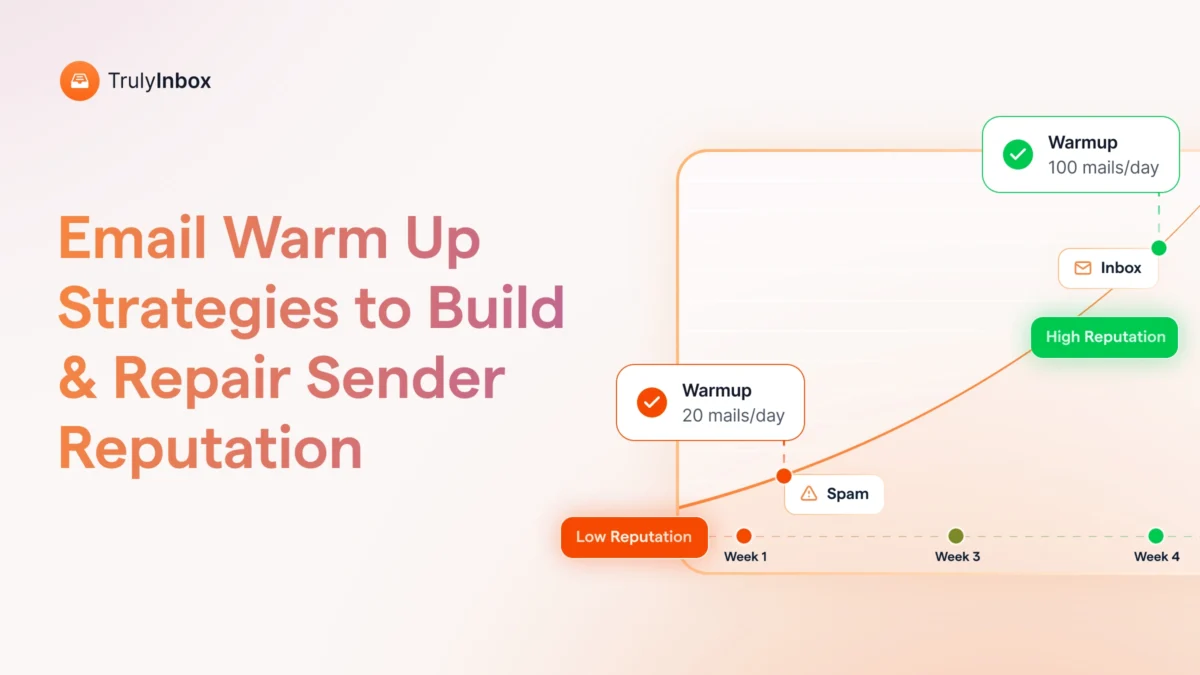
A safe warm-up takes 3 to 4 weeks for established domains.
New domains need 4 to 6 weeks.
Start at 10 to 15 emails per day, increase by 2 to 3 per day, and cap warm-up volume at 50 per day during the ramp.
Authentication is prerequisite, not optional.
I have seen accounts with perfect engagement still land in spam because DMARC was not configured.
The strategic choice most guides skip matters more than the schedule.
- Progressive warm-up works best for new accounts.
- Randomize suits mid-maturity accounts.
- Flat is for maintenance.
Wrong choice means slower results or unnecessary risk.
ESP-specific targeting changes outcomes.
If 70% of your prospects use Gmail, 70% of your warm-up should target Gmail inboxes. Reputation is evaluated per provider, not globally.
The biggest risk is not during warm-up. It is the transition.
I have seen accounts with green reputation scores tank within a week. They jumped from warm-up to full cold campaigns overnight.
Maintain 15 to 20 warm-up emails per day even after starting outreach.
Warm-up content also matters. Industry-aligned conversations generate stronger trust signals than generic exchanges.
I will walk through the exact schedule, strategy selection, and transition plan below.
That includes what to do when things go wrong.
What Email Warm-Up Actually Does (And What It Does Not)
Email warm-up is the process of gradually building sender reputation with inbox providers.
Gmail, Outlook, and Yahoo use engagement signals like opens, replies, and inbox placement to decide whether your emails reach the inbox or spam folder.
The biggest misconception is that warm-up is a one-time process.
No, it’s not. It is a process that should be continuously done.
I run warm-up continuously on every account I manage, even months after the reputation turns green.
Reputation decays without ongoing positive signals.
Different account stages need different approaches:
- A new domain needs a Progressive ramp
- A warmed account needs Randomize for natural variation
- A stable account needs Flat maintenance
Most guides treat warm-up as “send 10 emails for two weeks and start blasting.” That is not warm-up.
Warm-up applies to every sender type. Cold email, marketing email, newsletters.
B2B senders on hosted domains need it just as much as B2C senders. Microsoft’s own documentation confirms this.
Why Manual Warm-Up Does Not Scale
If you are serious about cold outreach and meeting your pipeline goals, manual warm-up is off the table.
It simply does not work beyond one or two accounts.
Manual warm-up means personally emailing contacts who will open and reply. That works if you have highly engaged contacts and a single account. Beyond that, it falls apart.
Here is why it breaks down:
- You cannot personally generate 30 to 50 genuine replies per day across multiple accounts
- Consistency becomes impossible when you are also running campaigns, managing prospects, and closing deals
- One missed day or inconsistent week can stall your entire ramp
- You have zero control over ESP-specific targeting or strategy selection
The strategies in this guide exist because manual approaches failed at scale.
I developed these frameworks after testing thousands of accounts over several years.
Every schedule, every strategy selection, and every transition plan comes from watching what actually moves the needle.
Automated warm-up tools handle the engagement volume, timing consistency, and provider targeting that manual efforts cannot replicate. The rest of this guide assumes you are using a dedicated warm-up tool.
Authentication Setup Before You Start
I check authentication before connecting any account to warm-up. Every single time.
I have seen accounts run warm-up for three weeks with perfect engagement metrics. Opens, replies, everything green.
They still landed in spam. The problem was always the same: DMARC was not configured.
Authentication is the gate. If it is not set up, engagement signals never reach the provider’s reputation system.
Here are the four records you need in place:
- SPF (Sender Policy Framework) tells receiving servers which mail servers can send for your domain. The common mistake is multiple conflicting SPF records or overly permissive settings like using +all instead of ~all. Verify with MXToolbox.
- DKIM (DomainKeys Identified Mail) adds a cryptographic signature to each email. Receiving servers verify the email has not been modified in transit. Missing key rotation or using default ESP keys without custom domain DKIM causes failures.
- DMARC (Domain-based Message Authentication) tells receiving servers how to handle emails failing SPF or DKIM. The mistake I see constantly is setting p=none and forgetting about it. For cold outreach domains, use p=quarantine or p=reject.
- Custom tracking domain isolates your engagement tracking links from shared infrastructure. I have seen accounts with clean sending records get flagged because their tracking domain shared a pool with known spammers.
Verify all four before starting warm-up. No exceptions.
Choosing the Right Warm-Up Strategy
Every warm-up guide tells you to start slow and increase gradually. That is one strategy.
It is called Progressive, and it is the right default for new accounts.
But it is not the only option. I use three different warm-up strategies depending on the account stage.
Each one controls how daily sending volume behaves over time.
Picking the wrong one either slows you down or creates risk you do not need.
- Progressive: The Default for New Accounts
- Randomize: Natural Variation for Warmed Accounts
- Flat: Maintenance Mode for Stable Accounts
Progressive: The Default for New Accounts
I use Progressive for new domains, new email accounts, inactive accounts being reactivated, and reputation recovery after a deliverability hit.
It works by starting at a controlled base volume and increasing by a fixed amount each day. You set the starting volume, daily increase, and maximum cap.
Here is my typical setup for a new Google Workspace account:
- Start: 5 emails per day
- Daily increase: 3 emails per day
- Maximum cap: 40 emails per day
By day 12, the account reaches 40 per day and holds there. Inbox providers trust gradual, predictable growth. The volume curve looks exactly like a real person starting to use a new email account for business.
One constraint to know: once warm-up begins, the starting volume is locked. You can adjust future growth but cannot retroactively change where you started.
Randomize: Natural Variation for Warmed Accounts
I switch to Randomize for mid-maturity accounts that have completed initial warm-up.
It also works well for accounts with established sending history where I want more natural signals.
Instead of a fixed daily increase, volume fluctuates within a range you define. You set a minimum and maximum per day, and the system varies sending volume automatically.
Here is why I make this switch after Progressive. Perfectly consistent daily increases look automated. Real people do not send exactly 3 more emails every single day.
Randomize creates natural variation that makes an account look genuinely active rather than tool-driven.
Do not use Randomize aggressively on new accounts. Large day-to-day fluctuations early in warm-up create inconsistent trust signals.
Wait until the account has at least 2 to 3 weeks of Progressive warm-up before switching.
Flat: Maintenance Mode for Stable Accounts
I use Flat for fully warmed accounts in stable production and long-term reputation maintenance.
It sends the same number of emails every day. You set one fixed daily value.
Once trust is established, consistency preserves it. Flat sending maintains baseline positive signals without variation that might trigger re-evaluation.
The mistake I see constantly is people starting with Flat on a new account. They think they just need 20 warm-up emails per day.
Starting at a fixed higher volume without gradual growth triggers provider scrutiny immediately.
Flat is for accounts that have already earned trust.
Picking the Right Strategy for Your Account
| Account Stage | Recommended Strategy | Example Configuration |
| New domain or new account | AI Adaptive | Start: 5/day, Increase: 3/day, Max: 40/day |
| Completed warm-up, active sending | Randomize | Min: 15/day, Max: 30/day |
| Stable, long-term production | Flat | Fixed: 20/day |
| Reputation recovery | Progressive | Start: 3/day, Increase: 2/day, Max: 25/day |
Strategy changes should be based on account maturity, not impatience. I have seen accounts switch strategies every few days trying to optimize. The inconsistency itself becomes the problem.
TrulyInbox is the only tool I know that offers all four strategies as configurable options.
You can learn more about how each one works in the TrulyInbox warm-up strategies guide.
The 4-Week Schedule I Use for Every New Account
I have tested dozens of ramp schedules. The one below is what I use for every new account now.
It is conservative enough to avoid provider scrutiny. It is aggressive enough to reach outreach-ready reputation within four weeks.
For new domains with zero history, add one to two extra weeks at the front end.
Week-by-Week Breakdown
| Week | Daily Volume | Who You Send To | Target Reply Rate | Key Metric | Outreach Ready? |
| Week 1 | 10 to 15/day | Warm contacts only: colleagues, friends, past customers who will open and reply | 30%+ | Bounce rate (should be 0%) | No |
| Week 2 | 25 to 40/day | Add engaged past contacts. Warm-up tool handles growing share of engagement | 20%+ | Spam complaints (should be 0%) | No |
| Week 3 | 40 to 75/day | Warm-up tool generates majority of engagement | 15%+ | Gmail Postmaster reputation (should trend green) | Maybe, if stable 5+ days |
| Week 4 | 75 to 100/day | Begin mixing cold outreach at 20 to 30% of total volume. Warm-up continues | 10%+ | Inbox placement rate and bounce trend | Yes, if green and stable |
After week four, warm-up does not stop. It shifts to maintenance at 15 to 20 emails per day, running continuously. I will explain the transition below.
When to Send, Not Just How Many
Volume is half the equation. Timing is the other half.
I have seen accounts with perfect volume ramps get flagged because they sent warm-up emails at 2 AM.
Timing matters just as much as volume.
Here is what I configure for every account:
- Timezone: Match your business location or target audience timezone. Sending during realistic local business hours is a trust signal.
- Days: Weekdays only for B2B outreach. Weekend sends are not wrong, but consistency matters more than coverage.
- Time window: 8 AM to 6 PM. Emails distributed naturally within this window, not clustered in bursts.
- Interval between sends: 5 to 15 minutes minimum. Sending 20 emails in 2 minutes looks automated because it is.
TrulyInbox lets you configure timezone, sending days, and time window so warm-up activity aligns with real business patterns.
You can set this up through the sending schedule configuration.
Building Reputation Where Your Prospects Actually Are
Here is something I did not fully appreciate until I started looking at placement data per provider.
Reputation is evaluated independently by each inbox provider.
An account can have green reputation with Gmail and still land in Outlook’s spam folder.
They are separate systems with separate algorithms.
So if 70% of your prospects use Gmail but your warm-up distributes volume equally across Gmail, Outlook, Yahoo, and everything else, you are wasting 65% of your warm-up effort.
You are building reputation with providers that do not matter for your outreach.
How ESP-Specific Targeting Works
There are two modes I use depending on the account stage:
- AUTO mode: Warm-up volume distributes naturally across providers. No configuration needed. Best for new users, balanced outreach lists, or users who do not know their prospect distribution yet.
- CUSTOM mode: You set percentage splits manually. Example: 60% Google, 30% Microsoft, 10% Others. Best for users who know where their prospects are or are recovering reputation with a specific provider.
I default to AUTO for the first two weeks on any new account. Then I switch to CUSTOM once I know where the outreach is going.
How Gmail Evaluates Senders
Gmail uses Postmaster Tools to surface reputation data. It is the most transparent provider.
Reply signals carry the most weight in my experience. Opens matter, but replies move the needle from yellow to green.
Gmail is strict about complaint rates. Even a 0.1% complaint rate can trigger scrutiny. I keep it under 0.05%.
If I had to warm up for only one provider, it would be Gmail. Most cold email prospects are on Google Workspace.
How Outlook Evaluates Senders (And Why It Takes Longer)
Microsoft uses Smart Network Data Services (SNDS) for reputation monitoring. It is less intuitive than Postmaster Tools but still useful.
Outlook warm-up typically takes 20 to 30% longer than Gmail in my testing. The algorithm seems to weight sending consistency over a longer window.
Complaint thresholds feel slightly more forgiving than Gmail. However, recoveries are slower.
I allocate extra time for Outlook warm-up on accounts targeting B2B enterprise prospects. Outlook and Microsoft 365 dominance is higher in that segment.
How to Split Your Warm-Up Volume
Follow these steps to configure your targeting:
- Check your prospect list. What percentage uses Gmail versus Outlook versus other providers?
- Match your warm-up split roughly to that distribution.
- Set it and leave it. Do not change the split frequently.
My typical cold email list breaks down to 60 to 65% Gmail, 25 to 30% Outlook, and 5 to 10% other providers. I set CUSTOM targeting to 60/30/10.
Consistency builds trust with each provider. Set your split based on actual prospect data and leave it alone.
TrulyInbox is the only tool I know offering both AUTO and CUSTOM ESP targeting. You can learn how to configure it in the ESP-specific targeting guide.
What Your Warm-Up Emails Should Actually Say
Everyone focuses on volume and timing. Nobody talks about content.
Most warm-up tools send generic emails. “Hey, how’s your week going?” or “Just checking in.”
These work for basic reputation building. But I started noticing something in my placement data.
Accounts running industry-relevant warm-up conversations hit green reputation faster than accounts running generic content.
The difference was not massive, but it was consistent.
Here is why generic content is a weak signal. Identical exchanges across thousands of accounts create detectable patterns.
If every account in a warm-up network sends the same templates, inbox providers can potentially fingerprint the pattern.
Contextual warm-up looks different:
- Warm-up emails aligned with your actual industry: SaaS, real estate, recruiting, finance
- Conversations that sound like what a real person in your role would actually send
- Subject lines and body content that match your outreach context
TrulyInbox handles this through industry and topic selection. It offers 10+ languages and 2,000+ pre-written templates.
These are not AI-generated, which matters because AI content patterns are increasingly detectable.
The system rotates themes across conversations.
I set the industry and topics once during setup and match the language to my outreach campaigns.
Frequent content changes during active warm-up disrupt consistency, so I leave it alone after initial configuration. You can explore the content customization options in the TrulyInbox content setup guide.
Moving From Warm-Up to Outreach (Where Most People Fail)
If I had to pick the single most common reason deliverability drops after warm-up, it is this: senders treat the end of warm-up as a green light to blast.
They have waited four weeks. Reputation looks good. They launch a 500-contact campaign on day one. By day three, they are in spam.
Warm-up did not fail. The transition did. I have seen this pattern hundreds of times.
The fix is simple, but most guides never mention it because they end at week four.
Why the Transition Is More Dangerous Than Warm-Up Itself
During warm-up, inbox providers watch your behavior and build a baseline.
After warm-up, they compare your real behavior against that baseline.
If your behavior suddenly changes, providers reassess trust quickly.
More volume, different timing, different content, or lower engagement all trigger re-evaluation.
Your first outreach emails after warm-up carry heavy weight. Providers treat them as a test of intent. High volume plus low engagement signals that the account was warmed up to send spam.
This is why I tell every user: warm-up is a foundation, not a finish line.
The Transition Schedule That Works
| Phase | Warm-Up Volume | Cold Outreach Volume | Total Daily Emails | Duration |
| End of warm-up (week 4) | 40 to 50/day | 0 | 40 to 50 | Until reputation is stable green for 5+ days |
| Transition week 1 | 30 to 35/day | 10 to 15/day | 40 to 50 | 5 to 7 days |
| Transition week 2 | 20 to 25/day | 20 to 30/day | 40 to 55 | 5 to 7 days |
| Steady state | 15 to 20/day | 30 to 50/day | 45 to 70 | Ongoing |
The key insight is that total daily volume does not spike. Cold outreach replaces warm-up volume gradually.
The account never sees a dramatic behavior change.
Safe daily cold email limits to keep in mind:
- 50 per day on shared infrastructure (Google Workspace, Microsoft 365)
- Up to 100 per day on private infrastructure
How to Know When You Are Ready
Look for these readiness signals before starting the transition:
- Consistent inbox placement for 5+ consecutive days
- Bounce rate holding at 0% or near zero
- Gmail Postmaster reputation green or trending green
- No day-to-day reputation score swings
If you see any of these warning signals, wait longer:
- Any spam placement in the last 3 days
- Bounce rate above 2%
- Reputation score still yellow or fluctuating
- Large volume changes during the last week of warm-up
When signals are mixed, patience is always safer than acceleration. I have never regretted waiting an extra week. I have regretted rushing plenty of times.
You can read more about managing the transition in the TrulyInbox post-warm-up strategy guide.
For guidance on warm-up timelines, check the warm-up duration article.
When Deliverability Drops After Warm-Up
Seeing deliverability drop after warm-up is stressful. But here is the reality: it happens to most accounts at some point.
It is almost always recoverable.
The worst thing you can do is panic and start changing everything. The best thing you can do is slow down and let providers reassess.
Here are the most common causes I have seen:
- Behavior change: Volume increased too fast after warm-up. Timing shifted. New types of emails got introduced all at once.
- Engagement mismatch: Warm-up emails got replies. Cold outreach emails got silence. Providers see the gap and reduce trust.
- List quality: Even a small bounce rate spike matters when it happens suddenly during the transition.
When deliverability drops, check these things first:
- Look at sending volume over the last 3 to 5 days. Did it spike?
- Check if new campaigns, tools, or automations were introduced simultaneously
- Review bounce rates. Even 3 to 5% bounces trigger scrutiny when trust is new
Here is what to do next:
- Pause volume increases. Do not stop sending entirely. Just remove the pressure.
- Reduce to a stable, controlled level and keep it consistent.
- Maintain the same sending times and patterns. No changes.
- Let providers observe improved consistency for several days.
- Do NOT restart warm-up from scratch. Consistency recovers faster than resets.
In most cases I have handled, early stabilization signs appear within 3 to 5 days.
Full recovery takes 1 to 2 weeks. The severity depends on how far the drop went and how quickly you corrected course.
For a detailed recovery framework, check the TrulyInbox deliverability recovery guide.
Warm-Up Tools That Actually Work
I build TrulyInbox, so I have obvious bias here. I will be upfront about that.
But I have also tested or evaluated most tools in this space. The most important thing I can tell you is that the model matters more than the feature list.
Here is how the three main options compare.
1. TrulyInbox
TrulyInbox uses a peer-to-peer model. Real email accounts in the network exchange engagement with each other. Every participant is both a sender and receiver.
What makes it different:
- Volume-based pricing. You pay for capacity, not per inbox. Adding accounts does not multiply cost.
- SMTP-agnostic. It works with any email provider, not just Gmail or Outlook.
- Only tool offering Progressive, Randomize, and Flat strategy selection
- Only tool with AUTO and CUSTOM ESP-specific targeting
- Industry-aligned content customization with 2,000+ templates
I use this model because real inbox engagement produces stronger signals than artificial engagement.
It scales well for agencies and teams managing multiple accounts.
2. Warmup Inbox
Warmup Inbox uses a seed list model. Pre-built lists of inboxes receive your warm-up emails and generate engagement through opens, replies, and spam folder rescues.
Key characteristics:
- Per-inbox pricing. Each additional account is an additional charge.
- Predictable engagement with simple setup
- Some inbox placement testing features alongside warm-up
- Linear cost scaling: ten inboxes means ten times the cost
Warmup Inbox works well for individual senders warming up 1 to 3 accounts. The per-inbox pricing model gets expensive at scale, which is why agencies tend to look for volume-based alternatives.
3. Built-In Platform Warm-Up (Instantly, Smartlead, Lemlist)
These platforms bundle warm-up inside the outreach tool. They typically use artificial or platform-internal inboxes for engagement.
Key characteristics:
- Included in platform subscription. No extra cost.
- Convenient since there is no separate tool to manage
- Limited strategic control with no strategy selection, no ESP targeting, and no content customization
- Artificial inboxes can create unnatural engagement patterns
Built-in warm-up is better than no warm-up. But if deliverability is critical to your workflow, a dedicated tool gives you more control.
Quick Comparison
| Your Situation | Best Fit | Why |
| Solo sender, 1 to 3 accounts, tight budget | Warmup Inbox or built-in platform | Simple, predictable, cost-effective at low scale |
| Team or agency, 5+ accounts | TrulyInbox | Volume pricing, scales without cost multiplication |
| Need ESP-specific targeting | TrulyInbox | Only tool offering AUTO/CUSTOM provider targeting |
| Need strategy customization | TrulyInbox | Only tool with Progressive/Randomize/Flat selection |
| Already on Instantly or Smartlead | Built-in warm-up, plus a dedicated tool if placement issues arise | Convenient but limited control |
FAQs About Email Warm-Up Strategy
1. How Long Does Email Warm-Up Take?
Plan for 3 to 4 weeks with established domains and 4 to 6 weeks with new domains that have zero reputation.
Gmail typically reaches green reputation by week three in my experience. Outlook takes slightly longer, so budget an extra week for Outlook-heavy prospect lists.
2. Should I Stop Warm-Up After Starting Cold Outreach?
No. Keep warm-up running at 15 to 20 emails per day as a maintenance level.
If outreach underperforms, continued warm-up protects your domain reputation from absorbing the full impact. I have never seen a reason to fully stop warm-up on an active outreach account.
3. What Is the Difference Between Progressive, Randomize, and Flat?
Progressive increases volume daily and works best for new accounts. Randomize fluctuates within a defined range and suits mid-maturity accounts that want natural variation.
Flat sends the same volume daily and works best for maintenance on stable accounts. Choose based on account maturity, not preference.
4. Can I Target Specific Inbox Providers During Warm-Up?
With TrulyInbox, yes. ESP-specific targeting lets you set percentage splits across Google, Microsoft, and other providers.
If 70% of your prospects use Gmail, directing 70% of warm-up volume to Gmail builds reputation where it actually matters.
5. What Happens if Deliverability Drops After Warm-Up?
It is common and almost always recoverable. The cause is usually a behavior change.
Volume spiked, timing shifted, or engagement dropped when outreach replaced warm-up.
Reduce volume, maintain consistency, and let providers reassess. Recovery takes 1 to 2 weeks in most cases I have handled.
6. What Should Warm-Up Emails Say?
They should match your industry and outreach context. Industry-aligned warm-up conversations generate more natural engagement patterns than generic exchanges.
TrulyInbox offers content customization by industry and topic, with 2,000+ pre-written templates rotated across conversations.