 Vatsal Shah
 Most guides explain spam filters like a Wikipedia entry. I watch them make real decisions on millions of emails every month through TrulyInbox.
TrulyInbox is our email warm-up platform. Our users run warmup across 40,000+ real inboxes daily.
That gives me a front-row seat to how filters actually behave.
Every top-ranking blog writes from the security side. They explain how filters protect users.
I write from the sender side. I see what passes and what gets filtered, across Gmail, Outlook, Yahoo, and Zoho daily.
Through the warmup activity our users generate across 40,000+ real inboxes, I see exactly what lands and what gets filtered. Not theory. Patterns from live data.
By the end of this guide, you’ll understand:
- The exact decision pipeline your email passes through
- What each major ESP actually cares about
- What you can control on the sending side
TLDR
A spam filter evaluates every incoming email across multiple layers. It then decides: inbox, spam, or blocked entirely.
In 2026, filters run a 5-layer decision pipeline:
- IP and domain reputation check
- Authentication verification (SPF, DKIM, DMARC)
- Content and header analysis using NLP and Bayesian models
- Engagement signals like open rates and spam complaints
- AI/ML pattern detection, including LLM-generated content identification
Each ESP weighs these layers differently:
- Gmail leans heavily on engagement signals
- Outlook prioritizes IP reputation
- Yahoo enforces authentication strictly since their 2024 policy update
Here’s the biggest misconception. Content is NOT the primary reason emails land in spam.
Domain reputation and engagement history drive most filtering decisions. I observe this daily across TrulyInbox’s 40,000+ inbox network where our users actively warm up their domains.
To consistently pass filters, you need:
- Proper authentication setup
- A warmed-up domain with established reputation
- Clean sending practices
- Ongoing engagement signals
Below, I break down each layer with what I’ve seen firsthand.
What Is a Spam Filter (And What It Actually Checks in 2026)
A spam filter is software that screens every inbound email. It assigns one of three outcomes: inbox, spam, or rejection.
Most people assume filters mainly check content. Spam words, links, formatting. That’s a 2010 understanding.
In 2026, content analysis is just one layer out of five. Often not even the most important one.
Modern filters evaluate five distinct dimensions:
- Sender identity — who you are
- Sender reputation — your track record
- Content signals — what you’re saying
- Recipient behavior — how people interact with your emails
- AI pattern detection — whether your behavior matches known spam patterns
Here’s what I see across our users’ warmup activity every day.
A perfectly written email from a new domain with no reputation still lands in spam. Meanwhile, a mediocre email from a domain with strong engagement history hits inbox.
Reputation beats copywriting. Every time.
Most blogs define spam filters from a cybersecurity lens. They focus on protecting users from threats.
I define them from a sender’s lens. What do you need to pass through successfully?
That shift in perspective changes everything about how you approach email deliverability.
Quick History: How Spam Filters Evolved
Filters didn’t start this sophisticated. They evolved through six distinct eras.
- Early 2000s: Rule-based keyword matching. Block “free money” and move on.
- Mid-2000s: Bayesian statistical filtering. Paul Graham’s probabilistic approach changed everything.
- Late 2000s: Authentication era. DomainKeys evolved into DKIM. SPF became standard.
- 2010s: DMARC arrived. Cloud-based filtering scaled globally.
- 2020s: ML/deep learning models took over. Engagement-based filtering became dominant.
- 2024–2026: AI-native filtering. LLM content detection. Relationship graph analysis. Real-time behavioral scoring.
Two concrete milestones shaped today’s landscape.
Google and Yahoo’s February 2024 sender requirements made authentication mandatory. The IETF DMARCbis draft continues refining policy enforcement.
If you haven’t set up SPF, DKIM, and DMARC yet, you’re already behind the curve.
Understanding why emails go to spam starts with understanding this evolution.
The 5 Layers of Modern Spam Filtering (The Real Decision Pipeline)
Every competitor blog lists “types of spam filters” as separate categories. Content filters. Bayesian filters. Blocklist filters.
That’s not how it works.
An email doesn’t pass through “a content filter OR a Bayesian filter.” It passes through ALL layers in sequence.
Think of it as a pipeline. If your email fails any layer badly enough, filters block it before it reaches the next.
This pipeline framing is the key insight most guides miss. Here’s the order I observe emails getting evaluated, based on patterns across millions of warmup emails in TrulyInbox.
Layer 1: IP and Domain Reputation (The Gate Before Anything Else)
Before reading a single word of your content, the receiving server checks who’s sending.
This happens in two checks:
IP reputation:
- Is this IP known for spam?
- What’s its Sender Score?
- Does any blacklist flag it (Spamhaus, Barracuda, etc.)?
Domain reputation:
- What’s this domain’s sending history?
- How long has it been active?
- What’s the complaint rate?
New domains with no reputation face suspicion by default. This is exactly why warm-up exists.
Your infrastructure choice matters too. A shared IP vs dedicated IP decision directly impacts your reputation exposure.
You can check your standing with the two biggest ESPs using Google Postmaster Tools and Microsoft SNDS.
In TrulyInbox, we see new domains our users warm up consistently land in spam for the first 2–3 weeks. Content quality doesn’t matter at this stage. Reputation is the gatekeeper.
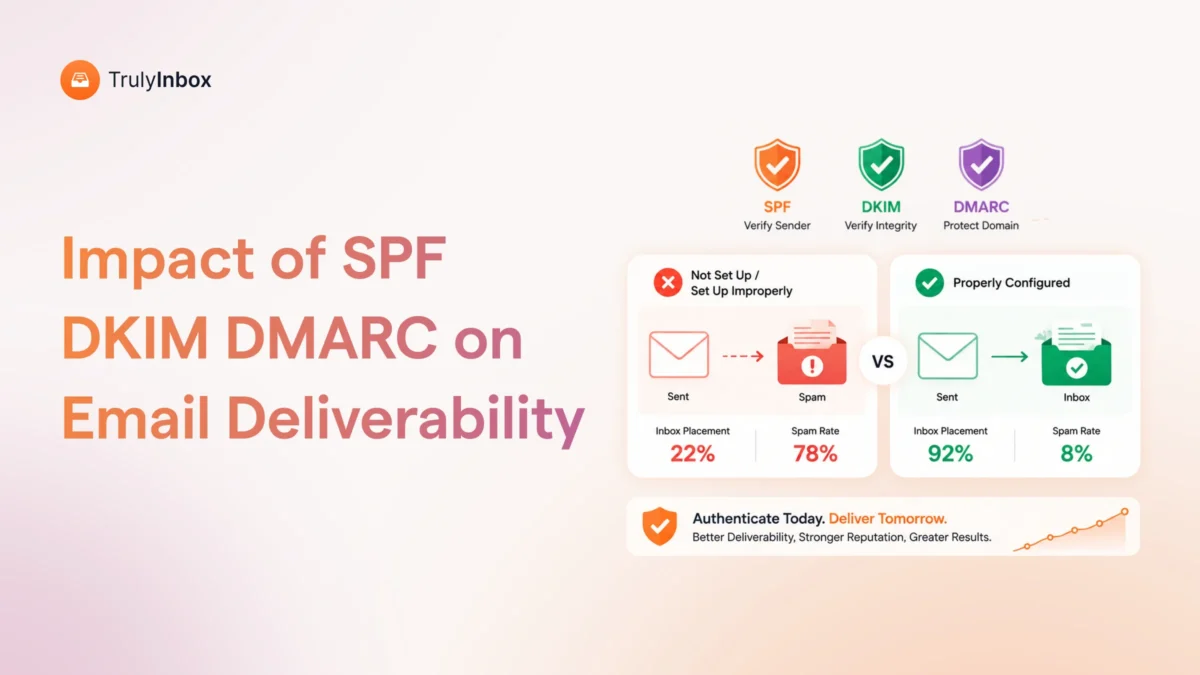
Layer 2: Authentication Verification (SPF, DKIM, DMARC)
After reputation clears, the server runs a cryptographic identity check.
Three protocols work together here:
- SPF: Does this sending server have permission to send for this domain?
- DKIM: Has the email been tampered with in transit? Verifies the cryptographic signature.
- DMARC: What should the receiver do if SPF or DKIM fails? Enforces policy and alignment.
Since Google and Yahoo’s February 2024 sender requirements, authentication is no longer optional. Emails without proper setup face automatic filtering or rejection.
The most common mistakes I see:
- SPF records exceeding 10 DNS lookups (silently breaks)
- DKIM keys never rotated
- DMARC stuck on p=none indefinitely
I’ve audited hundreds of authentication setups through TrulyInbox’s Account Health Monitoring. The most common issue? SPF records with too many includes that silently break.
If you haven’t configured yours properly, follow this SPF, DKIM, and DMARC setup guide. If your DMARC fails entirely, start with fixing the “no DMARC record found” error.
Layer 3: Content and Header Analysis
This is what most people think spam filters do. But it’s only layer 3 of 5.
Filters analyze content through multiple lenses:
Header analysis:
- Routing inconsistencies
- Forged headers
- Suspicious relay chains
Bayesian content analysis:
- Statistical probability scoring
- Compares your email’s word distribution to known spam vs. legitimate email patterns
NLP-based intent analysis:
- Filters now understand semantic meaning, not just keywords
- “Limited time offer” isn’t flagged because of the words
- It’s flagged because the intent matches spam patterns
Structural signals:
- HTML-to-text ratio
- Image-to-text ratio
- Link density
- URL reputation (are you linking to flagged domains?)
Here’s what matters about spam trigger words. A single “free” won’t kill your email. But combine high-pressure language with no authentication and a new domain, and you’ll get filtered.
Context determines everything at this layer.
TrulyInbox generates industry-specific warmup content for 50+ industries in 12 languages. We design it to mimic real business conversations. That’s exactly what filters look for: natural language patterns, not template spam.
Layer 4: Engagement and Behavioral Signals
This is the layer most sender-focused blogs underestimate. Gmail cares about this more than anything else.
Filters track these engagement metrics:
- Open rates
- Reply rates
- Spam complaint rates
- Delete-without-reading rates
- “Move to inbox” actions from spam folder
Gmail specifically uses engagement as a primary signal. If recipients consistently delete your emails without opening, Gmail learns to deprioritize you.
The reverse also works. When a user moves an email from spam to inbox, it trains the filter to trust that sender.
This is exactly why email warm-up works. Warmup emails get opened, replied to, and moved to inbox. Those actions directly train filters.
One hard threshold to know. Google and Yahoo both enforce a spam complaint rate below 0.3%. Exceed that, and you face immediate filtering consequences.
This is the layer where TrulyInbox creates the biggest impact. Our users’ warmup activity generates real engagement signals that directly teach spam filters to trust their domains.
Layer 5: AI/ML Pattern Detection (The 2026 Layer)
This is the newest layer. It represents what’s changed in the last 18 months.
AI models now detect:
- Sending behavior anomalies: Sudden volume spikes, unusual sending hours, irregular recipient patterns
- LLM-generated content: Filters identify AI-written emails. AI detects AI-generated spam.
- Relationship graph analysis: Has this sender communicated with this recipient before? Do they share organizational patterns?
- Real-time adaptive scoring: Filters adjust thresholds based on global spam trends in real time
This is why “spray and pray” cold email is dying. Filters detect mass-personalized templates that look individual but follow statistical patterns.
We’ve observed a noticeable shift in the last year across our users’ warmup data. Emails that landed in inbox 12 months ago now get filtered. The content didn’t change. The behavioral detection models got smarter.
The days of outsmarting filters with clever templates are over.
Gradual sending ramps (which proper warm-up provides) prevent the “sudden spike” trigger. Email throttling becomes essential at this layer.
How Gmail, Outlook, and Yahoo Filter Emails Differently
Not all spam filters work the same way. Each ESP has its own filtering personality.
Through TrulyInbox’s ESP-level performance analytics, we literally see the same warmup email land in inbox on Gmail, spam on Outlook, and get rejected by Yahoo. All in the same batch from a single user account.
Here’s how each one differs.
Gmail: Engagement-First Filtering
Gmail runs the most sophisticated spam filter. It depends heavily on engagement.
Key characteristics:
- Engagement signals (opens, replies, complaints) carry outsized weight
- User-specific filtering means the same email lands differently for different Gmail users
- Three-way sorting: Primary inbox, Promotions tab, or spam
- Domain reputation matters, but engagement overrides it
If your recipients consistently engage with your emails, Gmail rewards you. If they ignore you, Gmail filters you. It’s that direct.
To improve your chances, focus on Gmail deliverability and learn how to avoid the Promotions tab.
Outlook/Microsoft 365: IP Reputation-Heavy
Microsoft weighs IP reputation more heavily than Gmail does.
Key characteristics:
- SmartScreen filtering evaluates sender history aggressively
- IP reputation carries more weight than engagement signals
- Harder to warm up initially, but more stable once reputation is established
- Common issue: emails landing in “Other” tab in Focused Inbox
Outlook uses Junk Email Reporting and the SNDS dashboard to track senders. Check your standing through Microsoft SNDS.
For specific tactics, see the full Outlook deliverability guide.
Yahoo/AOL: Authentication-Strict
Since February 2024, Yahoo enforces authentication more strictly than any other major ESP.
Key characteristics:
- Failed DMARC equals rejection, not just spam folder placement
- Lower tolerance for new senders compared to Gmail or Outlook
- Co-announced bulk sender requirements with Google in 2024
- Authentication failures trigger immediate blocks
Yahoo leaves no room for misconfigured authentication. Get it right or get rejected.
For provider-specific guidance, read the Yahoo deliverability breakdown.
Zoho, iCloud, and Others
Smaller ESPs generally follow conservative filtering. They tend to rely on established blacklists and authentication checks.
They rarely publish their filtering logic publicly. However, they represent a small enough share that Gmail, Outlook, and Yahoo should remain your primary focus.
What Actually Triggers Spam Filters in 2026
I’ve ranked these triggers by how often they cause filtering issues. This ranking comes from what I see across TrulyInbox accounts daily.
Reputation and authentication failures cause more spam folder placements than content issues. By a wide margin.
Reputation Triggers (Highest Impact)
- Sending from a new or cold domain
- IP appearing on a blacklist
- Spam complaint rate exceeding 0.3%
- Domain associated with previous spam activity
Authentication Triggers (High Impact)
- Missing or broken SPF
- DKIM signature mismatch
- DMARC policy failure
- No DMARC record at all
Behavioral Triggers (High Impact)
- Sudden volume spike (0 emails/day to 500 emails/day)
- Sending outside business hours consistently
- High bounce rate exceeding 5%
- Low engagement across recipients
Content Triggers (Moderate Impact)
- Excessive links or URL shorteners
- Image-only emails
- Mismatched display name vs. from address
- ALL CAPS subject lines
- Known phishing patterns
Infrastructure Triggers (Moderate Impact)
- Shared IP with poor neighbors
- Misconfigured MX records
- Missing reverse DNS
The 2026 Trigger: AI-Generated Content Patterns
Filters now detect templated personalization. Emails that look individual but follow statistical patterns get flagged.
This is new. And it’s getting more aggressive every quarter.
The Spam Words Myth (Why Content Matters Less Than You Think)
Yes, spam trigger words exist. No, a single “free” or “guarantee” won’t send your email to spam.
Content filtering is contextual in 2026. Filters evaluate word combinations, intent, and context. Not isolated keywords.
Consider this contrast:
- A well-authenticated email from a reputed domain can say “free trial” and land in inbox
- A poorly authenticated email from a new domain saying “hello” can land in spam
Use the spam words list as a reference. Not a paranoia checklist.
I’ve seen clients obsess over removing every “trigger word” while ignoring that their domain had zero reputation. That’s like worrying about your tie when you’re not wearing pants.
Check your full setup with the email deliverability checklist to address issues in the right order. Don’t fall into spam traps while you’re at it.
How to Avoid Spam Filters (Practical Framework)
Most “how to avoid spam” guides list random tips. I’ve structured this differently.
This framework maps directly to the 5-layer pipeline. Fix Layer 1 first, then Layer 2, and so on. Most people start at Layer 3 (content) and wonder why nothing improves.
Step 1: Build Reputation Before Sending (Fixes Layer 1)
Never send cold campaigns from a fresh domain. Warm up first.
Use an email warm-up tool to establish engagement signals before launching campaigns. Learn how to warm up your email domain properly.
This step alone solves the majority of deliverability issues for new senders.
Step 2: Lock Down Authentication (Fixes Layer 2)
Set up SPF, DKIM, and DMARC correctly.
Use TrulyInbox’s Account Health Monitoring to verify your setup. Then move your DMARC policy progressively:
- Start at p=none (monitoring only)
- Move to p=quarantine (suspicious emails go to spam)
- Graduate to p=reject (unauthorized emails get blocked)
Run an email reputation check to confirm your standing.
Step 3: Write Like a Human (Fixes Layer 3)
Avoid templated patterns that filters detect. Personalize genuinely, not with mail-merge variables.
Keep these structural elements clean:
- Simple HTML (avoid complex formatting)
- Good text-to-link ratio
- No image-only emails
- Natural language patterns
Step 4: Earn Engagement (Fixes Layer 4)
Send to people who actually want your email. Clean your list regularly.
Practical steps:
- Remove unengaged contacts using email list hygiene practices
- Make it easy to reply
- Use email verification tools before sending
- Maintain ongoing warm-up alongside campaigns
Step 5: Monitor Continuously (Fixes Layer 5)
Deliverability is not a one-time setup. It requires ongoing monitoring.
Track these regularly:
- Google Postmaster Tools for Gmail reputation
- Microsoft SNDS for Outlook reputation
- Blacklist checks across major lists
- Deliverability metrics across campaigns
Run a periodic email deliverability audit to catch issues early. Consider a deliverability test before major sends.
The Role of Email Warm-Up in Beating Spam Filters
Email warm-up is the process of gradually building sender reputation. You send and receive emails from a network of real inboxes before launching actual campaigns.
Here’s how warm-up maps directly to the pipeline I explained above.
How Warm-Up Solves Layer 1 (Reputation)
Warm-up builds sending history for your domain and IP. Filters see consistent, positive sending activity instead of a cold start.
Without warm-up, your domain has no track record. Filters treat you like a stranger. With warm-up, you arrive with a verifiable history of legitimate email activity.
How Warm-Up Solves Layer 4 (Engagement)
Warmup emails get opened, replied to, and moved from spam to inbox. These engagement signals directly train filters to trust your domain.
This is not a workaround. It’s how the system is designed to work. Filters learn from recipient behavior. Warm-up provides that behavior at scale.
Why Warm-Up Matters More in 2026
With AI/ML filters (Layer 5) detecting behavioral anomalies, gradual volume ramps prevent the “sudden spike” trigger. New senders who jump from 0 to 500 emails immediately look suspicious.
A proper warmup strategy mimics natural sending growth. This is what filters expect to see from legitimate senders.
What TrulyInbox Provides
- 40,000+ real inbox network across Google, Microsoft, Zoho, and more
- AI Adaptive warmup that auto-optimizes volume and timing
- ESP-level analytics showing how each provider responds to your warmup
- Custom SMTP support including Amazon SES, SendGrid, and Mailgun
- Per-email pricing model (pay for warmup emails sent, not per account)
When to Warm Up
You need warm-up in these situations:
- New domains before any campaign
- Reactivated domains that went dormant
- Domains with reputation damage needing recovery
- Before scaling cold email volume
Follow the proper email warm-up process for best results. Avoid common email warm-up mistakes that reset your progress.
The Most Common Warm-Up Mistake
Stopping warm-up too early. Reputation isn’t a finish line. It requires ongoing maintenance.
I’ve seen thousands of accounts across TrulyInbox. The users who maintain warm-up alongside their campaigns consistently outperform those who warm up, stop, and go cold.
Consider SMTP email warmup if you use custom infrastructure like Amazon SES, SendGrid, or Mailgun. TrulyInbox supports all three natively.
Browse email warm-up services for a comparison of available tools.
FAQs
1. What are the 5 types of spam filters?
The traditional types include content filters, Bayesian filters, header filters, blocklist filters, and rule-based filters.
However, modern ESPs use all of these simultaneously as part of a layered pipeline. They don’t operate as standalone alternatives.
2. What triggers spam filters the most?
Reputation and authentication failures trigger spam filters most often. Content issues rank lower.
I observe this pattern consistently across TrulyInbox’s 40,000+ inbox network. Fix your email reputation first.
3. Do spam filters check every email?
Yes. Every inbound email passes through filtering. Some get pre-filtered at the server level through IP blocks. Others go through the full 5-layer pipeline analysis.
4. Can you bypass spam filters?
No. And you shouldn’t try. The goal isn’t to “bypass” filters. It’s to legitimately earn their trust through proper authentication, reputation building, and genuine engagement.
5. How do Gmail spam filters differ from Outlook?
Gmail weighs engagement signals more heavily. Outlook weighs IP reputation more heavily.
The same email can perform differently across both. Read the Gmail deliverability and Outlook deliverability guides for ESP-specific tactics.
6. Does email warm-up help with spam filters?
Yes. Warm-up directly addresses the two most important filtering layers: reputation (Layer 1) and engagement (Layer 4). TrulyInbox’s email warmup builds both simultaneously across a real inbox network.