 Vatsal Shah
 If your outreach emails are not getting opens, replies, or clicks, one major reason could be that they are landing in spam folders.
But it could also be because of your messaging or wrong targeting!
So how do you know what is actually wrong?
Run an email deliverability audit.
A quick audit will tell you if the problem is
- Spam placement
- Authentication issues like SPF, DKIM, or DMARC errors
- High bounce rates
- Low sender reputation
- Domain or IP blacklisting
Instead of guessing, you get clear answers.
And once you know the real issue, fixing it becomes much easier.
In this blog, I’ll break down everything you need to know about email deliverability audit.
Let’s get into it!
Email Deliverability Audit– TOC
What is an Email Deliverability Audit?
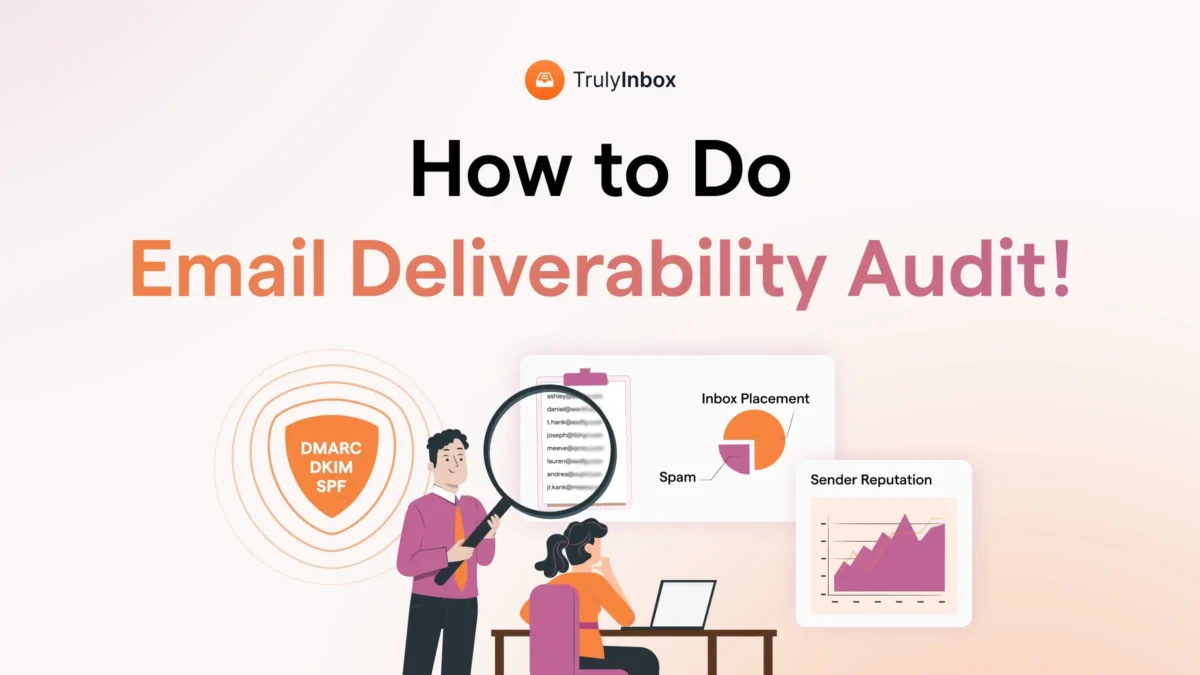
An email deliverability audit is a structured check of everything that affects whether your emails reach the inbox.
It helps you understand:
- Are your emails landing in inbox or spam?
- Are your DNS records set up correctly?
- Is your sender reputation healthy?
- Are bounce or complaint rates hurting you?
In simple terms:
It is a health check for your email sending setup.
What Are the Clear Sign You Need to Run a Email Deliverability Audit?
If you notice any of these, it is time to check your setup:
- Open rates suddenly dropped
- Bounce rates are increasing
- Replies have almost stopped
- Emails are landing in spam
- Spam complaints are rising
- You recently changed domains, tools, or sending volume
- You have never audited your email setup before
Even if you have just 2 of the issues, run the audit.
Do not guess!
What Does an Email Deliverability Audit Usually Cover?
A proper audit reviews:
1. Authentication Setup
- SPF
- DKIM
- DMARC
If these are misconfigured, inbox providers lose trust.
2. Sender Reputation
- Domain reputation
- IP reputation
- Spam complaint history
Reputation directly impacts inbox placement.
3. List Quality
- Invalid emails
- Catch all domains
- Role based addresses
Bad data leads to high bounces.
4. Inbox Placement
- Are emails landing in Primary?
- Promotions?
- Spam?
This shows real world performance.
5. Sending Practices
- Sending volume
- Warm up status
- Engagement trends
Sudden spikes or cold domains can trigger filters.
How to Do an Email Deliverability Audit?
Now that you know when to run a deliverability audit, let’s know how to do it.
Well it’s not rocket science— it’s just a checklist of smart steps that’ll help you make sure your emails land exactly where they should: the inbox.
- Check Your Authentication Records
- Check Your Domain Reputation
- Test Your Inbox Placement
- Check Your Blacklist Status
- Review Your Sending Patterns
- Monitor Your Bounce and Spam Rates
- Check Your Email List Hygiene
- Review Your Email Content
- Start Email Warm Up
Let’s get started!
1. Check Your Authentication Records
If you’re sending bulk emails, you have to authenticate your domain. Since 2024, Gmail, Yahoo, Outlook, and other major providers have made this a hard rule.
And if your authentication isn’t properly set up, your emails are much more likely to go to spam—or not get delivered at all.
There are three main records you need to check during your audit:
- SPF – This tells email providers which tools or services (like Gmail, Saleshandy, or Mailchimp) are allowed to send emails using your domain.
Make sure all your sending tools are included. And avoid using +all as it opens the door to spoofing. - DKIM – Think of this like a digital signature for your emails. It confirms the message wasn’t changed after you hit send.
Your DKIM record should be valid, and DKIM signing must be turned on in your email platform. - DMARC – This tells email providers what to do if an email fails SPF or DKIM checks.
Even a basic p=none policy is better than nothing. And it helps if your DMARC reports are going to an inbox you actually check.
Suggested Read: How to Authenticate SPF, DKIM and DMARC
How do you check all this?
Use MxToolbox or Google Admin Toolbox. Just type in your domain name, and you’ll instantly see if your authentication records are set up correctly—or not.
2. Check Your Domain Reputation
Your domain reputation is like the credit score of your email address.
If it’s low, your emails will struggle to reach inboxes—even if everything else is set up perfectly.
Here’s what to check to make sure your domain reputation is healthy:
Domain Warm-Up
Before you start judging your domain’s reputation, make sure you’ve actually warmed it up.
A tool like TrulyInbox can help with that.
It mimics human-like sending behavior
- sending emails gradually
- generating replies
- and improving your inbox placement over time.
You’ll also get a quick snapshot of where your emails are landing: inbox, promotions, or spam.
Also Read: How to Easily Warm Up Your Domains Before Outreach in 2026
Domain Reputation Score
Once you’ve warmed up your domain, head over to Google Postmaster Tools to see how your reputation looks. It’s free and classifies your domain into one of four categories:
- High – You’re in great shape.
- Medium – You’re okay, but could improve.
- Low – ESPs are suspicious of you.
- Bad – You’re in serious trouble. Fix it ASAP.
If your score isn’t where it should be, go back and audit your sending behavior, bounce rate, and spam complaints—these are usually the culprits.
3. Test Your Inbox Placement
Inbox placement rate is the percentage of your emails that actually land in the primary inbox—not the spam, promotions, or social folders.
So even if your emails are being “delivered,” it doesn’t always mean they’re reaching the right place. And if you’re not checking this regularly, you might be flying blind.
Why It Matters
Landing in the wrong folder means fewer opens, fewer clicks, and fewer replies. That’s a big problem—especially if you’re running cold outreach or lead nurturing campaigns.
How To Check Your Inbox Placement
There are two easy ways:
- TrulyInbox: This tool sends warmup emails and shows exactly where they land—inbox, spam, or elsewhere.
- GlockApps: If you’ve already sent a campaign, GlockApps will tell you where those emails ended up across different ESPs.
Also, try sending test emails to different email platforms—like Gmail, Yahoo, and Outlook. This gives you a quick cross-ESP reality check.
4. Check Your Blacklist Status
If your emails are constantly landing in spam—even when everything else looks fine—your domain or IP address might be on a blacklist.
Email service providers (ESPs) can blacklist:
- A single email account
- Your entire domain
- Or even your IP address
Once you’re blacklisted, your email deliverability tanks. That means fewer emails in inboxes and more stuck in spam.
How To Check If You’re Blacklisted
Use a free tool like Talos Intelligence. It’ll quickly tell you if your domain, IP, or email account is on any major blacklists.
If you see red flags, it’s time to run a full deliverability audit and clean up the issues that got you blacklisted in the first place.
5. Review Your Sending Patterns
How you send emails matters just as much as what you send.
Email service providers (ESPs) watch your sending behavior closely. If you send too many emails too fast, or show erratic patterns, it raises red flags—and your deliverability takes a hit.
What To Look For
Check if you’re:
- Exceeding your ESP’s daily sending limits
- Sending emails in bursts—hundreds in one go, then nothing for days
- Skipping personalization in subject lines or email copy
Even if your setup is perfect, poor sending behavior alone can tank your domain reputation. So keep your patterns consistent, controlled, and human-like.
6. Monitor Your Bounce and Spam Rates
High bounce rates or spam complaints are two of the biggest email deliverability killers.
Google recommends keeping your spam complaint rate below 0.1% and your bounce rate under 0.3%. If you’re over these numbers, your emails are more likely to end up in spam—or not get delivered at all.
How to Track These Rates
You can monitor both metrics using Google Postmaster Tools. If you’re on Outlook, there’s a version for you too—Outlook Postmaster Tools. Both are free and give you a clear view of your domain’s performance.
If you spot a spike, don’t wait. Run through a quick deliverability checklist and fix the issue before it snowballs.
7. Check Your Email List Hygiene
If your email list is full of outdated, invalid, or unverified addresses, you’re setting yourself up for high bounce rates—and low deliverability.
Start by checking your bounce rate using Google Postmaster Tools. If it’s higher than 0.3%, your list likely needs some cleanup.
Re-verify your list, remove bad emails, and consider using tools like NeverBounce or ZeroBounce. Both offer free tests so you can scan a sample before committing to a plan.
Keeping your list clean means more emails in inboxes—and fewer in spam or lost altogether.
8. Review Your Email Content
Sometimes, it’s not your domain or tech setup—it’s just your content that’s killing deliverability.
Certain things can trigger spam filters fast, like:
- Words like “deal,” “discount,” or “free”
- Too many links or attachments
- Heavy use of HTML or scripts
To stay out of spam folders, make sure your emails:
- Use clean, simple language
- Avoid risky keywords and flashy formatting
- Don’t include unnecessary links or code
Want to be sure?
Run your email through a spam checker like GlockApps or MailGenius before hitting send. Both are free and will show you exactly what’s working—and what’s getting flagged.
9. Start Email Warm Up
Warming up your email domain can seriously boost deliverability—but only if you’re doing it right.
Head to your warmup tool and check:
- Are you slowly ramping up the number of emails being sent?
- Are you getting realistic, personalized replies?
- Is your inbox placement rate actually improving?
If the answer to any of these is “no,” your warmup process needs work. For solid tracking and progress reports, TrulyInbox is a reliable platform I recommend.
How Often Should You Do an Email Deliverability Audit?
You might be wondering how often to run an email deliverability audit — especially if it means better email performance. The answer depends on how much and how often you’re emailing.
Here’s a good rule of thumb:
1. Perform a full audit every 4 to 6 weeks if:
- You send a high volume of emails (1,000+ per week)
- You rely on cold email campaigns for lead generation
- You’re looking to grow your email marketing efforts
2. Audit Immediately If:
- You notice a sudden drop in your open or reply rates.
- Your bounce or unsubscribe rates suddenly spike.
- Your emails keep landing in spam or promotions folders.
- Your email, domain, or IP gets blacklisted.
3. Before Starting Any Major Outreach Campaign
Always run a quick audit before launching a big campaign. Catching problems early helps you avoid deliverability issues that can tank your inbox placement.
4. Quarterly Audit for Low-Volume Senders
If you send fewer than 1,000 emails a week, a full audit every three months should be enough. This helps you spot problems early and keep your emails landing where they should — in the inbox.
Final Verdict!
Email deliverability audits are essential for both cold outreach and email marketing. The better your deliverability, the more leads you can generate.
In short, a thorough audit helps you:
- Keep your domain healthy
- Improve your inbox placement rate
- Lower the risk of being blacklisted
Put simply, it’s a proven way to make sure your emails actually reach your audience before you hit send.
Email Deliverability Audit- FAQs
1. How Long Does an Email Deliverability Audit Take?
An audit can take anywhere from a few days to several weeks. It mostly depends on how many domains, IP addresses, and email accounts you have.
2. Do I Need Technical Skills to Perform an Email Deliverability Audit?
No, you don’t need to be a tech expert. Tools like Postmaster Tools, GlockApps, Talos Intelligence, and MailGenius make the process easy and straightforward.
3. What Should I Include in My Email Deliverability Audit Checklist?
Here’s what to check:
- Email authentication records (SPF, DKIM, DMARC)
- Domain and IP reputation
- Bounce rate
- Spam rate
- Email list hygiene
- Blacklist status
- Email content
- Inbox placement rate
- Sending behavior