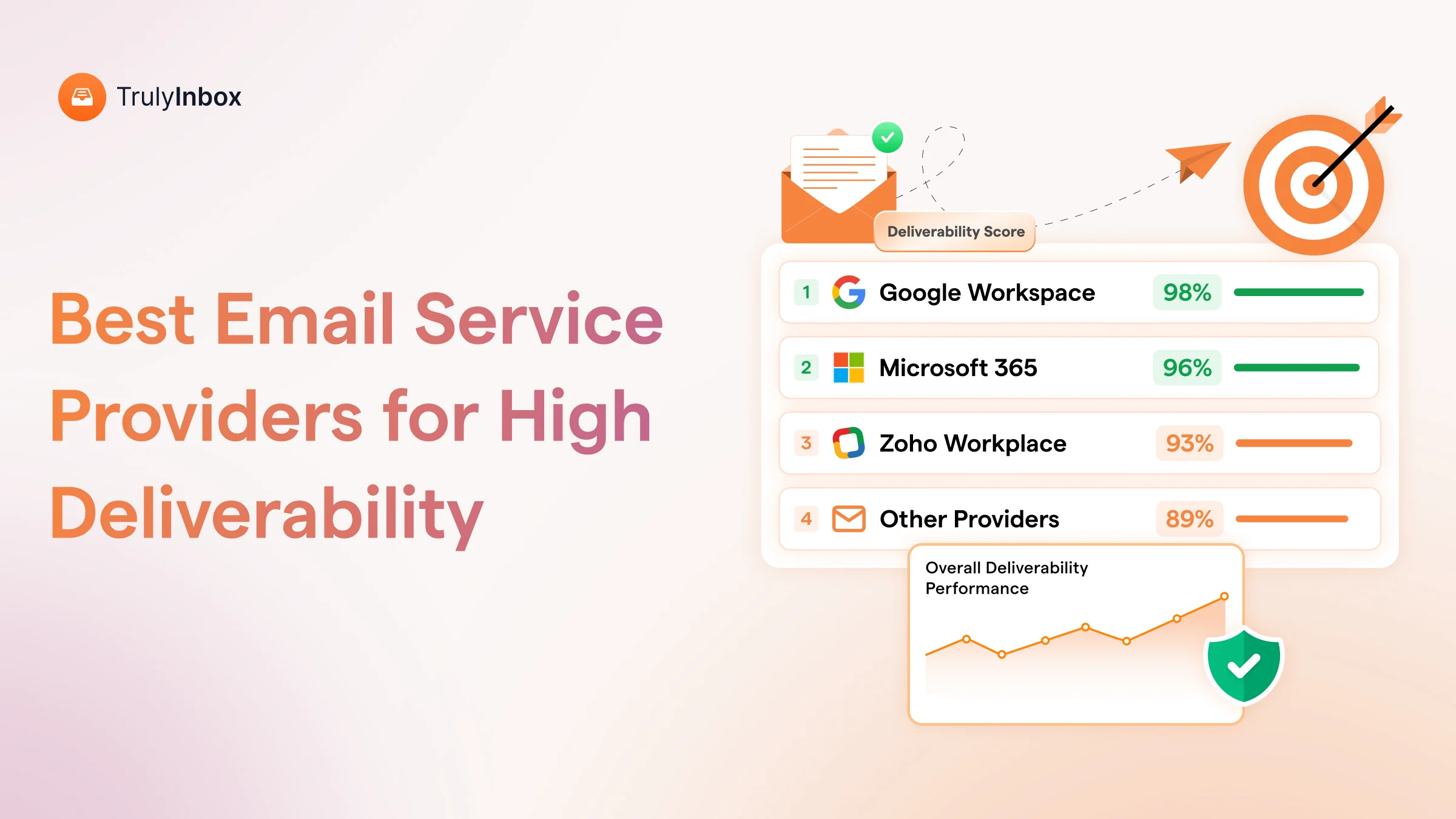

Every “best ESP for cold email” article says the same thing.
Pick Google Workspace!
But the 32,500+ accounts I analyzed say a different story.
I run TrulyInbox, an email warm up and sender reputation management tool and here’s what the internal data says.
Custom SMTP providers now account for 44% of all business domains warming up through our network. Google Workspace sits at 41%.
The cold email infrastructure market has shifted. Most comparison blogs have not caught up.
In this blog, I will break down the actual ESP distribution among cold emailers.
I will also cover
- deliverability performance per ESP after warm-up
- why the same warm-up approach fails on different providers
- and the real cost math at scale.
Full disclosure: This is original research from a warm-up tool that operates across every major provider. Not a mailbox reseller comparison. Deliverability data from 32,500+ real inboxes.
TL;DR — The ESP Rankings Based on Our Data
Custom SMTP providers are what most cold emailers actually use.
Across 32,500+ business domains warming up through TrulyInbox, custom SMTP accounts for 44% of all domains.
- Google Workspace follows at 41%.
- Microsoft 365 sits at 10%,
- and Zoho rounds it out at 4%.
But usage does not equal deliverability. Google Workspace still produces the highest inbox placement rates after warm-up.
This holds especially true when you send to Gmail recipients, who make up the majority of B2B inboxes.
Custom SMTP providers warm up slower. They also hit a lower deliverability ceiling.
Yet they cost less, provision faster, and support the burn-and-replace workflow agencies depend on.
Here is the critical piece most senders miss. Your warm-up approach matters more than your ESP choice.
Most senders run the same email warm-up on every account. That is a mistake.
Each ESP’s spam filters evaluate reputation differently:
- Google rewards gradual, predictable volume increases
- Microsoft punishes that exact pattern and flags it as automated
- Zoho’s lower IP trust means aggressive ramping triggers rate limiting before reputation builds
The bottom line: If deliverability is your priority, Google Workspace still wins. If operational cost and scale matter more, custom SMTP wins. The smart move for anyone running 10+ inboxes is a mixed stack, with the right warm-up approach matched to each provider.
The Data: What 32,500+ Business Domains Tell Us About ESP Choice
Most ESP comparisons rely on assumptions. “Google Workspace is the default.” “Outlook is for enterprise.”
These claims are not wrong. But they are incomplete. Here is what the actual numbers show.
ESP Distribution Across 32,500+ Business Domains
| Email Service Provider | Business Domains | % of Total |
| Custom SMTP/Other | 12,994 | 44.3% |
| Google Workspace | 11,937 | 40.7% |
| Microsoft 365 | 3,042 | 10.4% |
| Zoho | 1,161 | 4.0% |
| GoDaddy | 112 | 0.4% |
| SendGrid | 72 | 0.2% |
| Amazon SES | 26 | 0.1% |
| Mailgun | 19 | 0.1% |
Source: Data from TrulyInbox warm-up network, May 2026.Represents business domains actively running warm-up across our warm-up network.
This surprised me too. Free Gmail accounts (3,211 domains) were excluded because they represent personal email, not business ESP usage.
Why Custom SMTP Dominates (And What It Means)
Four factors explain why custom SMTP leads the pack.
1. Cold email infrastructure providers exploded in 2024-2025.
Mailforge, Maildoso, Inframail, and Mailscale made it trivially easy to spin up 30+ domains with SMTP mailboxes in minutes. The barrier to entry collapsed.
2. The burn-and-replace workflow.
Agencies and high-volume senders treat domains as consumable. Custom SMTP makes that affordable at $3-4 per mailbox versus $6 on Google Workspace direct.
3. No TOS ambiguity.
Google Workspace and Microsoft 365 do not explicitly endorse cold email. Custom SMTP providers build specifically for it. Senders avoid the suspension anxiety.
4. Volume economics.
At 50+ inboxes, the cost gap compounds fast. Agencies running 100+ domains feel this math acutely.
However, I need to be honest here. Custom SMTP dominates by volume.
But when I look at deliverability outcomes after warm-up, Google Workspace still produces the highest inbox placement rates.
More domains does not mean better results. It means cheaper scale with a lower ceiling.
What This Means for Your ESP Decision
Two distinct strategies are emerging among the cold email service providers landscape:
1. Quality-first senders choose Google Workspace as primary and Microsoft 365 as secondary. They run fewer domains, achieve higher deliverability per inbox, and keep domains alive longer.
2. Volume-first senders choose custom SMTP as primary and Google Workspace for critical campaigns. They rotate more domains, cycle faster, accept lower per-inbox cost, and maintain acceptable deliverability with proper warm-up.
Neither is wrong. The mistake is applying the wrong strategy to your situation.
Running TrulyInbox across all these ESPs gives me a view that mailbox resellers and cold email platforms do not have.
I am not selling inboxes. I am warming them up. My incentive is to tell you what actually works.
Why Cold Emailers Are Choosing Custom SMTP Providers?
Custom SMTP providers are purpose-built cold email infrastructure. Providers like Mailforge, Maildoso, Inframail, and Mailscale sell domains and mailboxes specifically for outbound.
They rank #1 by volume for good reason:
- Fastest provisioning: Automated DNS setup in under 5 minutes
- Cheapest at scale: $3-4 per mailbox per month
- Built for cold email: No TOS risk or suspension anxiety
- Disposable domain model: Replace burned domains without friction
The deliverability reality is more nuanced. Shared IPs mean your reputation ties to other senders on the same pool.
Reddit threads and review platforms document contamination concerns regularly. You should understand the difference between a shared IP vs dedicated IP before committing.
Custom SMTP needs the longest, most careful warm-up. Start at 2-3 emails per day and ramp slowly.
TrulyInbox paces every mailbox on its own results, so a custom SMTP mailbox simply climbs more slowly.
Our warm-up network includes 10,000+ “Other” inboxes, which ensures custom SMTP accounts get warm-up partner diversity.
Pricing (verified May 2026):
| Provider | Cost |
| Mailforge | $3-3.75/mailbox/month |
| Maildoso | ~$3.12/mailbox ($100/mo for 8 domains + 32 mailboxes) |
| Inframail | $30/month (unlimited inboxes) |
Best for: Agencies running 25+ inboxes, high-volume senders using burn-and-replace, budget-conscious teams who invest in warm-up discipline.
Not ideal for: Solo senders, founders sending from their personal brand domain, or anyone wanting set-and-forget deliverability.
Google Workspace is Still the Deliverability Standard
Google Workspace is not #1 by domain count in our data. But it IS #1 by deliverability outcome.
When I compare inbox placement rates after warm-up, Google Workspace accounts consistently reach the highest ceiling.
The reason is same-platform trust.
Google Workspace sending to Gmail recipients creates the strongest inbox placement signal.
Gmail recipients make up the majority of B2B inboxes. Google’s strict abuse enforcement also keeps their IP pools cleaner than any other ESP.
The catch? Google has gotten stricter about cold email. Account suspensions increased after the 2024 spam policy updates.
Staying under 50 emails per day per inbox and running proper warm-up is non-negotiable. Follow a solid email deliverability checklist before your first send.
On the warm-up side, Google Workspace delivers the fastest results. TrulyInbox’s warm-up network includes 22,000+ Google inboxes
That is the deepest Google warm-up pool we offer. Read more about Gmail deliverability and how same-platform trust accelerates reputation building.
Pricing (verified May 2026):
- Starter: $6/user/month (direct)
- Via resellers: $2.50-$4.00/inbox/month
Best for: Solo senders, founders, SMBs running 3-15 inboxes, anyone selling to startups, SaaS, or agencies with Gmail-heavy audiences.
Honest limitation: More expensive at scale ($6 per inbox direct). Higher suspension risk than custom SMTP. Overkill for burn-and-replace workflows.
Microsoft 365: The Enterprise and Diversity Play
Microsoft 365 represents 10% of domains in our data. But nearly every sophisticated cold email operation includes at least some Microsoft accounts.
Provider diversity is the primary reason.
If Google updates its spam policy overnight, Microsoft accounts keep sending. Never put 100% of your infrastructure on one ESP.
Microsoft also gives you the Outlook-to-Outlook advantage. You get strong inbox placement when sending to Outlook recipients.
Enterprise, finance, legal, and government prospects overwhelmingly use Outlook.
The warm-up gap is real, though. Microsoft 365 takes extra days to warm up compared to Google Workspace. Microsoft’s spam filters evaluate sender reputation over a longer observation window.
Budget 3 full weeks before cold outreach. For a deeper dive, check our Outlook deliverability guide.
TrulyInbox’s warm-up network includes 16,500+ Microsoft inboxes for adequate warm-up partner coverage.
Pricing (verified May 2026):
- Business Basic: $6/user/month (direct)
- Via resellers: $2.50-$3.00/inbox/month
Best for: Anyone selling to enterprise or corporate buyers, senders running 10+ inboxes who need provider diversity, teams comfortable with the more complex DNS setup.
Honest limitation: Longer warm-up than Google. Weaker Gmail deliverability. More complex admin panel. DKIM setup requires 2 CNAME records versus Google’s single TXT record.
Zoho Mail: The Budget Rotation Inbox
Zoho represents 4% of domains in our data. It fills one role well: budget rotation inboxes. But it is not a primary cold email ESP.
Zoho’s own community forums document persistent issues sending to Microsoft recipients.
Zoho IPs get rate-limited by Outlook with error code 4.7.650. Multiple user threads report all emails landing in spam on Outlook and Hotmail.
Zoho Campaigns FAQ explicitly says “No” to cold email support.
The hosting product (Zoho Mail) does not block it. But the infrastructure is not optimized for outbound volume.
Where Zoho works is as a third or fourth ESP for rotation diversity. At $1 per inbox per month, it is the cheapest way to add inbox count.
However, it needs slow, patient warm-up because IPs start from a lower trust baseline.
TrulyInbox’s warm-up network includes 1500+ Zoho inboxes.
Pricing (verified May 2026):
- Mail Lite: $1/user/month
- Mail Premium: $4/user/month
Best for: Agencies adding 10-20% Zoho rotation inboxes to a Google/Microsoft stack, senders targeting non-Microsoft audiences.
Not ideal for: Primary sending domain, campaigns targeting enterprise or corporate Outlook recipients, anyone needing reliable Microsoft deliverability.
How Warm-Up Performance Changes by ESP
Your ESP does not just affect deliverability. It determines how your account responds to warm-up.
Not all ESPs warm up at the same speed, to the same ceiling, or with the same failure rate.
Warm-Up Timeline by ESP
| ESP | Est. Days to Stable | Post-Warm-Up Inbox Placement | Risk Level | TrulyInbox Network |
| Google Workspace | 14-18 days | 85-92% (to Gmail) | Low | 22,000+ inboxes |
| Microsoft 365 | 17-24 days | 82-90% (to Outlook) | Low-Medium | 16,500+ inboxes |
| Custom SMTP | 21-30+ days | 65-80% (variable) | Medium-High | 10,000+ inboxes |
| Zoho Mail | 21-28 days | 70-80% (variable) | Medium | 15000+ inboxes |
These ranges come from processing warm-up across 32,500+ domains on TrulyInbox. Individual results vary with domain age, content quality, and email list hygiene. But the ESP-level patterns hold consistently.
Why Google Warms Up Fastest
Google’s trust of its own senders accelerates the warm-up loop. Warm-up emails FROM Google Workspace TO Gmail recipients generate higher engagement signals.
That engagement builds reputation fastest.
TrulyInbox’s AUTO mode sends the majority of warm-up emails to matching ESP recipients.
For Google Workspace accounts, 60-70% go to Google inboxes. This accelerates the trust loop and shortens the email warm-up process significantly.
The Custom SMTP Warm-Up Challenge
Custom SMTP accounts start from zero IP reputation AND zero domain reputation.
That is double the trust deficit versus Google Workspace, which inherits Google’s IP trust.
The result is longer warm-up, a lower ceiling, and higher failure rate. TrulyInbox handles this automatically. The pace follows each mailbox’s Reputation Score, so a slower custom SMTP mailbox takes longer to reach Ready for outreach instead of being pushed early.
Avoid common email warm-up mistakes by never rushing the ramp on custom SMTP accounts.
Why the Same Warm-Up Approach Fails on Different ESPs
Most senders run the same warm-up on every account. Gradual daily increase. Hope for the best.
That works on Google Workspace. It actively hurts you on Microsoft 365. And on Zoho, it barely moves the needle. Here is why.
Google and Microsoft Evaluate Reputation Differently
This is the core insight most senders miss:
- Google’s spam filters prioritize engagement velocity. They measure how quickly opens and replies accumulate relative to volume. A steady, predictable ramp signals legitimate business behavior. Google rewards consistency.
- Microsoft’s filters are pattern-detection systems. They look for automated behavior signatures. A perfectly linear daily increase (10, 12, 14, 17, 20) looks like a bot. Microsoft rewards unpredictability with variable daily volume that looks human.
- Zoho’s IPs carry less inherent trust. Receiving ESPs, especially Microsoft, are already skeptical of Zoho senders. Aggressive ramping from a low-trust starting point triggers rate limiting. Zoho rewards patience with steady, moderate volume held over a longer window.
This is why a single warm-up pattern applied to all your accounts produces inconsistent results.
The approach has to match how each ESP’s receiving infrastructure makes trust decisions.
I have watched this play out across thousands of accounts on TrulyInbox. A sender warming 10 Google Workspace and 10 Microsoft accounts with the exact same approach will see Google accounts ready in 2 weeks.
Meanwhile, Microsoft accounts will still struggle at week 3. The fix is not more time. It is a different pattern.
Matching the Warm-Up Pattern to the ESP
Each ESP needs a different email warmup strategy.
Here is what works:
For Google Workspace: Gradual, Predictable Ramp Up.
Start at 2-3 emails per day and increase by 20% daily. Google’s filters read this as a new employee settling into their role.
By week 2 you hit 15-20 per day. By week 3 you reach 40-50 per day.
Do not randomize volume on Google. The consistency is what Google trusts.
For Microsoft 365: Break the Pattern.
Vary your daily volume. Send 10 one day, 25 the next, 8 the day after. Microsoft’s anti-automation filters cannot flag this as bot-driven because there is no repeating sequence.
Stay within a bounded range, but make each day look different.
For Zoho: Hold steady.
Do not ramp. Start at 15-20 emails per day and hold for 3-4 weeks.
Zoho’s lower IP trust means every volume spike triggers extra scrutiny from receiving ESPs.
Steady consistency over time overcomes the trust deficit.
For Custom SMTP: Treat like Google, but slower.
Same gradual ramp. Start at 1-2 per day and increase at 10-15% per day instead of 20%.
Custom SMTP IPs have zero baseline reputation. They need the gentlest possible introduction to receiving mail servers.
Read more about SMTP email warmup for a detailed ramp schedule.
For Damaged or Inactive Accounts on Any ESP: Reset with Consistency.
Do not ramp at all. Hold at 15-20 per day for 3-4 weeks to overwrite negative signals with positive engagement.
Then shift to the ESP-appropriate pattern once inbox placement stabilizes.
In TrulyInbox you don’t pick a pattern per provider. You set the most each mailbox may send in a day, and warmup paces every mailbox on its own results, whichever provider it runs on.
The ESP Targeting Layer Most Senders Miss
Warm-up volume pattern is half the equation. The other half is WHERE your warm-up emails go.
If you warm a Google Workspace account, the majority of warm-up emails should go to Gmail recipients.
That is where the trust loop compounds.
Sending warm-up from Google to Outlook builds some reputation. But the same-platform trust multiplier only fires when sender and receiver match.
The same logic applies to Microsoft 365. Weight warm-up toward Outlook and Microsoft recipients.
Most warm-up tools do not control this. They send to whatever inboxes are in their network, regardless of mix.
This is why TrulyInbox built recipient provider targeting into warmup. AUTO mode handles the split for you.
CUSTOM mode lets you set exact splits. The network composition matters: 22,000+ Google inboxes, 16,500+ Microsoft, 1,500+ Zoho, 10,000+ others.
New Accounts vs. Repairing Damaged Accounts: What Changes by ESP?
Warming a new account and repairing a damaged one are two completely different problems.
Your ESP affects each differently.
Warming Up a Newly Purchased Account
You start from zero reputation. The ESP’s baseline IP reputation is your starting point.
- Google Workspace: Best starting position. Clean IPs, fast trust accumulation. Ready for outreach in 2-3 weeks.
- Microsoft 365: Good starting position. Budget 3 weeks minimum before cold outreach.
- Custom SMTP: Highly variable. Run an email blacklist check on Day 1. Some providers hand you recycled IPs with existing damage.
- Zoho: Weakest starting position. Budget 4 weeks. Use as 3rd or 4th ESP, not primary.
Repairing a Damaged or Inactive Account
This is a different problem entirely. The account has negative reputation signals from spam reports, bounces, or blacklistings. Or it has zero signals from being dormant for 6+ months.
The key principle: do not ramp. Hold at steady moderate volume to overwrite bad signals with positive engagement.
- Google Workspace repair: Fastest recovery at 2-3 weeks. Google responds quickly to engagement shifts. TrulyInbox’s peer-to-peer model generates real replies and opens. Those are the exact signals Google uses to rebuild trust.
- Microsoft 365 repair: Slower at 3-4 weeks. Use CUSTOM ESP targeting to weight 60% Microsoft recipients during repair. Monitor progress through Microsoft SNDS.
- Custom SMTP repair: Usually not worth it. Starting fresh with a new domain is faster and cheaper. The burn-and-replace model exists for this reason.
- Zoho repair: Hardest. If blacklisted on Microsoft’s filters, expect 4-6 weeks minimum. Often faster to replace. Focus on improving your email reputation across all sending domains instead.
When to Repair vs. Start Fresh
Not every account is worth saving. Use this framework:
- On 3+ blacklists → fresh domain
- Inactive 6+ months with no blacklisting → warm-up repair works
- Actively flagged by Gmail or Outlook → fresh domain
- Check with Google Postmaster Tools (Google Workspace) or Microsoft SNDS (M365)
When you start fresh, make sure your new domain has SPF, DKIM, and DMARC configured correctly from Day 1.
The Real Cost at Scale (Beyond Inbox Pricing)
Most ESP comparisons stop at inbox pricing. That tells half the story.
Raw Pricing Comparison
| ESP | Per Inbox/Month | 10 Inboxes | 25 Inboxes | 50 Inboxes |
| Zoho Mail | $1.00 | $10 | $25 | $50 |
| Custom SMTP (avg) | $3.00-3.75 | $30-38 | $75-94 | $150-188 |
| Google Workspace (reseller) | $2.50-4.00 | $25-40 | $63-100 | $125-200 |
| Google Workspace (direct) | $6.00 | $60 | $150 | $300 |
| Microsoft 365 (reseller) | $2.50-3.00 | $25-30 | $63-75 | $125-150 |
| Microsoft 365 (direct) | $6.00 | $60 | $150 | $300 |
Last verified: May 2026
The Hidden Cost — Time-to-Revenue
The warm-up timeline is cost you pay before the inbox generates any meetings.
- Google Workspace: ~2.5 weeks of warm-up = ~$5 unproductive cost per inbox
- Custom SMTP: ~3.5-4.5 weeks = higher sunk cost per inbox, BUT lower inbox price
At 50 inboxes, extra warm-up weeks on custom SMTP represent $75-188 in subscription cost plus the opportunity cost of delayed outreach. However, custom SMTP saves $112-150 per month in raw cost after that.
The breakeven happens within 2-3 months. After that, custom SMTP runs cheaper every month.
The Warm-Up Cost Layer
TrulyInbox charges per warm-up email, not per account:
- Starter ($22-29/mo): 200 daily warm-up emails, ~5 accounts
- Growth ($84-99/mo): 1,000 daily warm-up emails, ~50 accounts
- Scale ($169-199/mo): 3,000 daily warm-up emails, ~150 accounts
At 50 accounts on Growth, that works out to ~$1.70-2.00 per account per month for warm-up, regardless of ESP.
Compare that to per-inbox competitors:
- Warmup Inbox: $19/inbox = $950/mo for 50
- Lemwarm: $24-29/inbox = $1,200-1,450/mo for 50
- TrulyInbox Growth: $84-99/mo for all 50
Check our detailed comparison of email warm-up services for a full breakdown.
Recommended Stacks
Your ideal ESP mix depends on your scale:
- Solo sender (3-5 inboxes): Google Workspace direct + TrulyInbox Starter. ~$40-60/mo total.
- Small team (10-15 inboxes): 70% Google + 30% Microsoft via resellers + TrulyInbox Starter. ~$55-90/mo.
- Growing team (25-50 inboxes): 50% Custom SMTP + 30% Google + 20% Microsoft + TrulyInbox Growth. ~$175-300/mo.
- Agency (100+ inboxes): 50% Custom SMTP + 30% Google + 10% Microsoft + 10% Zoho + TrulyInbox Scale. ~$350-600/mo.
Pick Your ESP – The Decision Framework
Stop overthinking this. Match your ESP to your audience, scale, and budget.
- Audience is startups, SaaS, agencies (Gmail-heavy)? Google Workspace primary (70%+).
- Audience is enterprise, finance, legal (Outlook-heavy)? Microsoft 365 primary (50%) + Google (30%) + Custom SMTP (20%).
- Agency managing 25+ client inboxes? Custom SMTP primary (50%) + Google (30%) + M365 (10%) + Zoho (10%).
- Just starting cold email? Google Workspace only. 3-5 inboxes. Nail deliverability on one ESP before diversifying.
- Budget is priority? Custom SMTP for volume. Google Workspace for your primary sending domain. Never send critical campaigns from custom SMTP if you can send from Google.
- Repairing burned accounts? Same ESP, new domain. Steady warm-up for 3-4 weeks before cold outreach resumes. Follow our guide to improve email deliverability for the full repair playbook.
FAQs
1. Which Email Provider Has the Best Cold Email Deliverability?
Google Workspace delivers the highest inbox placement rates after warm-up. But our data from 32,500+ domains shows custom SMTP is what most cold emailers actually choose. They trade peak deliverability for cheaper scale and faster provisioning.
2. Is Google Workspace or Microsoft 365 Better for Cold Email?
Google Workspace wins for most cold emailers. It offers faster warm-up and stronger Gmail deliverability. Microsoft 365 wins for enterprise-targeting senders and is essential for provider diversity. Use both if you run 10+ inboxes.
3. Can I Use Zoho Mail for Cold Email?
Only as a budget rotation inbox at $1 per month. Zoho has documented deliverability problems with Microsoft recipients. Do not use it as your primary ESP.
4. How Long Does Email Warm-Up Take for Each ESP?
Google Workspace takes 14-18 days. Microsoft 365 takes 17-24 days. Custom SMTP takes 21-30+ days. Zoho takes 21-28 days. TrulyInbox paces each mailbox on its own results, so the timeline adjusts to the provider without any setting.
5. Should I Use Custom SMTP Providers Like Mailforge or Maildoso?
If you run 25+ inboxes and operate a burn-and-replace workflow, yes. Custom SMTP is the most-used ESP in our data at 44%. But expect longer warm-up and variable deliverability. Pair with Google Workspace for critical campaigns.
6. Does the Warm-Up Approach Change Based on My ESP?
Yes. Google rewards gradual, predictable volume increases. Microsoft penalizes that pattern and responds better to variable daily volume. Zoho needs steady, patient consistency. Custom SMTP needs the slowest ramp of all.
 Yash Jain