

Folderly charges $96/month/inbox for warmup.
$100/month for 100 inbox placement tests.
No wonder you or anyone sensible will look for Folderly alternatives.
I tested 14 email warmup and inbox placement testing tools to find cost-effective options that actually work.
But only 6 made it to my list of the best Folderly alternatives.
I’ve categorized these 6 tools based on:
- Email warmup only tools
- Inbox placement testing only tools
- Both in one tools
You’ll see exact pricing comparisons, what each tool does better than Folderly, and where they fall short.
This list is intentionally kept short so you are not overwhelmed by unnecessary options.
I’ve listed the reasons I haven’t included many tools as alternatives at the end of this blog.
Full disclosure:
- I work with and built TrulyInbox, so I know email warmup inside and out.
- Plus, I’ve tested warmup and deliverability tools obsessively.
- My recommendations are based on testing and available facts rather than bias.
Folderly Alternatives – TOC
TL;DR + Comparison Table
Here’s a short summary of the 6 best Folderly alternatives by category and with comparison tables
Best Folderly Alternative For Email Warm Up
- TrulyInbox – No per-inbox pricing. You can connect unlimited inboxes for warm-up in any paid plan. Affordable pricing plans starting at $29/month
- Warmup Inbox – Per-inbox pricing, but more affordable than Folderly at $19/month/inbox. Higher-tier plans offer customization, such as custom templates and industry- and topic-specific warm-ups.
| Comparison | Folderly | TrulyInbox | Warmup Inbox |
|---|---|---|---|
| Free Trial/Free Plan | 7-day free trial | 7-day free Starter plan trial + Free Plan | 7-day free trial |
| Pricing Modal | • Charges per inbox • Pricing tier based on the number of inboxes for warm up | • Pricing plan based on warm up email volume • Not charged per inbox | • Charges per inbox • Pricing tier based on warm up email volume and customization features |
| Starting Pricing | $96/month/inbox (1-10 inbox) (Annual commitment) | $29/month (100 warm up emails/day) | $19/month/inbox (75 warm up emails/day) |
| Best For | Highly expensive to consider | Anyone who wants scalable email warm up at affordable pricing | Teams that want customization options but are okay paying per inbox and high cost at scale |
Best Folderly Alternative For Inbox Placement Testing
- Instantly.ai – Unlimited inbox placement tests at $47/month. No credit counting, no per-account limits.
- Inbox Radar by Saleshandy – Seed list with 53 inboxes, of which 40+ are domain-based inboxes. $49/month for 120 tests with 50 sending accounts/test.
| Comparison | Folderly | Instantly.ai | Inbox Radar by Saleshandy |
|---|---|---|---|
| Free Trial/Free Plan | 2 free placement tests/month | 2 free placement tests during 7-day free trial period | 2 Inbox Placement Tests/month |
| Pricing Modal | • Credit-based | • Flat monthly rate • Unlimited tests | • Credit-based |
| Starting Pricing | $100/month (100 tests) | $47/month (unlimited one-time tests) | $49/month (120 tests, 50 accounts per test) |
| Best For | Highly expensive to consider | Teams who run frequent placement tests and don't want to count credits | Teams who need professional seed list with domain-based inboxes for accurate B2B testing |
Top Folderly Alternative For Both Warmup + Testing
- Warmforge – Budget all-in-one. $12/inbox/month for warmup + $39/month for 100 placement tests. Only works with Google Workspace, Microsoft O365, or Primeforge/Mailforge IMAP/SMTP accounts.
- MailReach – More expensive than Warmforge, but you can connect inboxes from any email provider. Pricing starts at $25/inbox/month and includes a monthly 20 free placement tests.
| Comparison | Folderly | Warmforge | MailReach |
|---|---|---|---|
| Free Trial/Free Plan | 7-day free trial | 1 warmup slot free + 1 placement test/month | 3 placement tests every 24hrs |
| Pricing Model | • Separate pricing for warmup and testing • Both charge per inbox/credits | • Separate pricing for warmup and testing • Warmup charges per inbox • Testing has flat monthly plans | • Bundled pricing • Warmup includes 20 free tests/month • Charges per inbox |
| Starting Pricing | $96/month/inbox warmup + $100/month testing (100 tests) | $12/month/inbox warmup + $39/month testing (100 tests) | $25/month/inbox (includes 20 placement tests) |
| Best For | Highly expensive to consider | Budget-conscious teams using Google Workspace or Microsoft O365 accounts | Teams who primarily need warmup but want basic placement testing included at no extra cost |
Other Folderly Competitors That I Tested But Didn’t Meet My Criteria:
I also tested these 8 tools, but they didn’t make my list of cost-effective Folderly alternatives:
- GlockApps – $85/month for 30 tests on 1 account. Nearly as expensive as Folderly.
- Warmy.io – $41/inbox/month. For 10 inboxes = $410/month, far more expensive than TrulyInbox.
- Lemwarm – $29-49/month. Fewer features than Warmup Inbox at similar price points.
- Warmbox – $19/month for 1 inbox, $79/month for 3 inboxes. Bad per-inbox economics.
- Mailwarm – $79/month for 1 inbox. Too expensive to justify.
- InboxAlly – $149/month for 1 account. More expensive than Folderly itself.
- Mailivery – $79/month for 600 warm up emails/day limit vs TrulyInbox’s 1,000 warm up emails/day limit at same price.
- Allegrow – Enterprise-focused pricing, not positioned as a budget alternative.
I’ll explain why each didn’t meet my criteria at the end of this blog.
Detailed Look at the Top 6 Folderly Alternatives by Category
As Folderly offers two separate products, warmup and inbox placement testing, I’ve categorized the 6 alternatives based on what you actually need:
- Email Warmup Only Alternatives
- Inbox Placement Testing Only Alternatives
- Both Warmup + Testing Alternatives
This way, you can jump straight to the right category without wading through irrelevant options.
Email Warmup Only Alternatives
1. TrulyInbox
Teams who want to warm up multiple email accounts at an affordable cost. Especially without per-inbox pricing
TrulyInbox is an email warmup solution that helps build or repair the sender reputation of your outreach email accounts.

It improves trust between your sending accounts and email service providers (ESPs) like Gmail, Microsoft Outlook, etc., by simulating human-like engagement and behavior.
Why Choose TrulyInbox Over Folderly
TrulyInbox is more affordable than Folderly, especially when warming up multiple inboxes.
You can connect unlimited email accounts for warm-up in any plan.
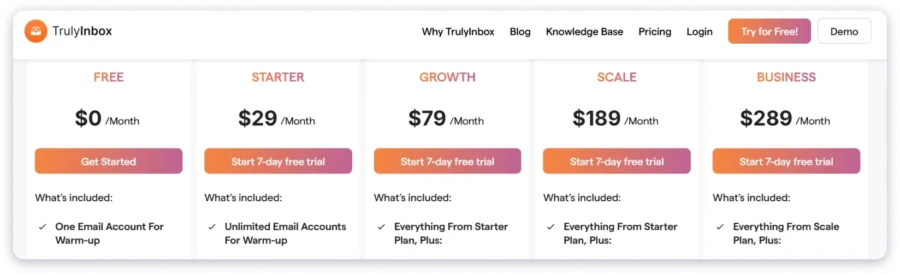
At 10 inboxes, TrulyInbox costs $79/month versus Folderly’s $960/month.
You save $881/month!
At 25 inboxes, TrulyInbox stays at $79/month while Folderly jumps to $1,400/month.
You save $1321/month!
Results & Deliverability
I tested warmed inboxes using Inbox Radar.
Inboxes warmed up with Folderly were tested using its own placement tool.
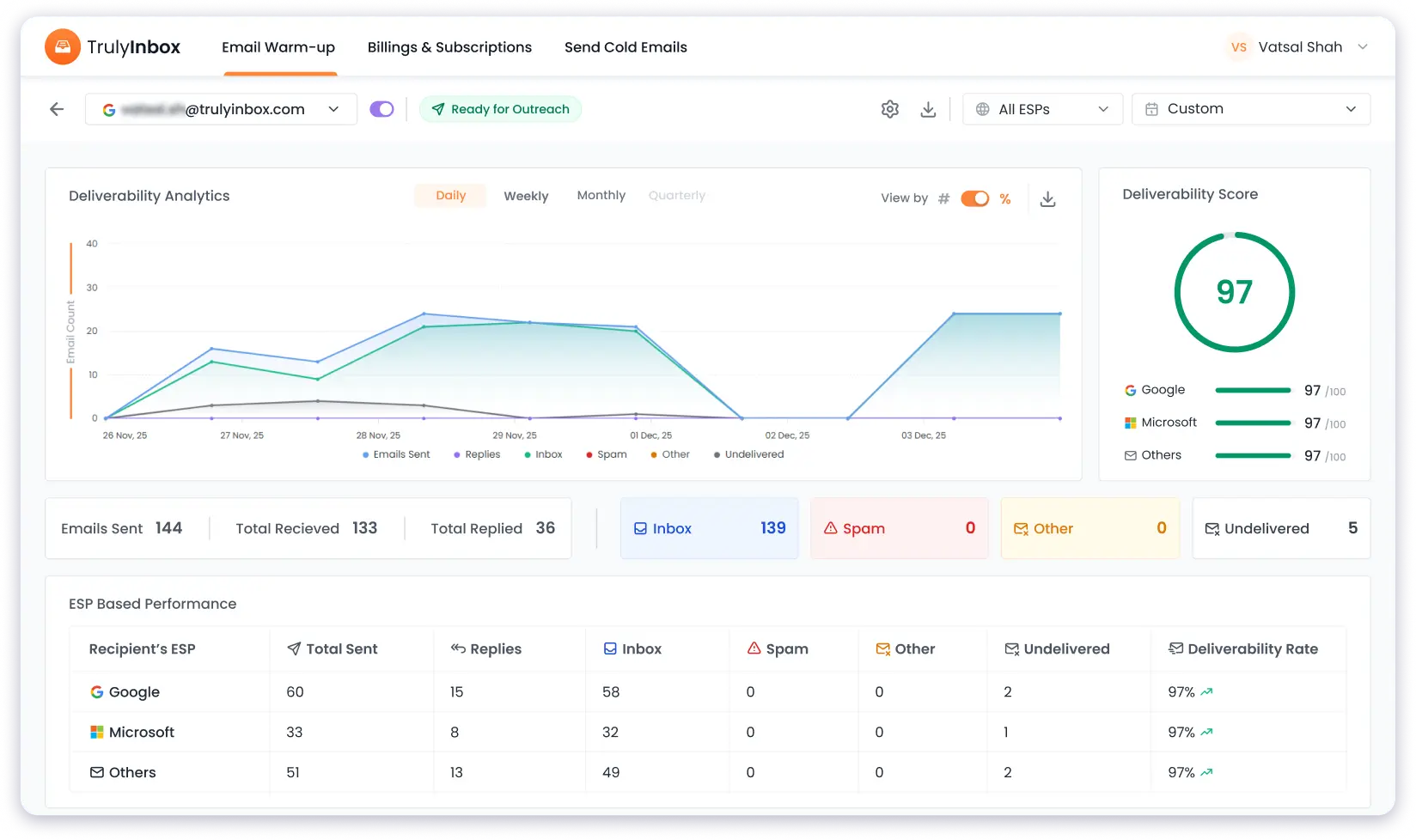
TrulyInbox results (53-email seed list):
- Google Workspace (US): 100% inbox placement (20/20)
- Microsoft Business (US): 100% inbox placement (20/20)
- Gmail: 100% inbox placement (5/5)
- Outlook: 100% inbox placement (5/5)
- Zoho: 0% inbox placement (0/1)
- Yahoo: 50% inbox placement (1/2)
Overall average inbox placement: ~96% (51/53)
Folderly results (48-email seed list):
- Google Workspace (Business): 100% inbox placement (20/20)
- Microsoft Business (Business): 95% inbox placement (19/20)
- Gmail (Free): 100% inbox placement (4/4)
- Outlook (Free): 25% inbox placement (1/4)
Overall average inbox placement: ~92% (44/48)
Both tools deliver strong deliverability.
The 4% difference doesn’t justify paying $960/month for 10 inboxes (Folderly) vs $79/month (TrulyInbox).
Note: Results depend on your domain age, sender reputation, email content quality, and technical setup (SPF, DKIM, DMARC).
Key Features
- Unlimited inbox connections (no per-inbox charges)
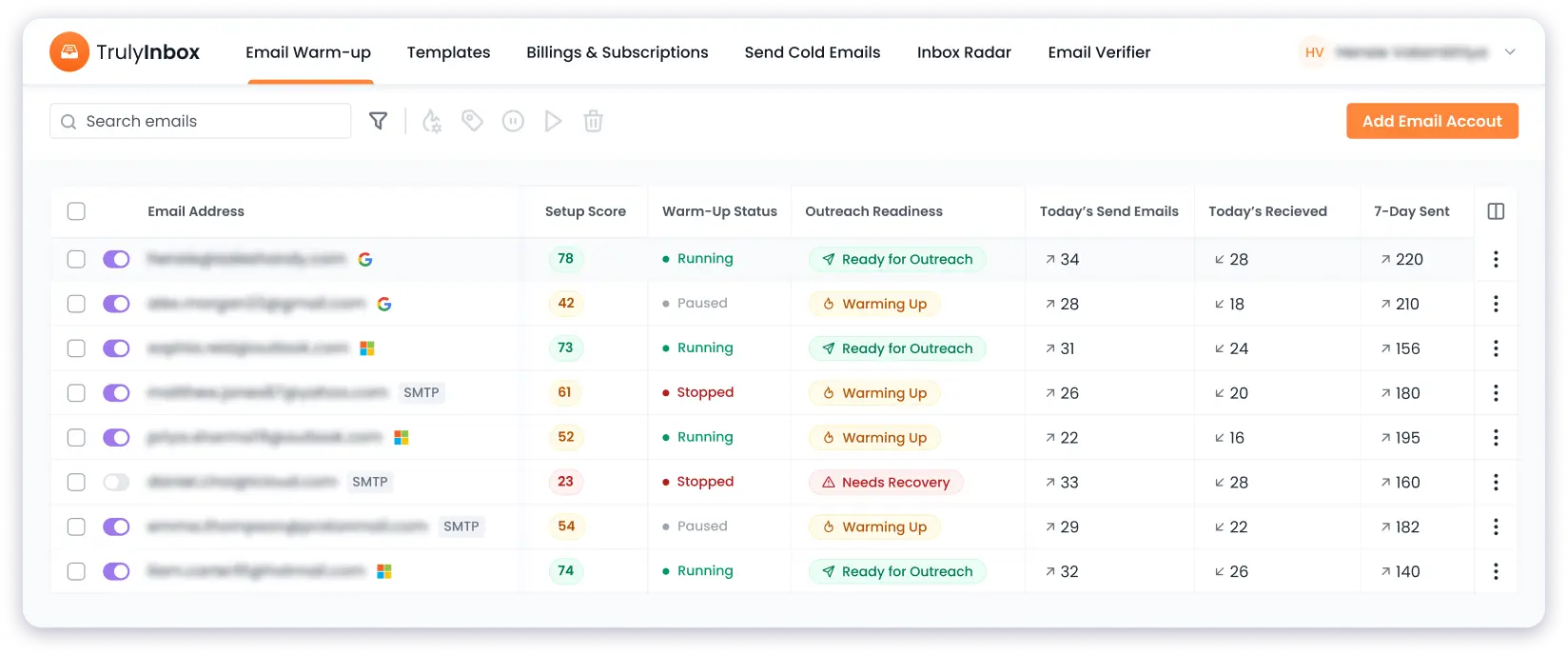
- Gradual warmup ramp-up with reply rate control
- Email sending schedule configuration
- ESP prioritization (Gmail, Outlook, others)
- DNS health checks (SPF, DKIM, DMARC verification)
- IP and domain blacklist monitoring
- Graphical warmup performance analytics dashboard
Pros
→Extremely affordable: $79/month for 50 inboxes vs Folderly’s $960/month for 10 inboxes
→96%+ inbox placement rates (better than Folderly’s 92%)
→Forever-free plan available
→7-day free trial on all paid plans
→Clean, intuitive interface
Cons
→No inbox placement testing yet (coming soon)
→No custom warmup templates (coming soon)
→No language-specific or industry-specific warmup options (coming soon)
Pricing
TrulyInbox offers a 7-day free trial and a forever-free plan.
It also has 4 paid plans.
Check the pricing page!
| Plan | Price | Warmup Emails/Day | Best For Number of Inboxes (Estimated) | Best For Use Case |
|---|---|---|---|---|
| Free Plan | $0 | 10 emails/day | 1 inbox | Testing TrulyInbox |
| Starter | $29/month | 100 emails/day | 5 inboxes | Solo entrepreneurs/ small teams starting cold email |
| Growth | $79/month | 1k emails/day | 50 inboxes | Agencies and growing teams scaling cold email outreach |
| Scale | $189/month | 3k emails/day | 150 inboxes | High-volume senders managing multiple campaigns |
| Business | $289/month | 6k emails/day | 300 inboxes | Enterprise teams with large-scale cold email operations |
All paid plans include:
- Unlimited inbox connections
- Customized email ramp-up (Growth and above)
- Advanced warmup settings (Scale and above)
- DNS health checks
- Blacklist monitoring
2. Warmup Inbox
Teams that want customization options (custom templates, topic-specific warmup) but are okay paying per inbox and higher costs at scale.
Warmup Inbox is an email warmup tool that helps improve your sender reputation through automated engagement.
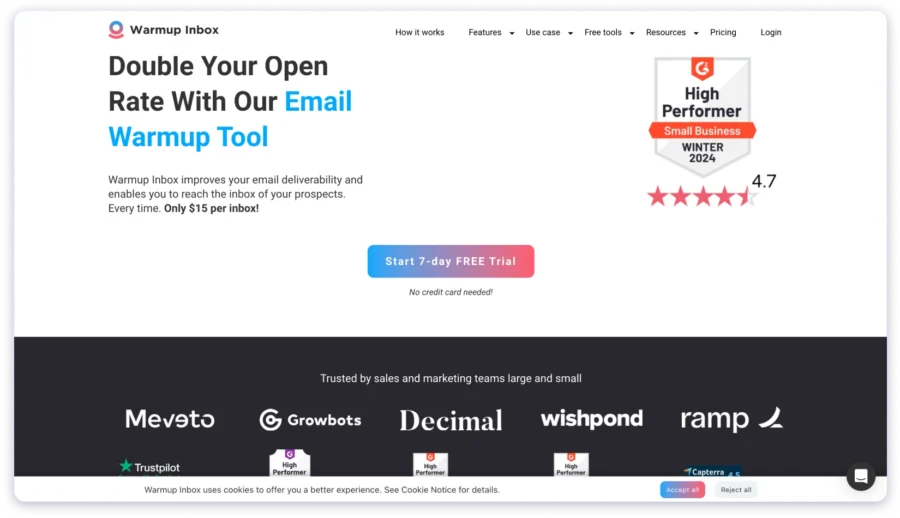
It offers advanced customization features that many other tools don’t provide at the price point it offers.
The trade-off: You pay per inbox, so costs increase as you scale.
Why Choose Warmup Inbox Over Folderly
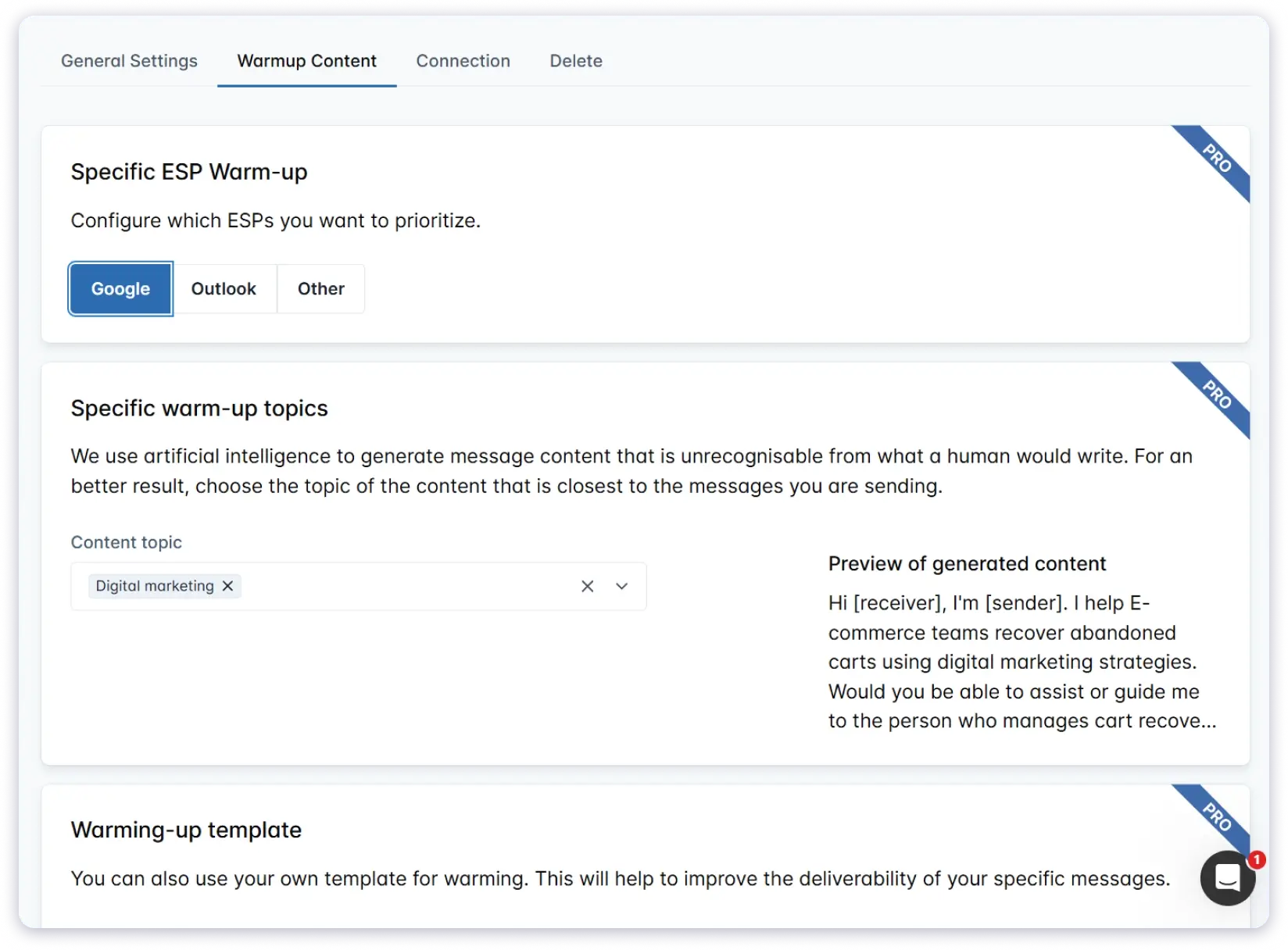
Warmup Inbox has features like warmup with custom templates, topic and industry-specific warmup, and language-based targeting.
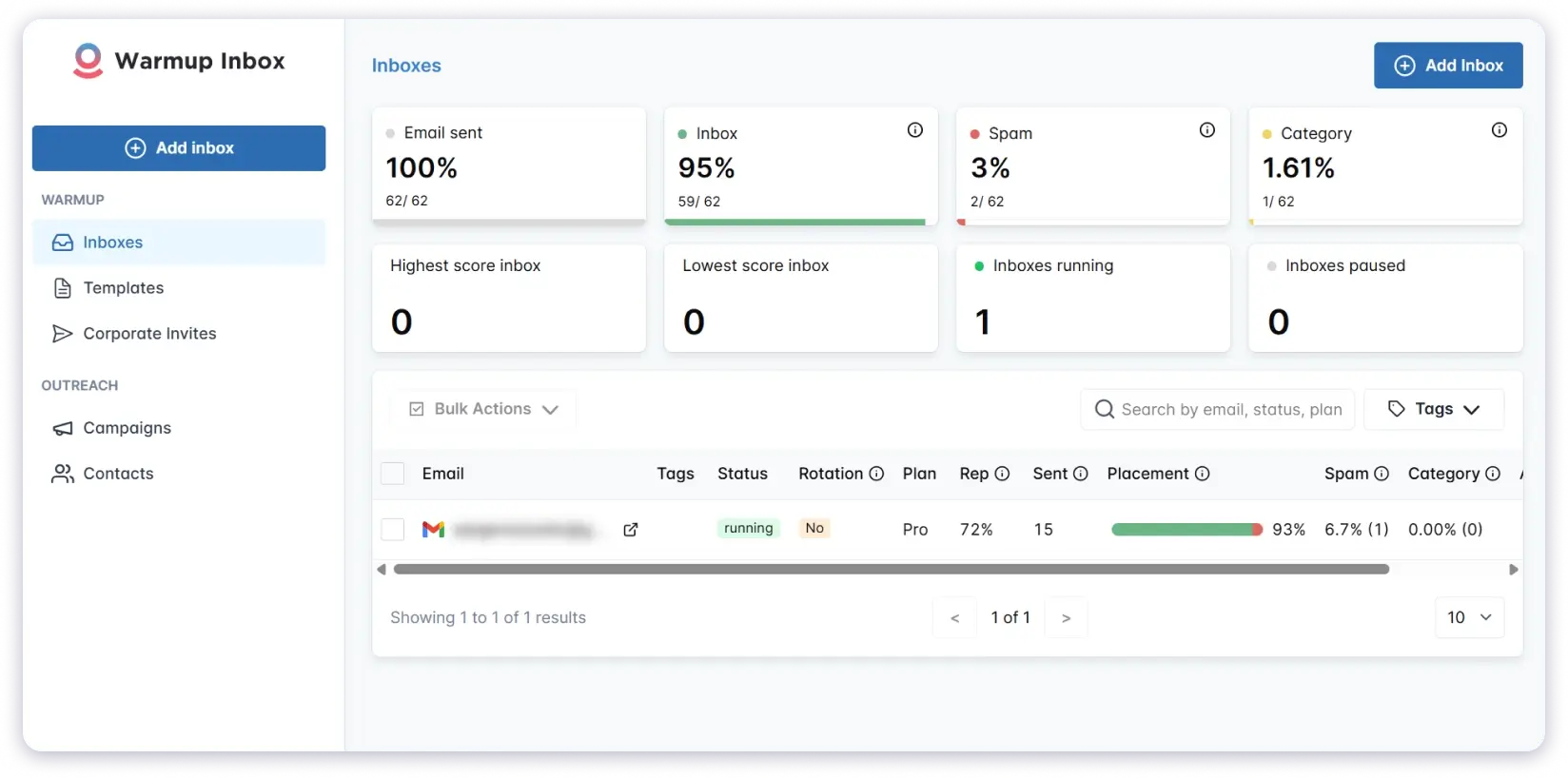
If that is something you would like to have (completely optional), then it makes sense to choose Warmup Inbox over Folderly.
The math at 10 inboxes:
- Warmup Inbox (Pro Bundle): $460/month
- Folderly: $960/month
You save: $500/month
Note: If you don’t need custom templates or topic-specific warmup, TrulyInbox at $79/month for unlimited inboxes is still the most affordable option.
Check out how Warmup Inbox compares to TrulyInbox!
Results & Deliverability
I tested inboxes warmed up using Warmup Inbox using Inbox Radar’s placement testing tool (53-email professional seed list).
Warmup Inbox results (53-email seed list):
- Google Workspace (US): 90% inbox placement (18/20)
- Microsoft Business (US): 90% inbox placement (18/20)
- Gmail: 100% inbox placement (5/5)
- Outlook: 80% inbox placement (4/5)
- Zoho: 100% inbox placement (1/1)
- Yahoo: 100% inbox placement (2/2)
Overall average inbox placement: 90% (48/53)
Warmup Inbox delivers solid results, on par with Folderly (92%).
Note: Results depend on your domain age, sender reputation, email content quality, and technical setup (SPF, DKIM, DMARC).
Key Features
- Custom warmup templates (create your own warmup email content)
- Topic-specific warmup (sales, recruiting, marketing, etc.)
- Language-specific warmup (warmup in multiple languages)
- ESP-specific optimization (Gmail, Outlook, Yahoo)
- Reply rate control up to 50% (Max plan)
Pros
→Custom warmup templates available
→Industry-specific warmup options (SaaS, E-commerce, Agency, etc.)
→90%+ inbox placement rates
→7-day free trial available
→Topic-specific warming capabilities
Cons
→Per-inbox pricing: $46/inbox vs TrulyInbox’s $79/month for 50 inboxes
→Gets expensive at scale (10 inboxes = $460/month)
→No forever-free plan
Pricing
Warmup Inbox offers a 7-day free trial.
It has 4 pricing tiers:
| Plan | Price | Warmup Emails/Day | Key Features | Best For Use Case |
|---|---|---|---|---|
| Basic | $19/inbox/month | 75 emails/day | • Replies up to 25% • Spam monitoring •Email reputation check | Solo users warming up 1-2 inboxes on a budget |
| Pro | $59/inbox/month | 250 emails/day | • Replies up to 45% • Custom templates • Topic/language warmup • ESP-specific warmup | Teams needing custom templates and topic-specific warmup for individual inboxes |
| Max | $99/inbox/month | 1k emails/day | • Replies up to 50% • Technical setup check | High-volume senders needing premium support and API access |
| Pro Bundle | $46/inbox/month | 1250 emails/day | • Best value for 5+ inboxes | Teams warming up 5+ inboxes who want Pro features at lower cost per inbox |
| Business | $289/month | 6k emails/day | 300 inboxes | Enterprise teams with large-scale cold email operations |
Note: While Warmup Inbox advertises high daily limits, I recommend keeping warmup volume to 30-50 emails per day per inbox for optimal sender reputation.
Pricing examples at scale:
- 5 inboxes (Pro Bundle): $230/month ($46/inbox)
- 10 inboxes (Pro Bundle): $460/month
- 25 inboxes (Pro Bundle): $1,150/month
- 50 inboxes (Pro Bundle): $2,300/month
Check out my list of 10 email warm up tools for 2026
Inbox Placement Testing Only Alternatives
3. Instantly.ai
Teams who run frequent placement tests and don’t want to count credits.
Instantly.ai is a sales engagement and lead intelligence platform that helps you find warm leads, scale email campaigns, and reach primary inboxes.
It includes unlimited inbox placement testing as part of its plans.

You can test where your emails land (inbox, spam, or promotions tab) across
- Google Workspace/Gmail
- Microsoft O365/Outlook
- Yahoo
- Web.de
- Libero.it
without worrying about credit limits.
Why Choose Instantly.ai Over Folderly
Instantly.ai offers unlimited inbox placement tests at a flat monthly rate, while Folderly charges per test.
The math:
- Instantly.ai Growth Inbox Placement (unlimited one-time tests): $47/month
- Folderly Insights (100 tests): $100/month
You save: $53/month
If you run more than 100 tests per month, the savings are even greater.
Key Features
- ESP & deliverability insights (Gmail, Outlook, Yahoo, Web.de, Libero.it)
- Monitor domain, sending account, and IP health
- SPF, DMARC, DKIM check
- Blacklists check
- Plan shareable across all your workspaces
- Advanced deliverability triggers and actions (Hypergrowth plan)
Pros
→Unlimited one-time tests at $47/month (vs Folderly’s $100/month for 100 tests)
→No credit counting or per-test fees
→Unlimited sending accounts per test
→Plan shareable across workspaces
→Includes European providers (Web.de, Libero.it)
Cons
→Recurring tests only available in Hypergrowth plan ($97/month)
→Limited ESP coverage (only 5 providers)
→Testing only – no warmup functionality
Looking for other Instantly.ai alternatives? Check out my list of top Instantly.ai alternatives.
Pricing
Instantly.ai offers 2 inbox placement testing plans:
| Plan | Price | What's Included | Best For Use Case |
|---|---|---|---|
| Growth Inbox Placement | $47/month | • Unlimited one-time deliverability tests • Unlimited sending accounts per test | Teams running frequent one-time placement tests |
| Hypergrowth Inbox Placement | $97/month | • Unlimited automated and recurring tests | Teams needing automated recurring tests and advanced deliverability automation |
4. Inbox Radar by Saleshandy
Teams who need a professional seed list with domain-based inboxes for accurate B2B testing.
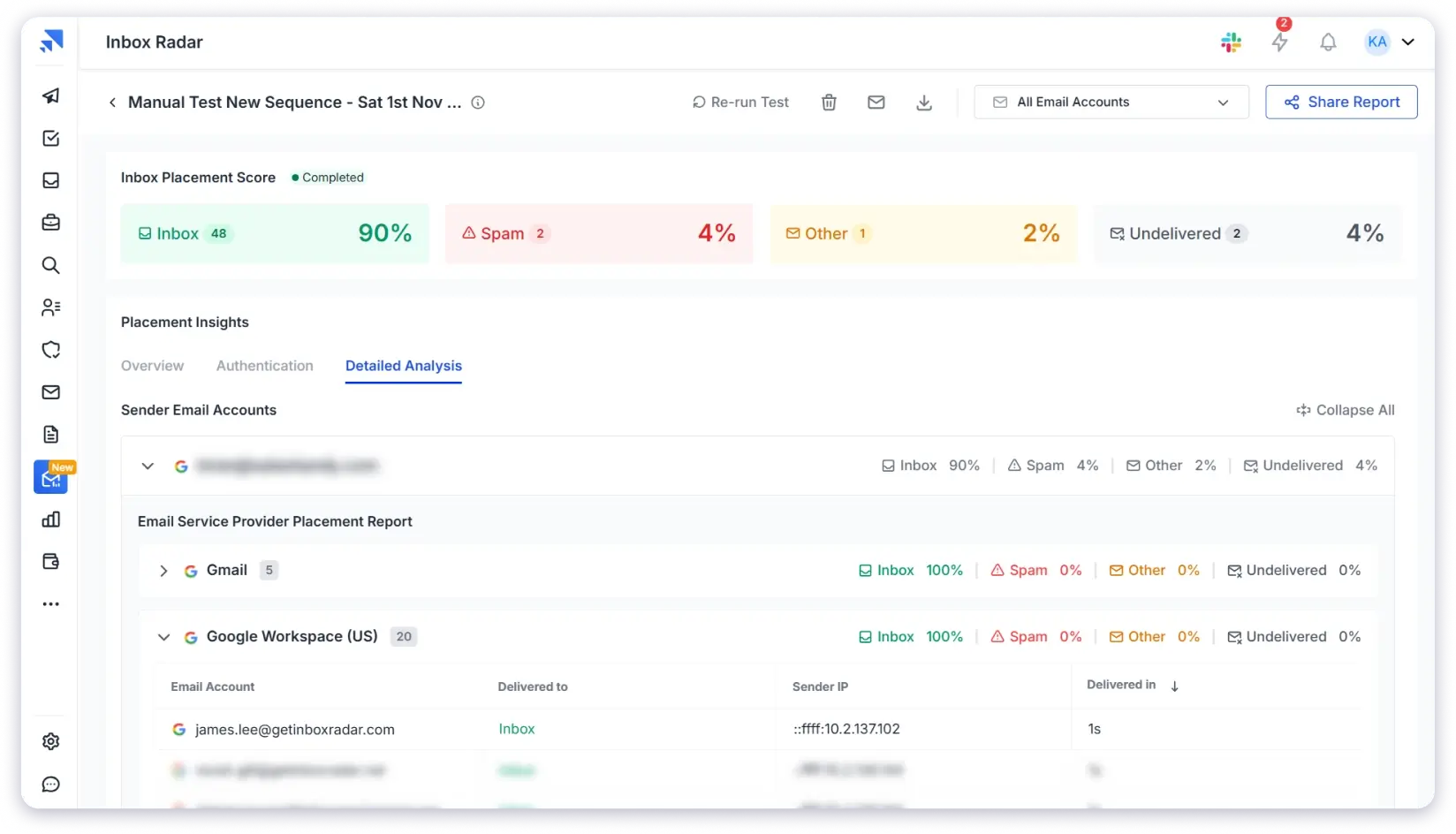
Inbox Radar is Saleshandy’s inbox placement testing tool with a 53-email seed list featuring 40+ professional domain-based inboxes.

This makes it ideal for B2B senders who want to test deliverability to business email addresses, not just free Gmail/Outlook accounts.
Why Choose Inbox Radar Over Folderly
Inbox Radar is half the price of Folderly and gives you more tests.
The math:
- Inbox Radar Starter: $49/month for 120 tests
- Folderly Insights: $100/month for 100 tests
You save: $51/month and get 20 extra tests
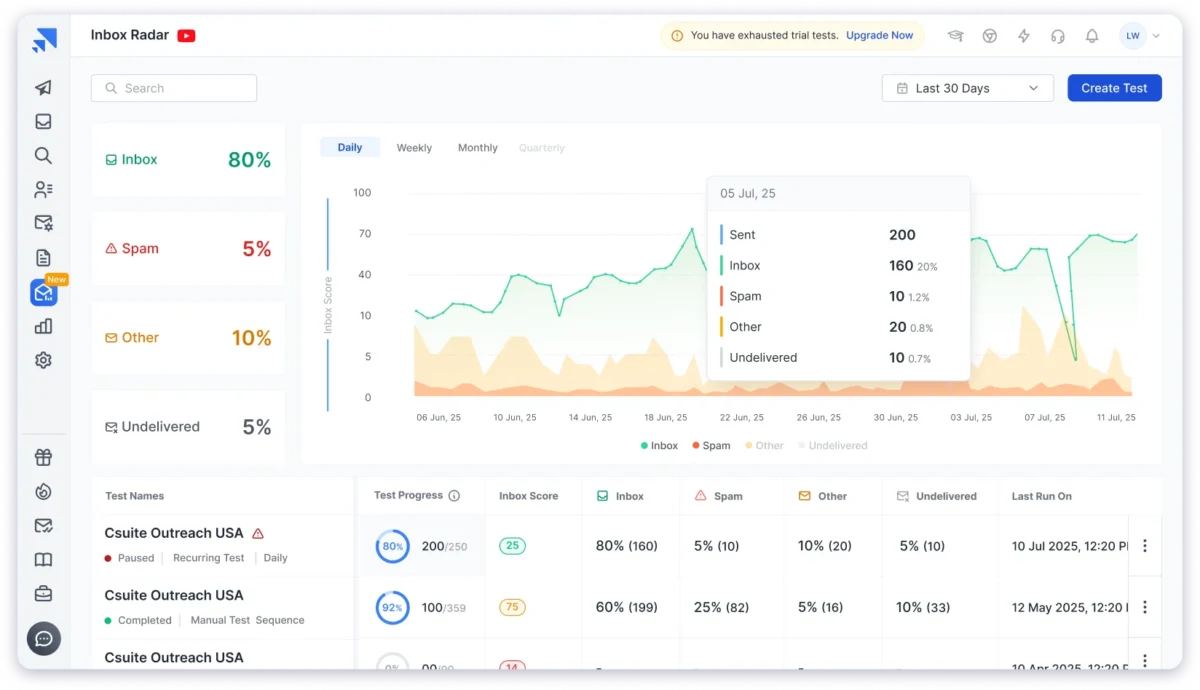
Both use professional seed lists with 40+ domain-based inboxes. Inbox Radar just costs less.
Key Features
- 53-email professional seed list (40+ domain-based business inboxes)
- Inbox placement insights
- SpamAssassin score analysis
- Domain & IP reputation report
- Historical trend dashboard
Pros
→Professional B2B seed list (53 emails, 40+ domain-based business inboxes)
→2 free tests/month ongoing (no credit card required)
→More tests than Folderly at half the price ($49 for 120 tests vs $100 for 100 tests)
→SpamAssassin score analysis included
→Historical trend tracking dashboard
Cons
→Credit-based system (not unlimited like Instantly.ai)
→Fewer tests than Instantly.ai’s unlimited offering
→Advanced features (recurring tests, exportable reports) locked in higher tiers
Pricing
Inbox Radar offers 2 free inbox placement tests per month with no credit card required.
It has 3 paid plans.
| Plan | Price | Tests/Month | Sending Accounts Per Test | Best For Use Case |
|---|---|---|---|---|
| Inbox Free | $0/month | 2 tests/month | 1 account/test | Testing Inbox Radar or occasional testing |
| Inbox Starter | $49/month | 120 tests/month | 50 accounts/test | Small teams running regular placement tests |
| Inbox Pro | $99/month | 250 tests/month | 100 accounts/test | Teams needing recurring tests and exportable reports |
| Inbox Scale | $199/month | 600 tests/month | Unlimited accounts/test | High-volume senders with multiple campaigns |
Check out more inbox placement tools!
Both Warmup + Testing Alternatives
5. Warmforge
Budget-conscious teams using Google Workspace or Microsoft O365 accounts.
Warmforge combines email warmup and inbox placement testing at the lowest price in this category.
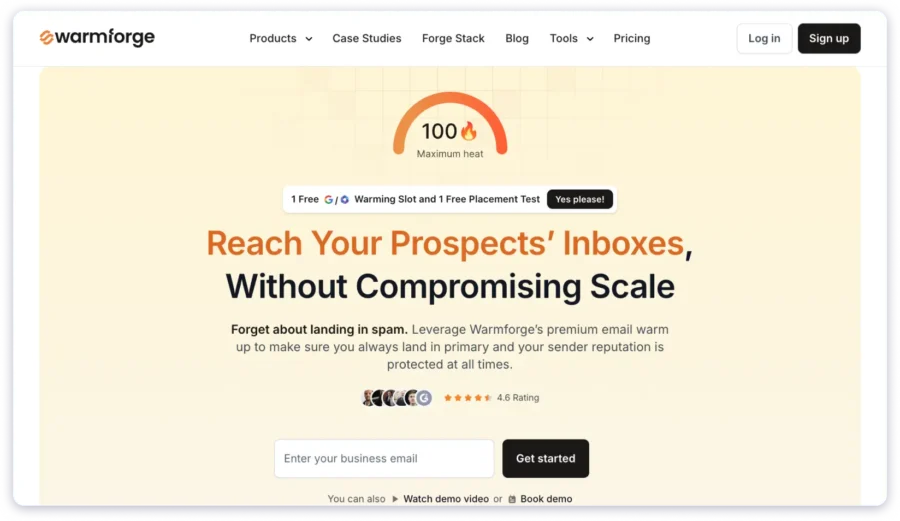
It’s the most affordable all-in-one option, but comes with a major limitation: it only works with
- Google Workspace
- Microsoft O365
- Or IMAP/SMTP accounts bought fromPrimeforge/Mailforge.
Why Choose Warmforge Over Folderly
Warmforge is dramatically cheaper than Folderly for both warmup and testing.
The math at 10 inboxes:
- Warmforge: ($12 × 10) + $39 = $159/month (warmup + testing)
- Folderly: ($96 × 10) + $100 = $1,060/month (warmup + testing)
You save: $901/month
The catch: Warmforge only supports Google Workspace, Microsoft O365, or Primeforge/Mailforge accounts.
Key Features
- Email warmup ($12/inbox/month)
- Inbox placement testing (flat monthly rate)
- Gradual warmup ramp-up
- Multi-ESP testing coverage
Pros
→Cheapest all-in-one option: $159/month (10 inboxes + 100 tests) vs Folderly’s $1,060/month
→Massive savings: $901/month cheaper than Folderly
→Free tier available (1 warmup slot + 1 test/month)
→Both warmup and testing in one platform
Cons
→ONLY works with Google Workspace, Microsoft O365, or Primeforge/Mailforge IMAP/SMTP
→No support for free Gmail, Outlook, Yahoo, or other IMAP/SMTP providers
→Limited flexibility compared to other tools
→Smaller user community
Pricing
Warmforge offers 1 free warm-up slot and 1 free placement test per month.
Warmup Pricing:
- $12/inbox/month (unlimited inboxes)
Inbox Testing Pricing:
| Plan | Price | Tests/Month | Mailboxes Per Test | Best For Use Case |
|---|---|---|---|---|
| Pro | $39/month | 100 tests | 50 mailboxes | Small teams running regular tests |
| Growth | $169/month | Unlimited tests | 250 mailboxes | High-volume senders needing unlimited testing |
6. MailReach
Teams who primarily need warmup but want basic placement testing included at no extra cost.
MailReach bundles email warmup and inbox placement testing into one solution.

It’s more expensive than Warmforge but supports all email providers (Gmail, Outlook, Yahoo, custom IMAP/SMTP, etc.).
Why Choose MailReach Over Folderly
MailReach is cheaper than Folderly and includes both warmup and testing in one plan.
The math at 10 inboxes:
- MailReach: 10 inboxes × $25 = $250/month (includes 20 tests/month)
- Folderly: ($96 × 10) + $100 = $1,060/month (warmup + testing)
You save: $810/month
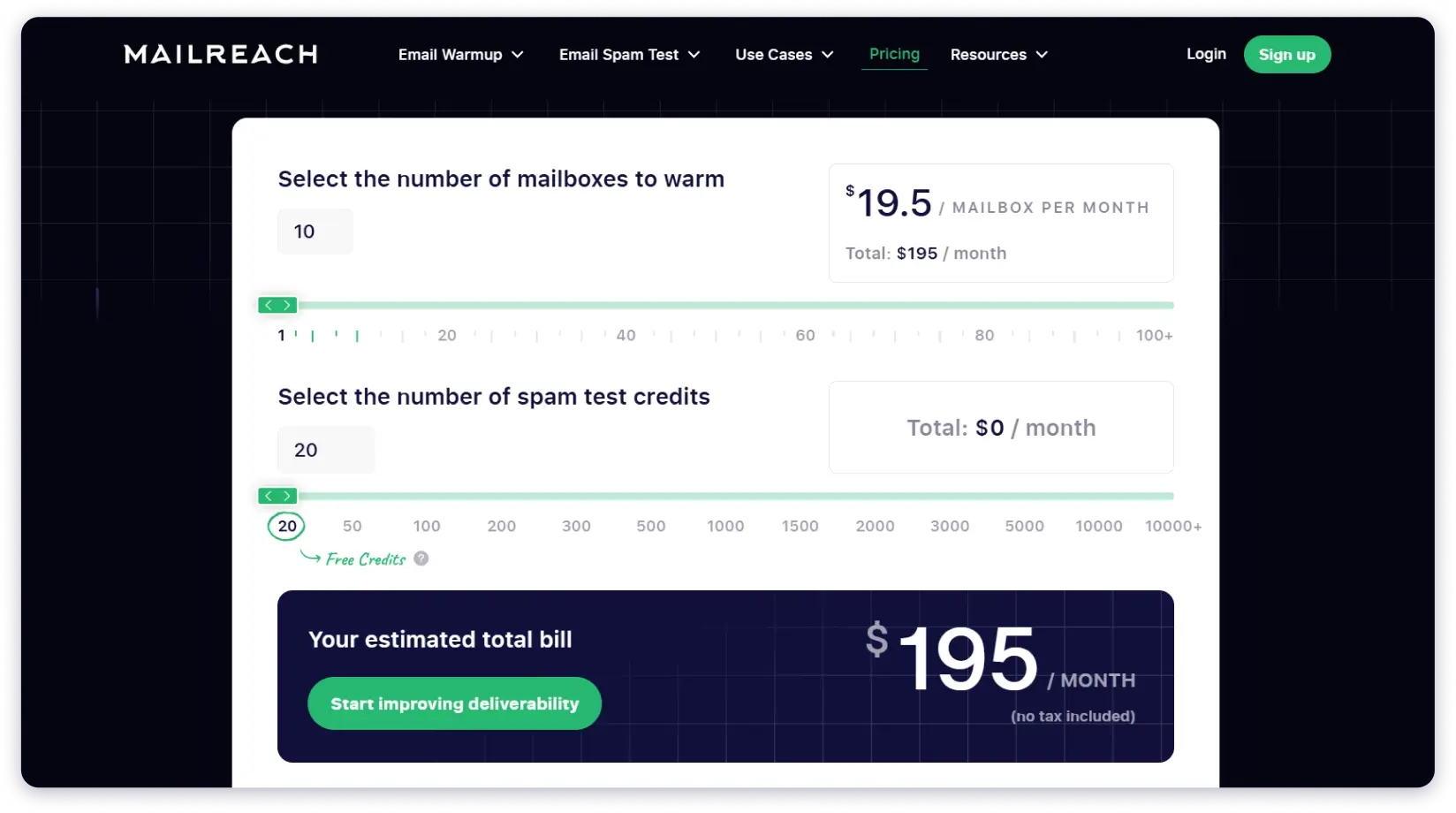
MailReach also offers volume discounts: $19.50/inbox at 10+ inboxes.
Key Features
- Fully automated warmup for multiple mailboxes
- Smart AI warming algorithm
- Domain & inbox health checks (Blacklist, SPF, DKIM, DMARC, ETS)
- MailReach Co-Pilot: AI Deliverability Assistant
- Reputation tracking dashboard
Pros
→Bundled warmup + testing: 20 spam test credits included free with every warmup inbox
→All email providers supported (Gmail, Outlook, Yahoo, IMAP/SMTP)
→Massive savings: 10 inboxes = $250/month vs Folderly’s $1,060/month ($810/month saved)
→Volume discounts available (starting at 5+ inboxes)
→3 free spam tests every 24 hours (no account required)
→MailReach Co-Pilot: AI-powered deliverability assistant
Cons
→No warmup trial (only 3 free spam tests every 24 hours)
→Additional spam tests beyond 20/month cost extra
→More expensive per inbox than TrulyInbox or Warmforge
Pricing
MailReach offers 3 free placement tests every 24 hours (no credit card required).
Warm-up is charged per inbox and inbox placement testing based on the credits you want monthly.
Warmup Pricing:
- 1 inbox: $25/month/inbox
- 5+ inboxes: $19.50/month/inbox
- 20+ inboxes: $18/month/inbox
- 50+ inboxes: $16/month/inbox
Inbox Placement Test (Spam Test) Pricing:
- 20 Credits: Free
- 50 Credits: $30/ month
- 100 Credits: $55/ month
- 200 Credits: $95/ month
Total cost examples:
- 1 inbox: $25/month (includes 20 tests)
- 5 inboxes: $97.50/month (includes 20 tests)
- 10 inboxes: $195/month (includes 20 tests)
- 10 inboxes + 100 Spam tests: $250/month
Also, check out these 6 email deliverability tools.
Folderly Competitors That I Tested but Didn’t Meet the Cut
I tested 8 other email warmup and inbox placement testing tools, but they didn’t make my list of cost-effective Folderly alternatives.
Here’s why:
1. GlockApps
Pricing: $85/month for 30 tests on 1 account
Why I didn’t recommend it:
Nearly as expensive as Folderly Insights ($100/month for 100 tests).
You get fewer tests at almost the same price.
GlockApps does provide a wider seed list than most other tools I tried, but it’s more ideal for email marketing than cold outreach.
If you’re paying $85/month, you might as well pay $15 more for Folderly’s 100 tests or switch to Instantly.ai’s unlimited tests at $47/month.
Read my GlockApps review for the full breakdown.
2. Warmy.io
Pricing: $41/inbox/month
Why I didn’t recommend it:
Per-inbox pricing gets expensive fast.
For 10 inboxes, you’re paying $410/month, which is far more expensive than TrulyInbox ($79/month for unlimited inboxes).
Even compared to Warmup Inbox’s Pro Bundle ($460/month for 10 inboxes), Warmy.io doesn’t offer enough extra features to justify the cost.
Read my Warmy.io review for more details.
3. Lemwarm
Pricing: $29-$49/month per inbox
Why I didn’t recommend it: Fewer features than Warmup Inbox at similar price points.
Warmup Inbox offers custom templates, topic-specific warmup, and language targeting at $19-$59/inbox.
Lemwarm doesn’t match that feature set, so there’s no reason to choose it over Warmup Inbox.
Read my Lemwarm review for a detailed comparison.
4. Warmbox
Pricing: $19/month for 1 inbox, $79/month for 3 inboxes
Why I didn’t recommend it:
Terrible per-inbox economics. At $79/month for just 3 inboxes, that’s $26.33 per inbox.
Compare that to TrulyInbox ($79/month for 40+ inboxes) or even Warmup Inbox’s Pro Bundle ($46/inbox for 5+ inboxes).
Warmbox pricing makes no sense.
Read my Warmbox review to see the full cost breakdown.
5. Mailwarm
Pricing: $79/month for 1 inbox
Why I didn’t recommend it:
Way too expensive. $79/month for a single inbox when TrulyInbox charges $79/month for unlimited inboxes?
Not even close. There’s no feature that justifies paying 40x more per inbox.
Read my Mailwarm review for the complete analysis.
6. InboxAlly
Pricing: $149/month for 1 account
Why I didn’t recommend it: More expensive than Folderly itself ($96/inbox/month).
If I’m recommending cheaper alternatives to Folderly, why would I suggest a tool that costs even more?
InboxAlly offers seed list engagement, but not enough to justify the premium.
Read my InboxAlly review for a deeper dive.
7. Mailivery
Pricing: $79/month for 600 warmup emails/day
Why I didn’t recommend it:
TrulyInbox offers 1,000 warmup emails/day at the same price ($79/month).
You get 400 fewer emails per day with Mailivery for the same cost. Plus, TrulyInbox includes unlimited inbox connections while Mailivery uses per-inbox pricing.
8. Allegrow
Pricing: Enterprise-focused pricing (not publicly listed)
Why I didn’t recommend it:
Allegrow is positioned for enterprise teams with custom pricing.
It’s not designed to be a budget-friendly Folderly alternative. If you’re looking for cost-effective options, Allegrow isn’t in that category.
The bottom line:
All 8 tools either cost too much, offer too little, or both.
The 6 alternatives I recommended earlier give you better value without compromising on deliverability results.
Choose the Best Alternative to Folderly
You’ve seen the alternatives. You’ve also seen the tools that didn’t make the cut.
Now here’s how to pick the right one for your needs.
The right Folderly alternative depends on what you actually need and how many inboxes you’re warming up.
- If you need only email warmup:
Go with TrulyInbox. It is the most affordable option and works best if you want to warm up multiple inboxes. - If you only need inbox placement testing:
Pick Instantly.ai. It lets you run unlimited placement tests and is ideal if testing is your main priority. - If you need both warmup and testing:
Go with Warmforge if your setup is limited to Google Workspace or Microsoft 365.
If you want broader compatibility, MailReach is the better option.
Each of these Folderly alternatives delivers the same (or better) results at a fraction of the cost. Pick the one that matches your needs and start saving.
FAQs About Folderly and Its Alternatives
1. What are Folderly’s main weaknesses?
Folderly’s biggest weakness is pricing.
- At $96/inbox/month for warmup, it’s one of the most expensive options in the market.
- For inbox placement testing, Folderly charges $100/month for 100 tests.
If you’re warming up multiple inboxes or running frequent tests, Folderly’s pricing doesn’t make sense.
2. What’s the most affordable alternative to Folderly?
Email warmup only: TrulyInbox at $79/month for unlimited inboxes.
Inbox Placement testing only: Instantly.ai at $47/month for unlimited tests.
For both warmup and testing: Warmforge is cheapest at $12/inbox warmup plus $39/month for 100 tests. But it only works with Google Workspace or Microsoft O365 accounts.
If you need broader provider support, MailReach at $25/inbox (includes 20 free tests) is your best option.
3. Which Folderly alternative is best for high-volume testing?
Instantly.ai is the clear winner.
You get unlimited one-time tests at $47/month. Or $97/month for unlimited recurring tests. No credit counting. No limits.
If you’re running 200+ tests per month, Instantly.ai saves you hundreds compared to Folderly ($100 for 100 tests) or Inbox Radar ($199/month for 600 tests).
4. Do I need separate tools for warmup and testing, or should I get an all-in-one alternative?
It depends on your needs and budget.
All-in-one tools like Warmforge and MailReach are convenient if you need both features regularly.
Separate tools often give better value. TrulyInbox ($79/month) plus Instantly.ai ($47/month) = $126/month total. That’s still cheaper than Folderly’s $1,060/month for 10 inboxes. Plus you get unlimited testing.
Choose all-in-one if convenience matters more than cost.
5. Which alternatives work with all email providers (Gmail, Outlook, Yahoo, etc.)?
Most alternatives support all major email providers:
- TrulyInbox
- Warmup Inbox
- MailReach
- Instantly.ai
- Inbox Radar
Exception: Warmforge only works with Google Workspace, Microsoft O365, or Primeforge/Mailforge accounts.
If you use free Gmail, Yahoo, or other providers, avoid Warmforge.
6. How do per-inbox pricing and volume-based pricing compare at scale?
Volume-based pricing becomes dramatically cheaper as you scale.
Per-inbox pricing example: 10 inboxes at $46/inbox (Warmup Inbox Pro Bundle) = $460/month.
Volume-based pricing example: TrulyInbox charges $79/month whether you connect 1 inbox or 50 inboxes.
The savings are massive with volume-based pricing. If you’re warming up 5+ inboxes, volume-based pricing wins.
Per-inbox pricing only makes sense if you need specific features like custom templates that volume-based tools don’t offer.
7. Are there any completely free alternatives to Folderly?
Yes, but with limitations.
Free warmup:
- TrulyInbox: Forever-free plan with 10 warmup emails/day (good for 1 inbox)
- Warmforge: 1 free warmup slot
Free testing:
- Inbox Radar: 2 free tests per month (no credit card required)
- MailReach: 3 free tests every 24 hours
- Warmforge: 1 free test per month
These free plans work for testing tools or maintaining 1-2 inboxes. For serious cold email campaigns with multiple inboxes, you’ll need a paid plan.
8. What should I look for when choosing a Folderly alternative?
Focus on three things:
1. Pricing model Calculate costs at your actual inbox count (5, 10, 25 inboxes). See which pricing model saves you more.
2. Feature set Do you need custom templates? Recurring tests? Specific integrations? Make a list of must-have features.
3. Provider compatibility Confirm the tool supports your email providers. Warmforge is cheap but only works with Google Workspace and Microsoft O365.
Don’t pick a tool just because it’s cheapest. Make sure it actually works with your setup.

 Yash Jain